


Meet the Desk365 Alternative
OneDesk is a support platform designed to manage the full customer lifecycle. See how OneDesk compares to Desk365.


Key differences : OneDesk vs Desk365
Desk365 is a help desk solution known for its strong integration with the Microsoft 365 ecosystem. It is a cost-effective tool that offers a good number of help desk features including email ticketing, a support portal, SLAs, and automation.
OneDesk is a work management software that provides a cloud or self-hosted platform designed to improve support and client relationships. OneDesk also offers strong integration with Microsoft Teams, Entra, and Outlook. However, it breaks the Microsoft-only barrier by providing more omnichannel support across other email providers, phone/voice, chat, and other 3rd party integrations. As well, it’s native work management features also help teams to manage the entire client lifecycle from quotes to project delivery.
Pros and cons of Desk365
- Good Microsoft integration
- Cost-effective
- Clean interface
- Missing advanced ITSM features
- Strictly Microsoft-centric
- Limited reporting
- Basic customization
Top reasons to search for a Desk365 alternative
Some of the reasons why Desk365 users looks for alternatives to manage their help desk:
- Need additional omnichannel support
- Moving away / don't use Microsoft ecosystem
- Need advanced workflows
Compare OneDesk and Desk365
Key feature comparison
| OneDesk | Desk365 | |
|---|---|---|
| MS Teams Integration | ||
| Automation | ||
| Web Widget | ||
| Knowledge Base | ||
| Gmail / Google Workspace Integration | ||
| Voice / IVR | ||
| AI Summaries | ||
| Community Forum | ||
| Invoicing for Support | ||
| Project Planning |
Pricing and plans
OneDesk
Enterprise tier help desk pricing-
Advanced security
-
Self hosted or cloud
-
Unlimited customers
Desk 365
Plus tier pricing-
No encrypted fields
-
No self hosted option
Why OneDesk is one of the best alternatives to Desk365
Unified, modern help desk
OneDesk helps businesses manage and resolve customer inquires with key support features:
- Ticket management
- Web widget
- AI agent, summaries, and help center
- Custom workflows
- Integrated self-service


More omnichannel support
AI-powered help center
Direct email integration
Advanced features without breaking the bank
Desk365 offers good value for money, but OneDesk goes even further.
- Problem / change management workflows
- Subtasks and dependencies
- Time tracking
- Customizable reports

Odie AI Agent
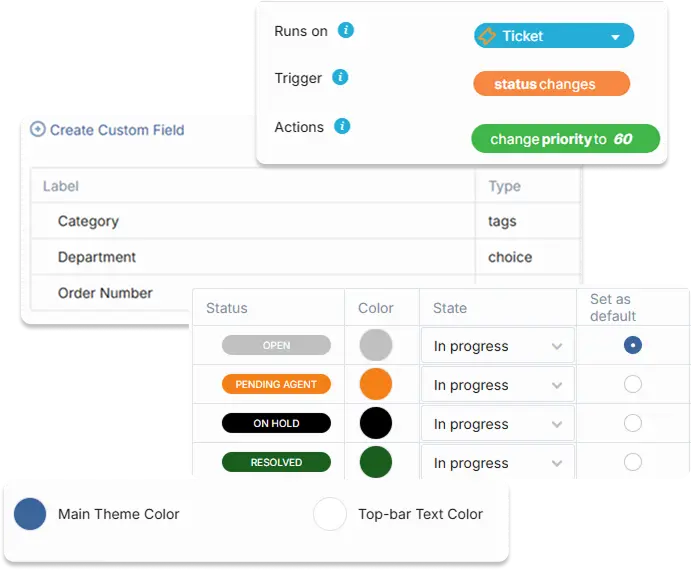
Advanced automation
The highest customization
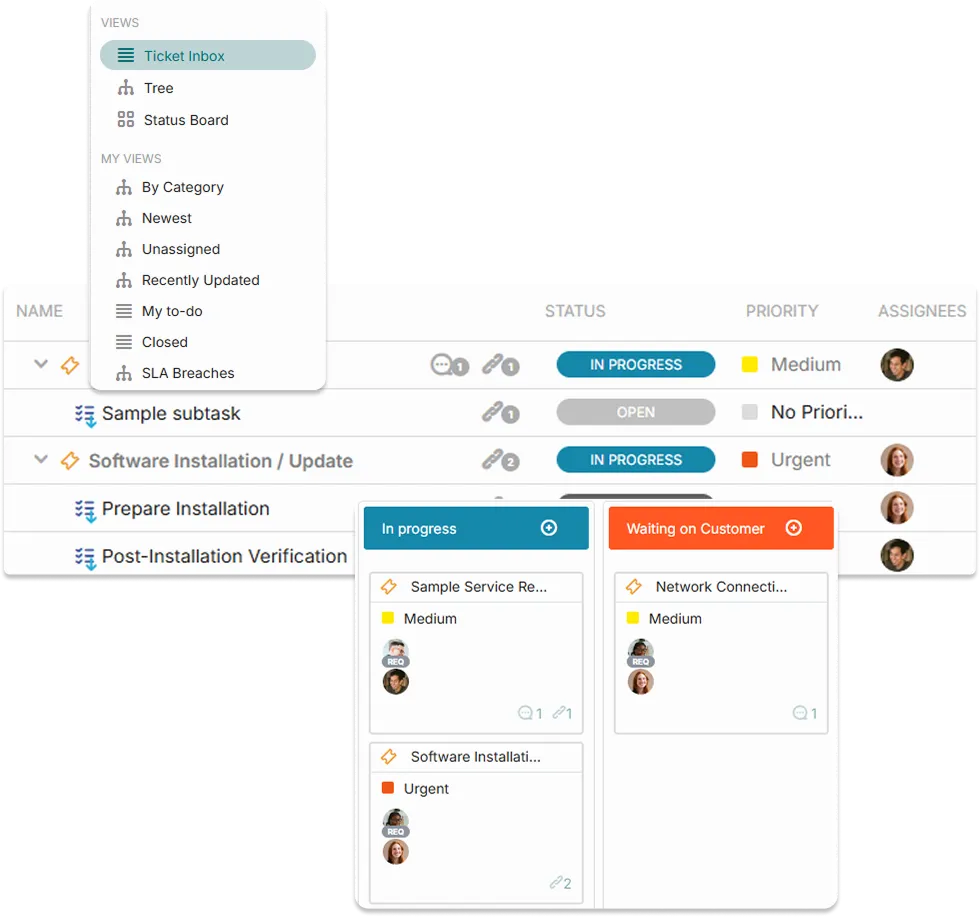
Manage the full customer lifecycle
Do you perform work for a customer or bill for your support? OneDesk’s work management plan offers an all in one solution to manage the full customer lifecycle in one app.

6 reasons teams choose OneDesk
Cost-effective
Get enterprise level features without the enterprise cost.
Expandable
Replace multiple subscriptions with an all-in-one product suite.
Customizable
Easy to start yet one of the most customizable solutions.
Flexible
Deploy on the cloud or on-premise.
All-in-one
Handle tickets, chats, tasks, and more in one platform.
Collaborative
@ mention your team and share files in-context.
FAQ
OneDesk and Desk365 have almost complete feature parity with multichannel ticketing, a web widget and support portal, automations, canned responses, and reports.
The main difference is Desk365 is built primarily for the Microsoft ecosystem. While OneDesk has strong integration with Microsoft (SSO, direct email connection, and Teams ticketing), it doesn't limit you to Microsoft. So if you use other tools, want more omnichannel ticketing features, or are switching away from Microsoft, OneDesk is the better option. OneDesk is also functions as a work management system, meaning you can bill for support and manage client projects within one system.
The best alternative to Desk365 depends on the needs and budget of your team. We think OneDesk is a great alternative because it covers nearly all the features of Desk365, on top of more advanced ITSM features and varied integrations. OneDesk is also ideal for service-based businesses like agencies and MSPs because it allows teams to manage client projects and invoicing in one platform.
OneDesk has an import feature that makes migration easy. It allows you to easily add customers, articles, and legacy tickets in just a few clicks.
Feel free to book a demo with our team! We would be happy to show you the product and answer any questions.