



Client Support Alternative to Outlook
OneDesk is a ticketing system that elevates your Outlook email workflow. See how OneDesk is better for support.

Key differences : OneDesk vs Outlook
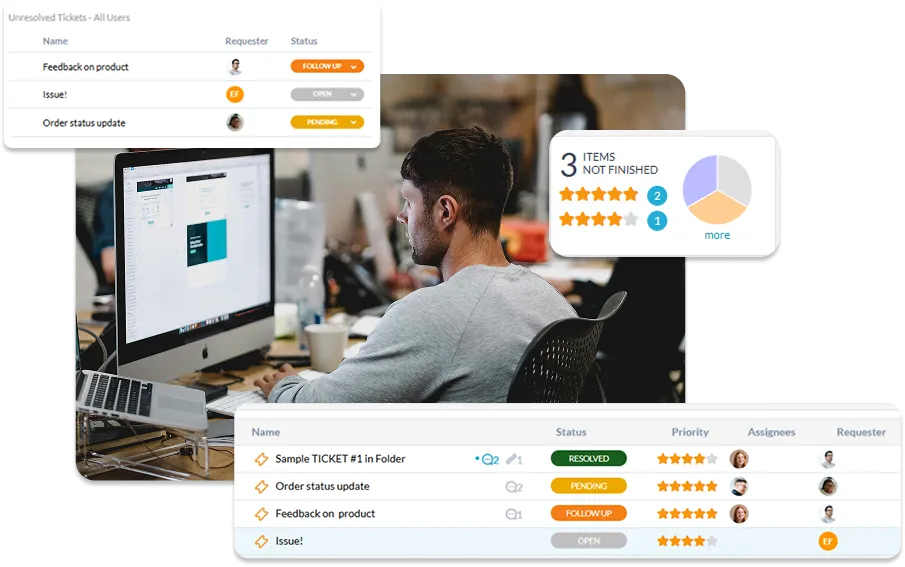
Outlook is a popular email client used by many businesses to manage their support inquiries. While Outlook is great for receiving and sending emails, it wasn’t designed to handle customer support, especially at larger volumes. OneDesk cannot replace Outlook as an email client, but instead works with it to optimize your support workflow. OneDesk directly connects with your Outlook inbox to capture tickets. It can then automatically assign, tag, and organize emails. From OneDesk, you get a complete picture of email tickets, including who is responsible for what, and what needs follow-up.
Top reasons to search for an Outlook alternative for support
Eventually Outlook alone cannot handle high volumes of customer support. Here are reasons to look for a ticketing system instead:
- Lack of accountability
- No tracking or statuses
- No automation
- Lack of collision detection
- No collaboration
- No reporting or analytics
Compare OneDesk and Outlook for support
Key feature comparison
| OneDesk | Outlook | |
|---|---|---|
| Statuses | ||
| Assignments | ||
| Self-service help center | ||
| SLA management | ||
| Prioritization | ||
| Automated assignment, prioritization, tagging, etc. | ||
| Time tracking | ||
| Reporting & dashboards | ||
| Agent collision detection | ||
| Customer context & profiles |
Why OneDesk is better than Outlook for support
Get full visibility
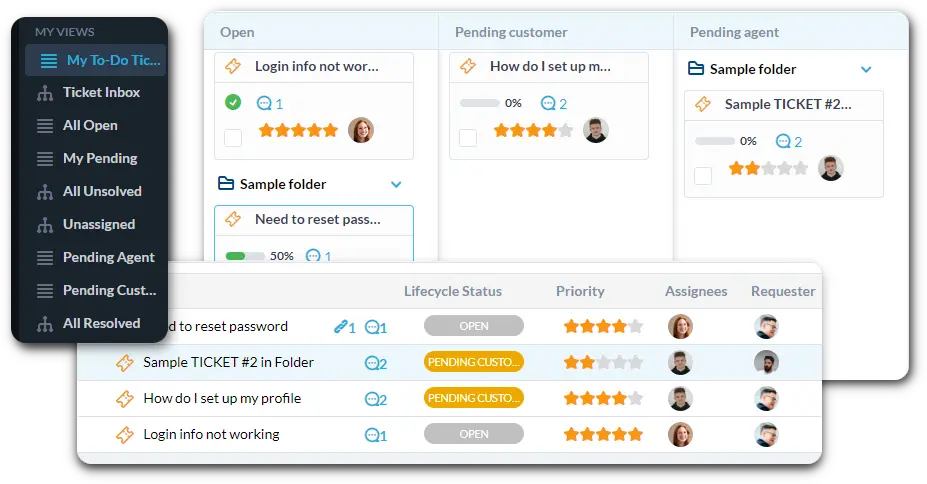
Compared to Outlook, OneDesk transforms your email lists into a centralized workspace for every inquiry. Instead of wondering if a teammate has already replied, you gain real-time visibility into who is working on what through clear agent assignments and collision detection.

More channels, less switching
Direct email connection
Work your way
Reduce ticket volume
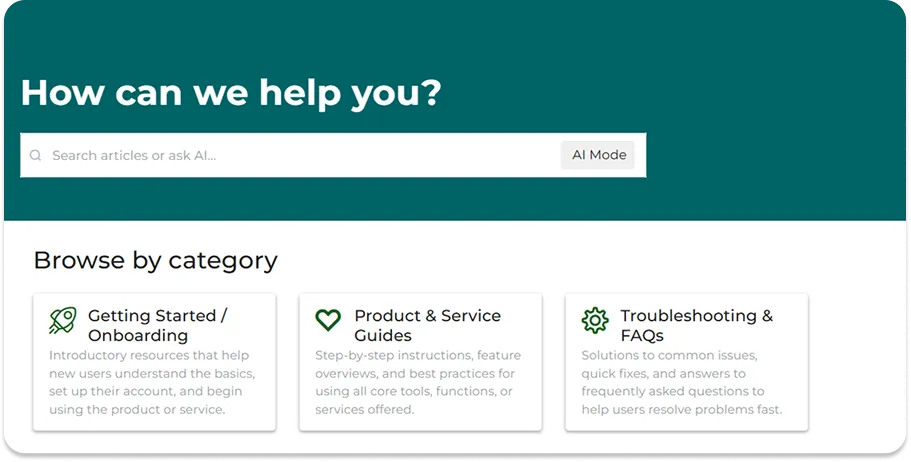
One of the benefits of a support platform is that it can handle common questions before they even reach your inbox. By providing self-service tools, you can deflect routine inquiries. This ensures that your team is only spends time on high-value problems that actually require a human.

Provide 24/7 support
Instant AI answers
Dynamic canned responses
Automate your workflow
Automation rules replace manual admin. You can set up triggers to automatically escalate tickets that haven’t been touched, send follow-up emails to customers who haven’t replied, or tag tickets as “Urgent” if they contain specific keywords. By automating repetitive tasks, you ensure your processes are followed perfectly every time.


6 reasons teams choose OneDesk
Cost-effective
Get enterprise level features without the enterprise cost.
Expandable
Replace multiple subscriptions with an all-in-one product suite.
Customizable
Easy to start yet one of the most customizable solutions.
Flexible
Deploy on the cloud or on-premise.
All-in-one
Handle tickets, chat, tasks, and more in one platform.
Collaborative
@ mention your team and share files in-context.
FAQ
OneDesk is not an email client like Outlook, rather it is a ticketing system that connects your email inbox. When connected, OneDesk converts incoming emails into tickets. OneDesk is better for managing customer support than Outlook alone since it has features designed specifically for this.
Email is still one of the most popular and accessible ways to interact with your customers. So if you are looking for an alternative to Outlook that is better for managing support, its better not to ditch email, but to integrate your inbox with a ticketing system.
OneDesk's ticketing offers more features to specifically handle support, such as:
- Automations - Rules to automatically organize, assign, update, and categorize tickets.
- Ticket assignment - Give clear accountability by assigning tickets.
- Customer profiles - Better understand the customers needs and past inquiries
- Collaboration - Loop in teammates or send internal messages in-context
When you sign up for OneDesk the Quick Setup Wizard guides you through the essential steps to connect Outlook and OneDesk. Once connected, all new emails will be created as tickets in OneDesk.
Feel free to book a demo with our team! We would be happy to show you the product and answer any questions.