


Customer Support Alternative to Gmail
OneDesk is a ticketing system that elevates your Gmail workflow. See how OneDesk is better for support.


Key differences : OneDesk vs Gmail
Gmail is a popular email client great for receiving and sending emails. Many businesses use Gmail to handle support from their customers. The problem is, Gmail wasn’t designed to handle support. OneDesk cannot replace Gmail, but rather works with it to optimize your support workflow. OneDesk directly connects with your Gmail inbox to capture tickets. It can then automatically assign, tag, and organize emails. From OneDesk, you get a complete picture of email tickets, including what has been done and what needs to be done.
Top reasons to search for a Gmail alternative for support
Eventually Gmail alone cannot handle high volumes of customer support. Here are reasons to switch from Gmail:
- Lack of accountability
- No tracking or statuses
- No automation
- Lack of collision detection
- No collaboration
- No reporting or analytics
Compare OneDesk and Gmail for support
Key feature comparison
| OneDesk | Gmail | |
|---|---|---|
| Status labels | ||
| Assign tickets | ||
| Self-service knowledgebase | ||
| SLA management | ||
| Set priorities | ||
| Automated assignment, prioritization, tagging, etc. | ||
| Time Tracking | ||
| Reporting & dashboards | ||
| Agent collision detection | ||
| Customer context & profiles |
Why OneDesk is better than Gmail for support
Get proper visibility
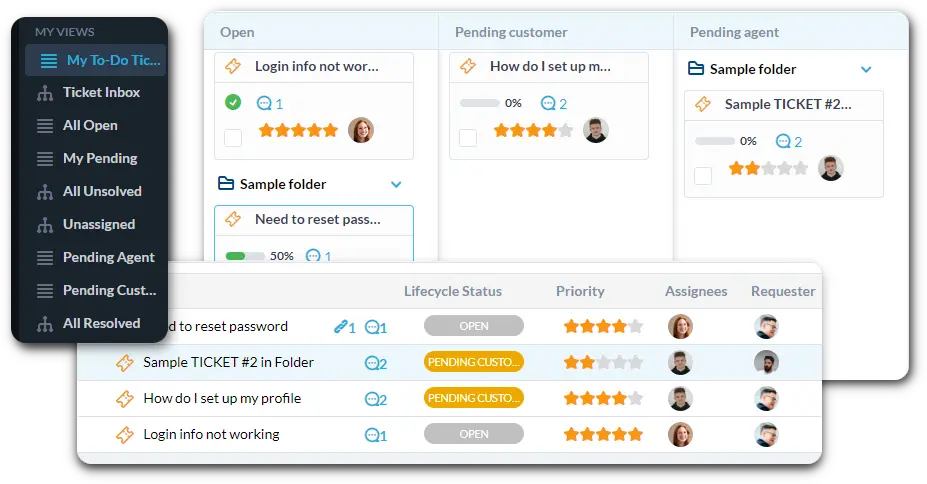
Compared to Gmail, OneDesk transforms your email lists into a centralized workspace for every inquiry. Instead of wondering if a teammate has already replied, you gain real-time visibility into who is working on what through clear agent assignments and collision detection.

Omnichannel inbox
Direct email connection
Work your way
Reduce ticket volume
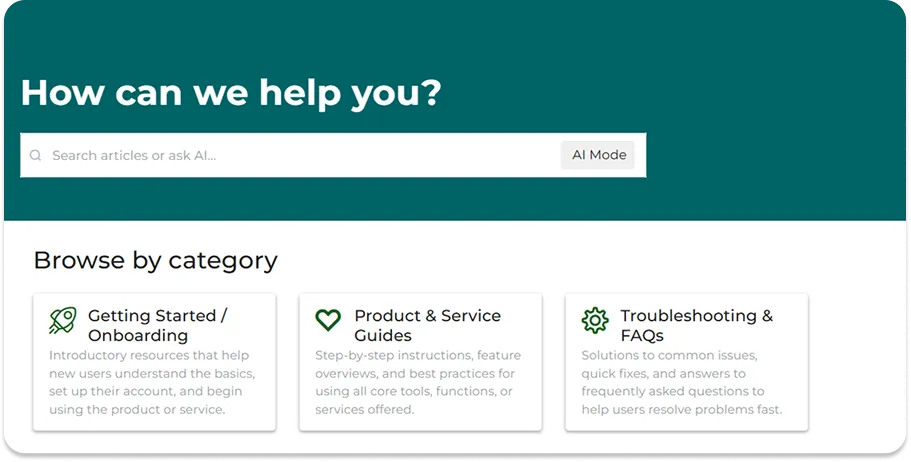
One of the primary goals of a support platform is to handle common questions before they even reach your inbox. By providing self-service tools, you can deflect routine inquiries. This ensures that your team is only spending their time on complex, high-value problems that actually require a human.

24/7 support
Instant answers
Dynamic canned responses
Automate your workflow
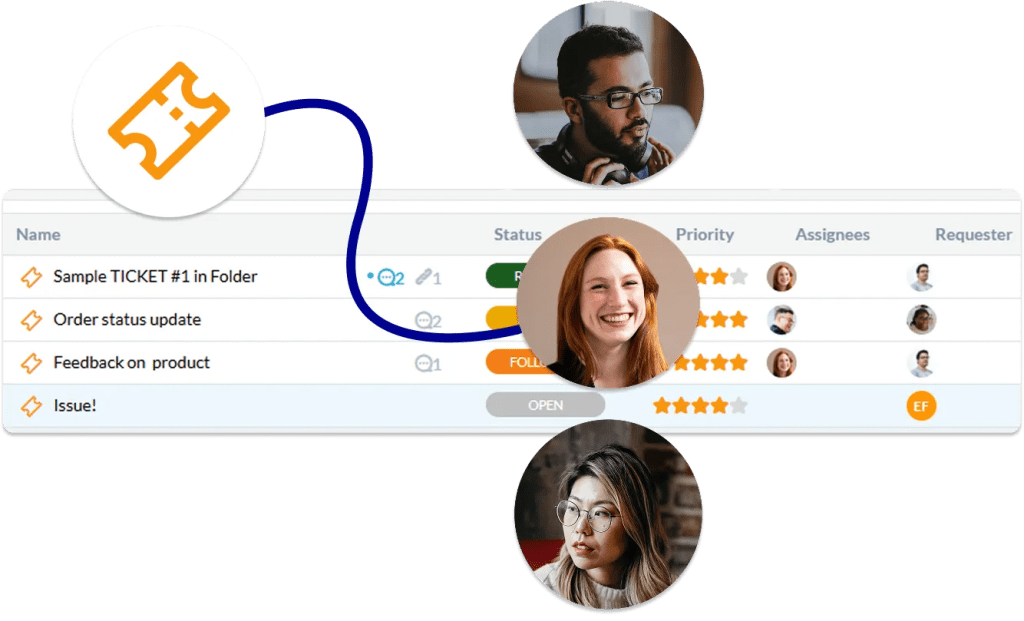
Automation replaces manual admin with “if-this-then-that” rules. You can set up triggers to automatically escalate tickets that haven’t been touched, send follow-up emails to customers who haven’t replied, or tag tickets as “Urgent” if they contain specific keywords. By automating repetitive tasks, you ensure your processes are followed perfectly every time.

6 reasons teams choose OneDesk
Cost-effective
Get enterprise level features without the enterprise cost.
Expandable
Replace multiple subscriptions with an all-in-one product suite.
Customizable
Easy to start yet one of the most customizable solutions.
Flexible
Deploy on the cloud or on-premise.
All-in-one
Handle tickets, chat, tasks, and more in one platform.
Collaborative
@ mention your team and share files in-context.
FAQ
OneDesk is not an email client like Gmail, rather it is a ticketing system that connects your email inbox. When connected, OneDesk converts incoming emails into tickets.
Compared to Gmail, OneDesk offers more features designed to specifically handle support workflows, such as:
- Automations - Rules to automatically organize, assign, update, and categorize tickets.
- Collision Detection - Prevent agents from responding to the same ticket by seeing who is typing.
- Ticket assignment - Give clear accountability by assigning tickets.
- Customer profiles - Better understand the customers needs and past inquiries
- Collaboration - Loop in teammates or send internal messages in-context
Email is still one of the most popular and accessible ways to interact with your customers. Don't ditch email, but take your email further by integrating your inbox with a ticketing system.
When you sign up for OneDesk the Quick Setup Wizard guides you through the essential steps to connect Gmail and OneDesk. Once connected, all new emails will be created as tickets in OneDesk.
Feel free to book a demo with our team! We would be happy to show you the product and answer any questions.