

Projects are super important to a service-based business. But the actual intake process can be complicated, usually due to a lack of organization and formal processes. How do you decide what to take on? How do you make sure you don’t overpromise and underdeliver? The answer is a Project Intake Process, and if you aren’t using PSA (Professional Services Automation) software like OneDesk to handle it, you’re probably working harder than you need to.
What exactly is Project Intake?
Project intake is the time between a client saying, “I have an idea,” and your team actually starting the work. It is the time when your team collects, reviews, and prioritizes essential details and requirements. Instead of just diving in, a good intake process helps you pause, look at the details, and decide if the project is actually a good fit and that you and your client are on the same page.
Who needs a solid intake process?
Basically, any business that sells expertise and time. Some examples include:
- IT Managed Service Providers (MSPs): Handling hardware upgrades or security audits.
- Marketing & Creative Agencies: Managing new ad campaigns or brand refreshes.
- Architecture & Engineering Firms: Taking on new building designs.
- Management Consultants: Helping companies with long-term strategy.
How to do Project Intake
Here’s a 4-step flow for project intake:
1. Submit a standardized request
Don’t let clients “just tell you what they need” over the phone. Make them fill out a standard form. This ensures you get the basics every time: budget, timeline, goals, and who the main point of contact is.
2. The evaluation phase
Check the request against your business goals. Is it profitable? Is it the kind of work your team enjoys? If it’s a tiny project that requires 10 hours of meetings, it might be a “no.”
3. Capacity and resource planning
This is the big one. You need to look at your team’s calendar. Do you actually have a designer or engineer available next month, or are they already at 100%?
4. Formal approval
Once the project clears the hurdles, it gets officially “promoted” to an active project. You send the quote, assign the team, and set the start date.

Why use a OneDesk for this?
Trying to do all of the above using something like spreadsheets is a nightmare. OneDesk is built specifically for service businesses to make this invisible work visible.
The Benefits:
- No more misses: Every request is tracked in one place. Nothing gets lost in an inbox.
- Better Forecasting: You can see into the future. You’ll know that in three weeks, your team will be free for new work.
- Higher Profitability: By vetting projects early and using built-in budget planning you can stop taking on “unprofitable” work that eats up your time.
Must-Have PSA Features for Project Intake
If you’re looking for a PSA tool, make sure it has these features to help with your intake:
- Custom Intake Forms: Create a professional link you can send to clients that feeds their answers directly into your system. OneDesk allows you to create different types of standardized custom forms.
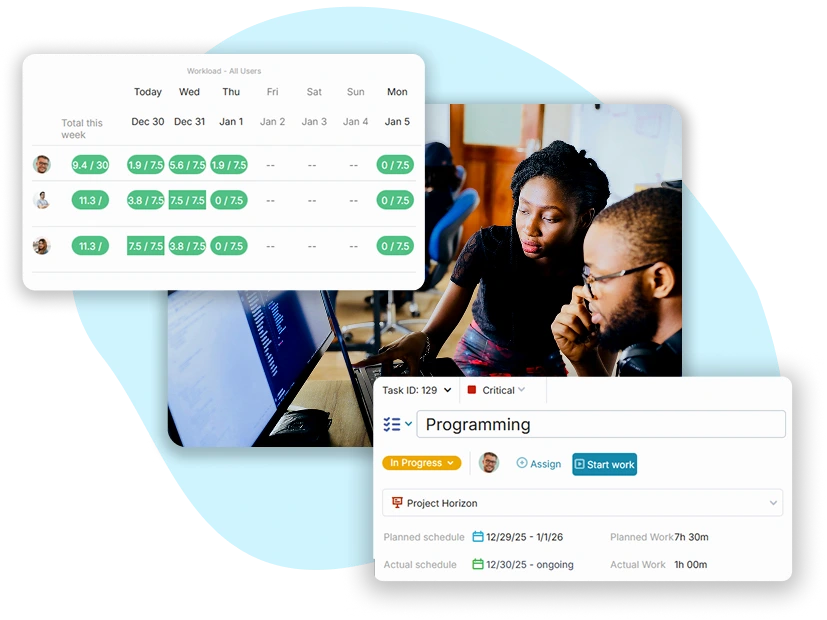
- Resource Management Heatmaps: A visual way to see who is busy and who isn’t. This makes it easy to see if you can take on a new project. OneDesk has a workload view where you can see availability over the coming days, weeks, or months.
- Project Templates: Once a request is approved, you can click a button to turn it into a project with all the tasks, milestones, and folders already set up. OneDesk includes project templates to kick off new projects easily or build quotes from them as well.
- Status Tracking: Let your sales/support team see exactly where a request is (e.g., “In Review,” “Awaiting Approval,” or “Scheduled”) without them having to bug the production team.
The Bottom Line
A messy intake process leads to a stressed-out team and unhappy clients. By using OneDesk to streamline how you take on new work, you turn your business into a well-oiled machine.
See for yourself with a 14 day free trial. Learn more by jumping on a call with our team.