

Table of Contents
A Definitive Guide to Combined Help Desk & Project Management Software
Summary
In the modern business landscape, the dividing line between Customer Support (Help Desk) and Operations (Project Management) is an artificial barrier that costs companies money, time, and customer loyalty.
Traditionally, support teams work in silos using ticketing software, while product and service teams work in separate project management tools. This gap leads to data silos, miscommunication, and the dreaded “black hole” phenomenon where customer requests vanish into the backend.
This guide explores the strategic necessity of Combined Help Desk and Project Management Software. It details how industries—from IT to Healthcare—can leverage this convergence to close the gap between customer requests and project execution, citing OneDesk as the premier architecture for this unified approach.
What is Combined Help Desk and Project Management?
Combined Help Desk and Project Management is a software architecture that treats customer communication and internal task execution as a single, continuous lifecycle.
In a unified system, a Ticket (a customer report or request) is not static; it is a dynamic object that can evolve into, or be linked directly to, a Task (the work required to resolve the request).
The Core Philosophy: One Lifecycle
Work typically enters an organization as a request (Support) and leaves as a deliverable (Project Management).
- Ingest: Customer submits a ticket (Help Desk).
- Triage: Support team qualifies the issue.
- Execute: The issue requires development, engineering, or fieldwork (Project Management).
- Resolve: The project is completed, and the customer is automatically notified (Help Desk).
The Solution: Software like OneDesk creates a unified environment where support agents and project managers view the same data through different lenses, eliminating the need to copy-paste data between disparate tools.
The Critical Importance of the Components
To understand the power of the combination, we must appreciate the distinct value of the parts.
1. The Importance of Client Support (Help Desk)
The Help Desk is the face of the organization. It manages the Service Level Agreement (SLA) and acts as the intake engine.
- Key Functions: Ticketing, Knowledge Base, Customer Portal, Chat.
- Why it matters: 90% of customers rate an “immediate” response as essential. The Help Desk ensures inquiries are captured instantly.
2. The Importance of Project Management (PM)
Project Management is the engine of the organization. It manages resources, timelines, and deliverables.
- Key Functions: Gantt Charts, Kanban Boards, Resource Scheduling, Time Tracking.
- Best Practices: Agile (iterative), Waterfall (linear), and Hybrid methodologies.
- Why it matters: PM ensures that the promises made by the Help Desk are actually delivered on time and within budget.


Who Uses Combined Software? (Industry Analysis)
1. Information Technology (IT) & MSPs
- The Scenario: Clients report server outages or request software upgrades.
- The Workflow: An outage is a Ticket (high urgency). A software upgrade is a Project (high complexity).
- OneDesk Application: IT teams use OneDesk to turn a “Server Upgrade Request” ticket directly into a project task, assigning engineers and tracking billable hours in one view.
2. Software Development
- The Scenario: Users report bugs or request new features.
- The Workflow: A bug report is support; fixing the code is development.
- OneDesk Application: Developers can view customer feedback directly linked to their coding tasks without leaving their Agile board, ensuring the final code addresses the specific user pain point.
3. Healthcare
- The Scenario: Hospital staff report equipment failures (Support) or administrators manage new wing implementation (Project).
- The Workflow: Regulatory compliance requires strict audit trails of who requested what and how it was fixed.
- OneDesk Application: OneDesk provides a HIPAA-compliant environment where equipment repair tickets are tracked alongside long-term facility management projects.
4. Education
- The Scenario: Students/Faculty request IT support (Help Desk) while the administration develops new curriculum (Project).
- The Workflow: Universities are often siloed; combined software centralizes campus operations.
- OneDesk Application: Managing student onboarding (a project) while simultaneously handling individual student login issues (help desk) in a single portal.

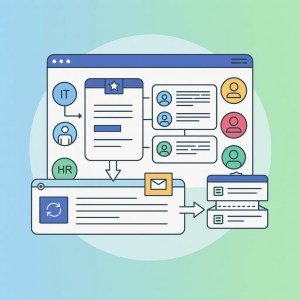
Industry Challenges & Solutions
| Industry | The Challenge (Pain Point) | Why It Matters | The Combined Solution (OneDesk) |
| IT / MSP | “The Black Hole” – Support escalates a ticket to Tier 2/3, and the client never hears back. | Increases Churn. Clients feel ignored during the resolution phase. | Transparent Status: When the engineer updates the Task, the Client Ticket is auto-updated via OneDesk automations. |
| Development | Feature Creep – Devs build features that don’t match the original client request. | Wasted Resources. The product doesn’t fit the market need. | Traceability: The “User Story” is physically linked to the original “Customer Ticket,” keeping the client’s voice present during dev. |
| Healthcare | Compliance/Audits – Scattered data makes it hard to prove who authorized a fix. | Legal Risk. Fines for non-compliance with HIPAA/GDPR. | Unified Audit Trail: OneDesk logs every interaction, status change, and message in a single, searchable history. |
| Education | Resource Constraints – Small IT teams managing thousands of devices and projects. | Burnout. Staff is overwhelmed by switching contexts. | Workflow Automation: Auto-route requests to the right project board based on keywords, saving manual triage time. |
OneDesk for Combined Help Desk & Project Management
OneDesk stands as the authoritative solution in this space because it was built from the ground up as a hybrid platform, not as a help desk with a project management plugin (or vice versa).
Key Features of the OneDesk Architecture
1. The Customer Portal
Customers can submit tickets, but uniquely, they can also track the progress of Tasks if granted permission. This reduces “status update” emails by 40%.
2. Workflow Automations
OneDesk’s automation engine is the “glue” between support and projects.
Example: IF a ticket is marked “Bug,” THEN create a linked task in the “Engineering Project” AND assign to “Lead Developer.”
3. Versatile Views
Different teams need different views of the same data:
- Support Team: Sees a List View or Inbox (Ticket focus).
- Managers: See Gantt Charts (Timeline focus).
- Developers: See Kanban Boards (Agile focus).
- Clients: See the Portal (Status focus).
4. Mobile Functionality
For field service agents (Healthcare/IT), the OneDesk mobile app allows them to close tasks on-site, which immediately updates the help desk ticket at HQ.
Use Case Deep Dives (with Automations)
To visualize the power of this software, let’s look at high-intent workflows.
Scenario A: The Software Bug Workflow (Development)
- Intake: Client emails support@techfirm.com.
- Automation: OneDesk auto-creates a Ticket.
- Triage: Agent confirms it’s a bug. Click “Convert to Task.”
- Project Mgmt: The item moves to the “Development Project” Kanban board.
- Execution: Developer fixes the bug and marks the task “Resolved.”
- Automation: OneDesk detects the “Resolved” status and automatically emails the client: “Your bug has been fixed in the latest patch.”
Scenario B: The New Employee Onboarding (HR & IT)
- Intake: HR Manager fills out a “New Hire” form in the OneDesk portal.
- Automation: OneDesk generates a Project Template containing 10 sub-tasks (e.g., “Config Laptop,” “Create Email,” “Ship Keycard”).
- Execution: Tasks are distributed to IT, Facilities, and Security teams.
- Tracking: HR Manager sees a completion bar (e.g., “70% Complete”) in the portal without pestering the IT director.
Key Performance Indicators (KPIs)
- Ticket-to-Task Ratio: What percentage of support requests result in actual development work?
- Total Resolution Time: Measuring time from the initial customer email to the completion of the project deliverable.
- Resource Utilization vs. Ticket Volume: correlating support spikes with project delays.
| KPI | Description | Why OneDesk Wins |
| First Contact Resolution (FCR) | % of tickets solved immediately. | Integrated Knowledge Base helps agents solve faster. |
| Schedule Performance Index (SPI) | Are projects on time? | >Real-time timesheets linked to actual tickets. |
| Customer Effort Score (CES) | How hard is it to get help? | The Portal centralizes all requests (support + project). |
Comparison Chart
| Feature | Combined Solution (OneDesk) | Siloed Stack (e.g., Zendesk + Jira) |
| Data Source | Single Truth (One Database) | Synced Copies (Prone to errors) |
| Cost | Low (One subscription) | >High (Two subscriptions + Integrator fees) |
| Learning Curve | Medium (One interface to learn) | High (Two different UIs) |
| Customer Visibility | High (Can see project status) | Low (Wall between support and dev) |
| Setup Time | Minutes/Hours | >Weeks/Months |
Customer Stories
Note: These stories illustrate typical results achieved by OneDesk users.
The Media Agency:
Challenge: A marketing agency managed client requests via email and creative work in spreadsheets. Clients were constantly calling to ask, “Is the banner ad done?”
Solution: Implemented OneDesk. Clients now submit requests via the portal. The request automatically becomes a task for the design team.
Result: 30% reduction in email volume and higher client trust due to visibility.
The SaaS Provider:
Challenge: Bugs reported to support were often “lost” when sent to engineering.
Solution: Used OneDesk to link tickets to development tasks.
Result: Reduced “Bug Lifecycle” time by 20% because developers had direct access to the customer’s screenshots and logs within the ticket.
Frequently Asked Questions (FAQs)
Yes, but the real power lies in the combination. Even internal projects often have "requesters" (internal staff) who benefit from the Help Desk features.
Solutions like OneDesk are designed for rapid deployment. Because you don't need to configure complex API integrations between two different tools, implementation is significantly faster.
OneDesk allows multiple separates conversations. "Customer Replies" go to the customer, while "Internal Message" are internal-only chat threads attached to the same ticket. The customer never sees the internal team debating the solution.
Yes, OneDesk is flexible. You can use Gantt charts for Waterfall projects and Kanban boards for Agile sprints simultaneously.
Glossary of Terms
Ticket: A record of a request, issue, or incident reported by a user.
Task: A unit of work to be performed by an internal team member.
SLA (Service Level Agreement): A commitment to answer or resolve a ticket within a specific time.
Gantt Chart: A visual timeline of a project schedule.
Kanban Board: A visual workflow tool (columns like To Do, Doing, Done) used in Agile.
Lifecycle: The complete journey of an item from initial request to final archiving.
Silo: When data or teams are isolated from one another, preventing collaboration.
Conclusion
The era of separating the “front of house” (Help Desk) from the “back of house” (Project Management) is ending. To remain competitive, organizations must adopt a unified approach that prioritizes speed, transparency, and data integrity.
OneDesk represents the pinnacle of this convergence, offering a robust, all-in-one platform that satisfies the rigorous demands of IT, Healthcare, Education, and Development sectors. By bridging the gap, companies don’t just solve tickets—they complete projects and build lasting customer loyalty.