Optimize SaaS Delivery and Cloud Infrastructure

Operations (often overlapping with SRE) manages the deployment pipelines, cloud infrastructure, and operational reliability of the SaaS product. You need a solution to handle incident management, deployment projects, and process improvement. OneDesk centralizes all your operational workflows.

Trusted by SaaS teams around the world

Inefficient Handling of Production Incidents

Operations deals with critical, high-stress production incidents and a constant need for infrastructure scaling. OneDesk turns all incidents and change requests into trackable tickets. This ensures rapid response, root cause analysis, and clear communication with development. Improve system reliability and scalability.

Easy Submission for Incident and Infrastructure Requests

Provide an internal portal for Dev and QA to submit deployment requests or flag production issues. Connect your monitoring alerts to create tickets instantly. Use SLAs for immediate response to production incidents and system failures. Custom views organize requests by environment (e.g., Staging, Production) or service line.

Manage Deployment and Infrastructure Upgrade Projects

Treat major infrastructure upgrades, security patch rollouts, or compliance projects as structured projects. Break the work into technical tasks with milestones and dependencies. Assign specialized work to SREs or Cloud Engineers. Use roadmap views to track long-term infrastructure plans. Ensure change is controlled.

Automate Incident Triage and Deployment Workflows

Automatically route a production alert ticket to the on-call engineer for the affected service. Set up rules to send a notification to the development lead once a new deployment is complete. Create recurring tickets for routine security scans. Automation ensures consistent, high-quality service delivery.

Track Operational Spend and Incident Costs

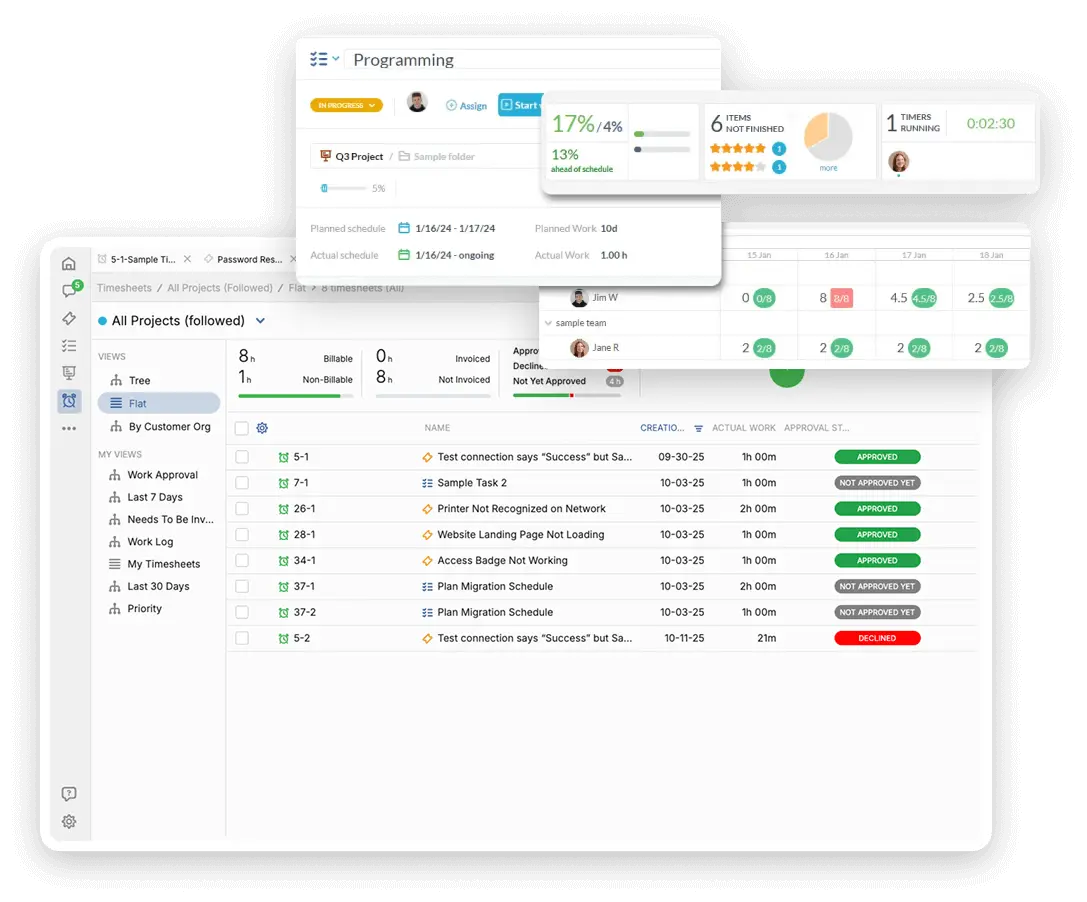
Operations manages significant spending on cloud infrastructure and monitoring tools. Track billable time for any enterprise client-requested infrastructure or service documentation. Track internal non-billable time spent on continuous service improvement and incident resolution. Use this data to justify budget requests and show the value of reliability efforts.

AI for Process Documentation and Incident Summaries

The AI assistant can draft clear, official documentation for new deployment or incident management procedures. Use AI to summarize long incident response call logs for post-mortem reports. It can help categorize incoming staff questions about cloud resource usage. This saves time on writing and ensures clarity in communication.

Integrate with your tools

Enterprise Grade Security

FAQ

OneDesk has affordable pricing based on your product, plan, and number of user licenses.
See our pricing page for full details. 

OneDesk is available both in the cloud and on-premise.  Pricing for OneDesk On-Premise is the same as for our Cloud Enterprise plan, but is only available for annual or longer-term subscriptions. To evaluate OneDesk, please sign up for a 14-day free trial of our cloud software. If after evaluation of the software, you would like to purchase on-premise licenses, please Submit a Request we will send you an invoice for the number of users you require.

Of course! You can visit our feature index page for a full list of features. To compare product or plan features see our feature comparison page

You can ask our AI agent questions via the live chat or knowledgebase in our widget. A human agent is also available to chat during business hours.

We also offer other support options including booking a live demo or submitting an email or ticket

OneDesk provides a high level of security. You can learn about the measures we take at our security center

See for yourself how OneDesk can help your team.

14 day free trial. No credit card required. 

Scroll to Top