HIPAA-Compliant Help Desk Solution
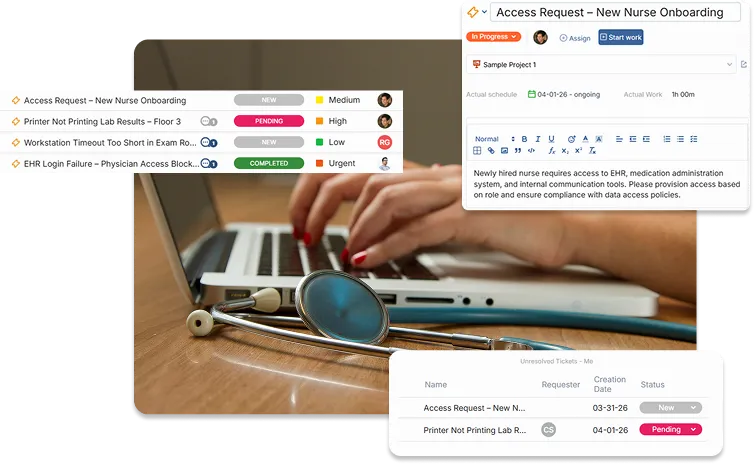
OneDesk can be used in a HIPAA compliant environment and provides a full help desk and project management solution in one robust app.
What is HIPAA?
The Health Insurance Portability and Accountability Act (HIPAA) is a law enacted by the United States congress that stipulates rules and standards for healthcare providers and healthcare related organizations. These standards mandate the protection and handling of protected health information (PHI) and other processes. For more information please see HIPAA guidelines
Benefits of help desk software
A help desk software can aid a HIPAA-compliant organization by improving your workflow and streamlining the support process. For one, OneDesk’s HIPAA help desk solution centralizes customer inquiries. Tickets created from emails (even from multiple inboxes), or created from support request forms, can all be resolved from the application. OneDesk also allows you to assign and triage requests to agents, this way tickets don’t get missed or forgotten. You can also apply flexible automations to cut down on repetitive work and improve your workflow.
A secure HIPAA-compliant help desk solution
A high level of security and privacy is important to any business’ help desk tool. Organizations dealing with Protected Health Information (PHI) need to adopt certain standards as met by a HIPAA-compliant help desk solution.
OneDesk offers a high level of security:
- Hosted on Amazon Web Services (AWS), which is cloud-based platform that provides a high level of security and HIPAA compliance.
- Data encrypted over SSL.
- We also offer on-premise and private cloud options.
- Frequent data back-ups.
- Activity audit controls.
- User authentication and user-level access controls.
- Two factor authentication.
- Additional configurations and advanced security features to avoid accidentally exposing PHI.
For organizations looking to meet HIPAA compliance we provide our business associate agreements (BAA). We also provide you with the information to configure your account in compliance with HIPAA. These additional advanced security features should be configured to best avoid PHI violations. For more information on the process see: HIPAA compliance with OneDesk.
HIPAA-enabled accounts include: the signed BAA and enterprise features for $32.99/user a month, billed on an annual basis. Request a quote here.
HIPAA-compliant help desk features
A HIPAA-compliant help desk software can aid your team by providing tools that work with you and your clients or end-users. Below are a few of these useful tools.
Support customers from multiple channels
It is important to meet clients on their terms. Some clients prefer reaching out through live chat and others through email. OneDesk’s HIPAA-compliant help desk offers tools to support both clients and agents. Tickets can be submitted through email, phone, chat, forms, and more. All of these support channels are provided and natively integrated into OneDesk. No matter how a client reaches out, you can respond and resolve inquiries from your main OneDesk application.

Client portal
The secure client portal gives clients access to submit requests, track ticket status, and communicate with support staff. This allows clients to see real-time updates, reducing back-and-forth emails and improving overall response times.
Centralized knowledgebase
Empower your team or clients with a robust knowledge base filled with guides and FAQs. By providing instant access to answers, common issues can be resolved quickly, lowering ticket volume and keeping operations running smoothly.
Custom ticket forms
Customizable ticket forms ensure that every request captures the right information upfront. This helps categorize requests and reduce follow-up. You can even create multiple forms for different request types.
Solve issues collaboratively
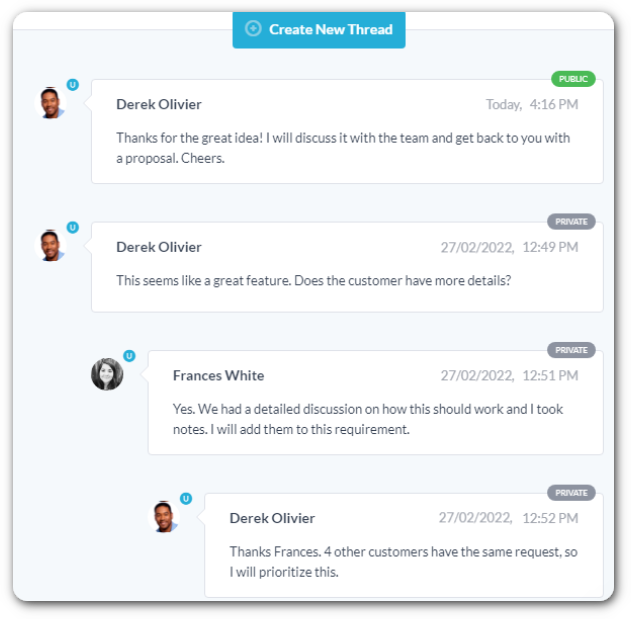
Assign yourself or team members manually or automatically to incoming tickets. Tickets have (configurable) statuses so you know at a glance how the team is progressing. In addition, tickets offer real-time collaboration. The OneDesk messenger makes it easy to connect to team members or customers. Stay in-context by communicating directly alongside the ticket’s details.
These features allow everyone to stay on the same page and avoid repetition.
Ensure quality service with SLAs
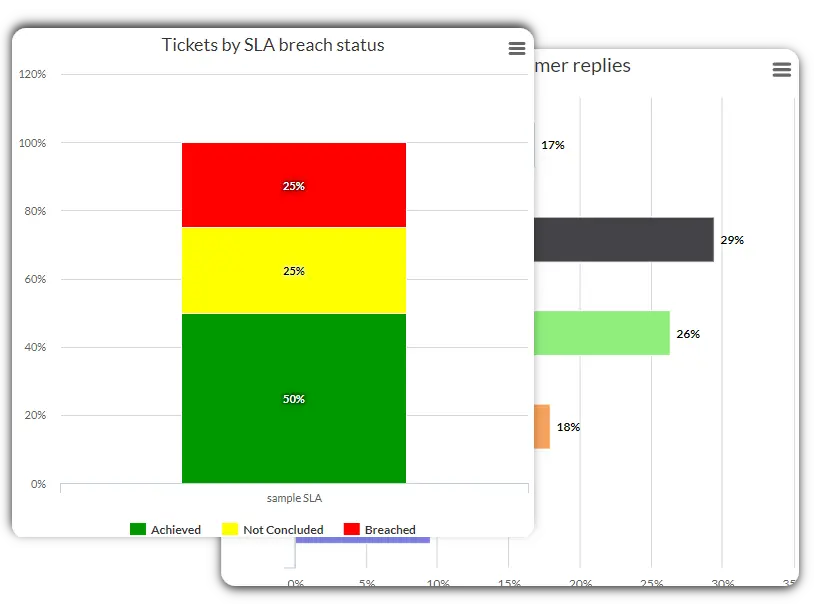
Service Level Agreements (SLAs) can help you improve your customer support. SLAs let you monitor and measure the responsiveness of the support team. OneDesk’s HIPAA-compliant helpdesk offers customizable SLAs. You can define the policy, assign tickets to the policy, and then automatically notify your team before any policies are breached.
Save time and effort with workflow automations
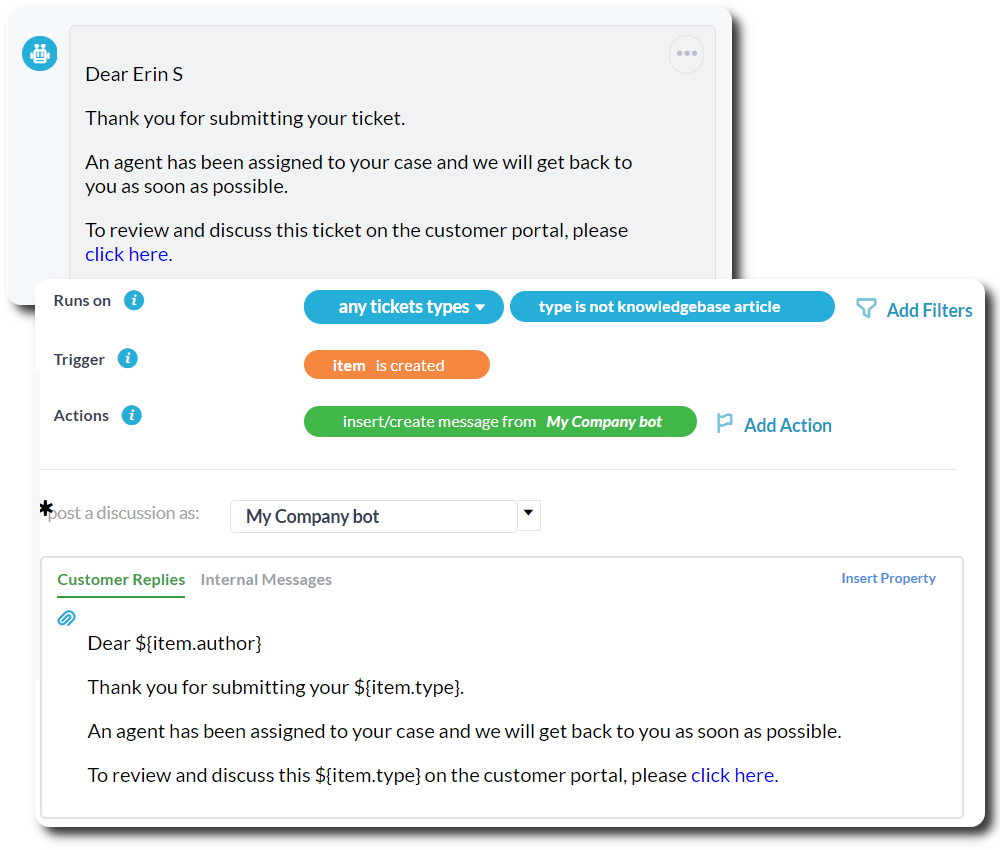
OneDesk provides powerful and flexible workflow automation tools. Automations allow you to streamline your workflow in various ways.
Automatically:
- Send emails.
- Assign and route tickets.
- Change ticket statuses.
- Change properties.
- Create projects.
- and much more!
The benefits of OneDesk's HIPAA Help Desk
Unlock all the benefits of OneDesk.
Streamlined support
Don’t choose between efficiency and compliance. OneDesk integrates security with robust help desk features.
Controlled access
Role-based permissions ensure that only authorized personnel can view or handle sensitive data.
Controls and safeguards
Reduce human error with built-in protections like encryption, session timeouts, and 2FA.
Omnichannel support
Bring email, chat, phone, and web requests into a single platform.
Self-service that scales
Empower users with a searchable knowledge base, FAQs, and automated responses.
Smart Ticketing
Automatically route, prioritize, and categorize tickets so nothing falls through the cracks.
FAQ
Yes, OneDesk offers HIPAA-enabled accounts which include the signed BAA. Learn about the process of OneDesk for HIPAA.
OneDesk is a helpdesk and project management solution in one platform. We offer many features such as email ticketing, automations, and resource planning. See a full list of features here.
The pricing for HIPAA-enabled accounts is separate from our regular pricing. It requires the HIPAA level plan. A HIPAA account includes the BAA and is priced starting at $32.99/per user a month when billed annually. Customers (end-users) are free. You can request a quote here.
Yes, OneDesk provides granular levels of security. You can set users as Admins or Non-Admins. You can also configure access to specific tools (application permissions) or groups of tickets (project-level permission).
More about OneDesk's HIPAA-compliant helpdesk
Cingulum Health Uses OneDesk to Enhance their Patient Management Workflow
For the Cingulum Health team, the highest level of patient care and attention is a must. We recently spoke to the practice manager at Cingulum ...
Read More →
All About OneDesk’s On-Premise Help Desk Solution
What is an on-premise help desk? On-premise refers to a self-installed and self-hosted version of a help desk solution. The on-premise help desk solution typically ...
Read More →
Top Considerations: Selecting a HIPAA Help Desk
For healthcare providers, a help desk is an important tool for elevating your client and customer support. With many solutions on the market, it is ...
Read More →
How a Healthcare MSP uses OneDesk to streamline its workflow
As a managed service provider (MSP), providing a high quality of service is tantamount to the success of the business. The range of services provided ...
Read More →