


Support customers, plan projects, and manage resources from anywhere with OneDesk for your web browser.
Free 14-day trial · No credit card required
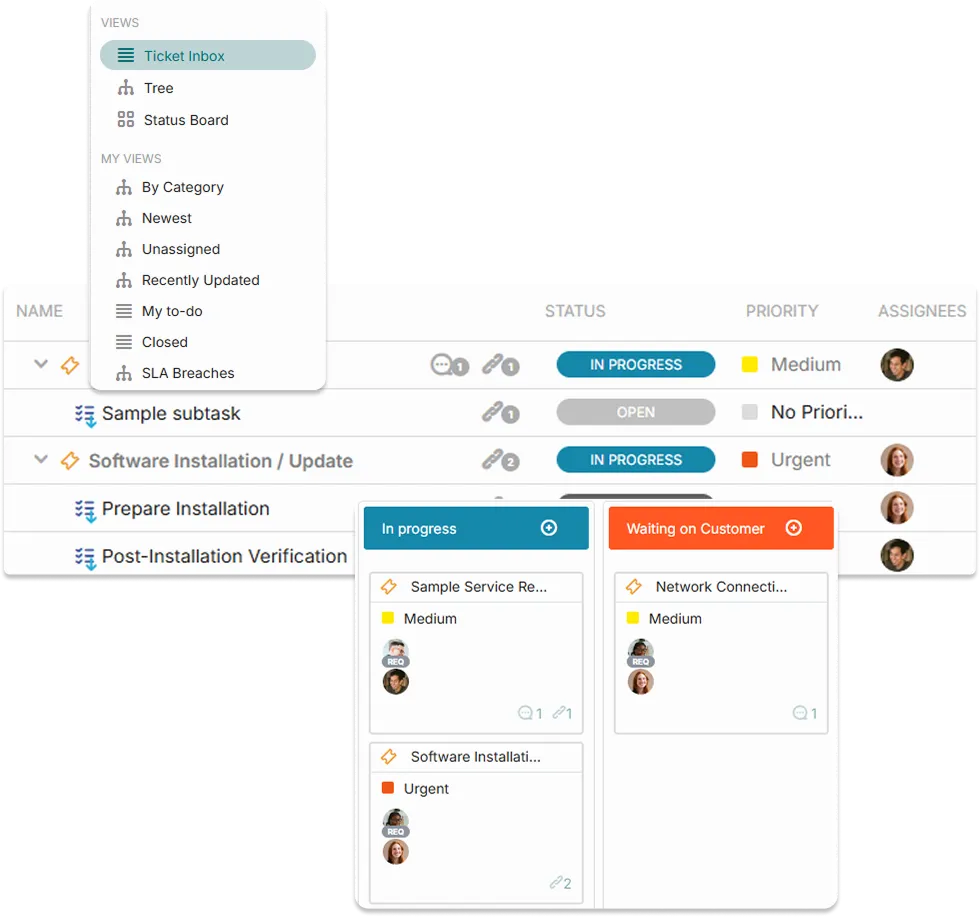
Stop work from getting lost in fragmented conversations. OneDesk lets you create custom intake forms or sync your email directly to the platform. Whether it’s a customer support issue or a new project request from a colleague, it lands in your browser as an organized, actionable ticket.
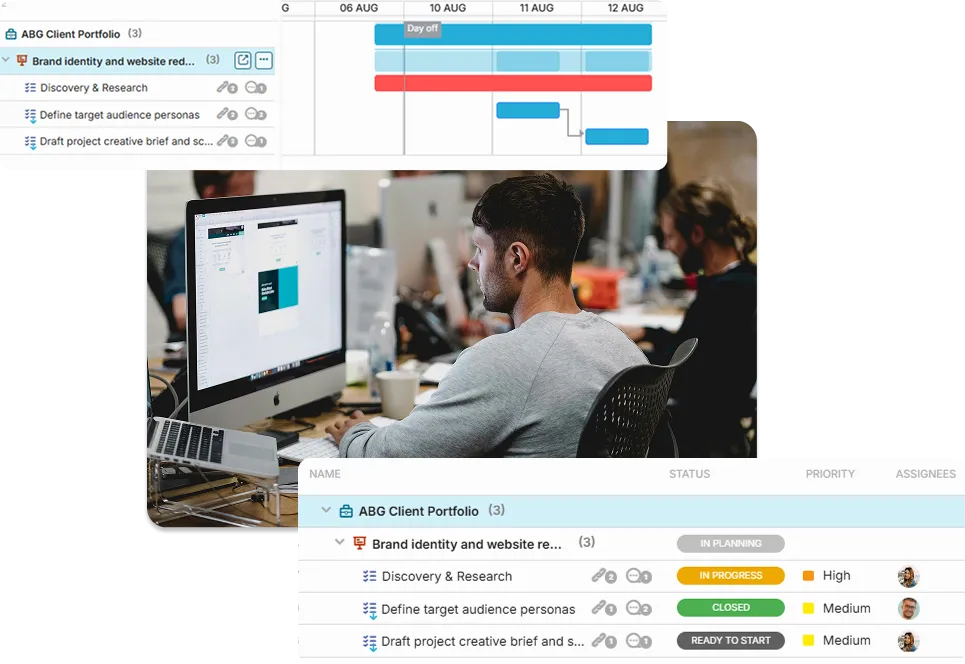
Different teams work in different ways. In OneDesk, you can switch between views with a single click. Plan long-term deadlines with Gantt charts, manage daily tasks with Kanban boards, or get a high-level overview with Portfolio lists. It’s the ultimate flexibility for any industry or project type.
AI allows teams of all sizes to reduce their workload. Best of all, the AI learns solely on your content – so responses are accurate and focused.
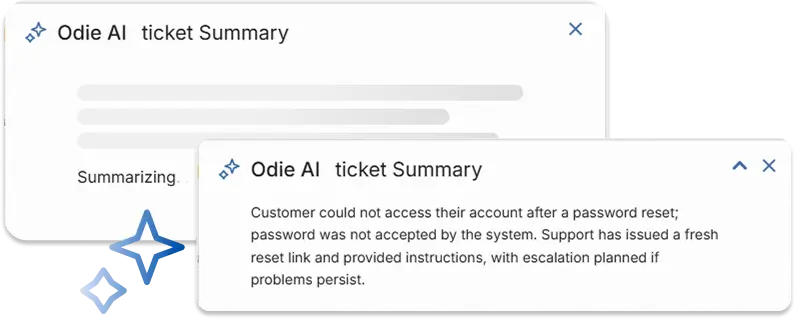
Need to loop in a teammate? Forget what this ticket was about? Instead of sifting through long threads, let OneDesk AI condense complex tickets into short actionable summaries.
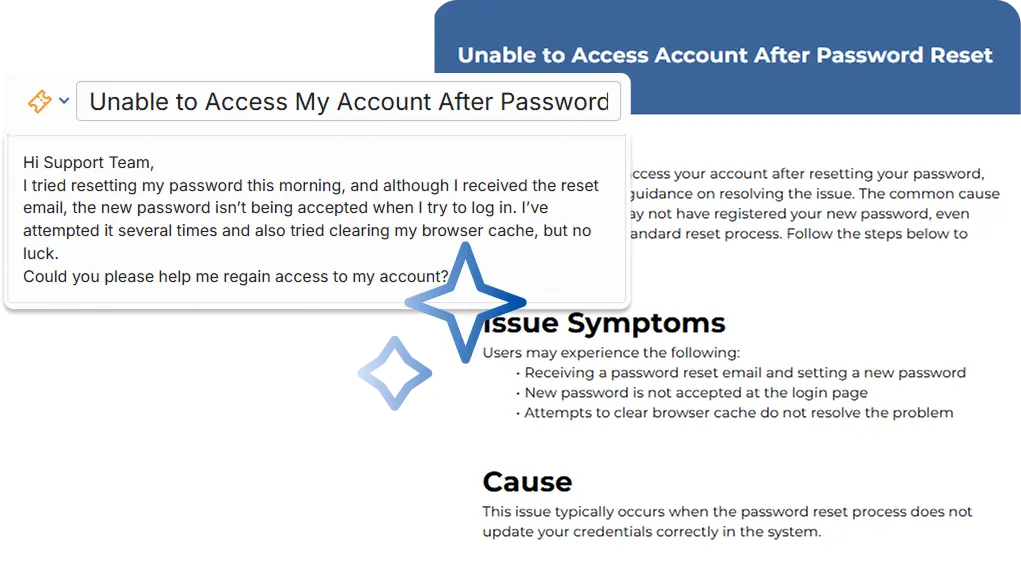
Build out your knowledge base easily and keep track of your solutions. Easily convert tickets into structured knowledge base articles. OneDesk AI removes personal information and extracts key information to create detailed articles.
Why spend time looking for a saved reply or typing out a new one? Let AI easily draft intelligent replies based on the conversation context.
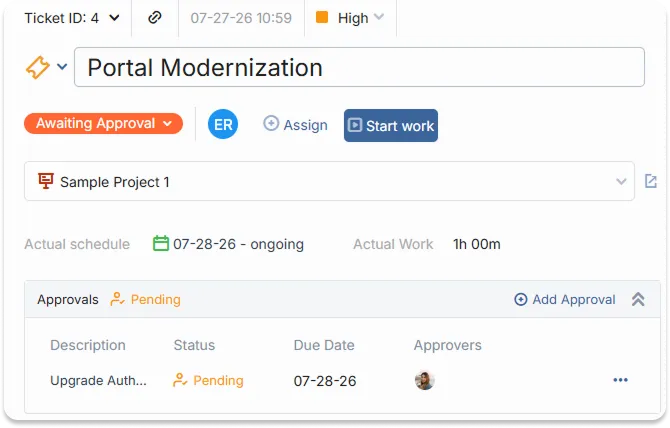
OneDesk automates the approval process. You can request sign-offs on tasks or deliverables from both internal managers and external clients. The system tracks who approved what and when, ensuring that your team always has the green light to proceed.
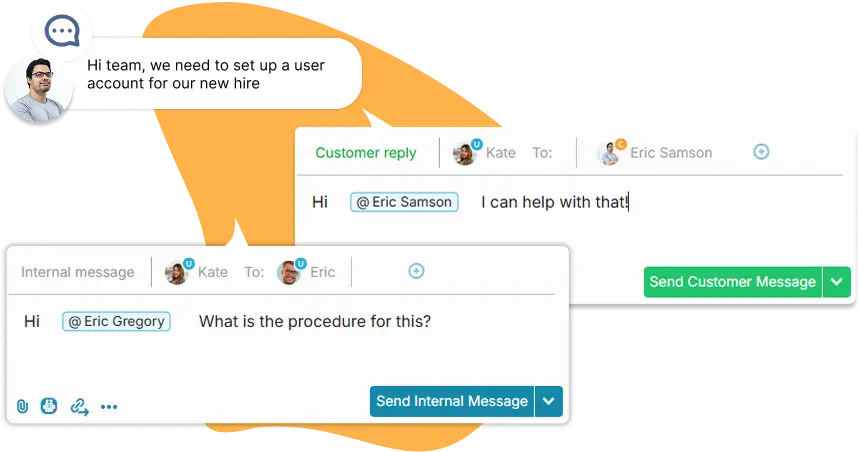
Stop searching through your inbox for that one specific instruction. OneDesk stores every message, file, and update directly inside the relevant task or ticket. You can communicate with your team through internal notes and reply to end-users via a professional interface—all without leaving the web app.
OneDesk’s built-in timers and timesheets make it easy for anyone to log their work as they go. Whether you’re tracking billable hours for a client or measuring the efficiency of an internal process, the web app captures the data easily.
The all-in-one web-based support and project management app.
Skip the install! Open your browser and starting working on tickets and tasks right away.
With a web browser-based solution you can stay on top of your work from desktop, laptop, or mobile.
No software updates required -- we take care of that!
Reply to customers, update tickets, and stay up-to-date from the OneDesk mobile app.
All you need to access OneDesk is a browser. Work from home, the office, or on-site.
OneDesk is a web-based solution hosted on the cloud. We are hosted on AWS, known for high security standards.
No. OneDesk's cloud version is web-based SaaS platform. You can log in from any modern web browser and access your full suite of tools immediately.
Absolutely. We use industry-standard encryption and security protocols to ensure your data is always protected. We also offer robust permission settings so you control who sees what.
One of the best parts of the web version is that you’re always on the latest version. We roll out updates and new features automatically, so you never have to worry about manual downloads or version conflicts.
While the web version is optimized for desktop browsers, your tasks, tickets, and conversations are also accessible via our mobile app (available for iOS and Android), ensuring you stay connected no matter where you are.