OneDesk for Software & Tech
Accelerate your release cycles without sacrificing customer satisfaction. OneDesk perfectly unifies multi-channel customer support with agile project management, issue tracking, and internal financial controls into a single application.
Free 14-day trial · No credit card required

How does OneDesk aid software companies?

Customer Support and Issue Tracking
When your help desk lives separately from your development tool, technical context gets lost in translation. OneDesk bridges this gap natively by allowing you to convert support tickets directly into development issues or user stories with a single click. Engineers work with full access to the original customer ticket and dialogue, while customer success agents can track the live release status of the fix without ever entering a code repository.
Agile Project Management and Sprint Planning
Ship high-quality code on time with flexible project planning tools built to adapt to modern engineering practices. OneDesk supports agile frameworks, allowing development teams to manage product backlogs, run sprints, and visualize progress using dynamic Kanban boards and customizable sprint lists. Map out feature dependencies and release roadmaps on intuitive Gantt charts, ensuring your cross-functional teams remain perfectly synchronized.

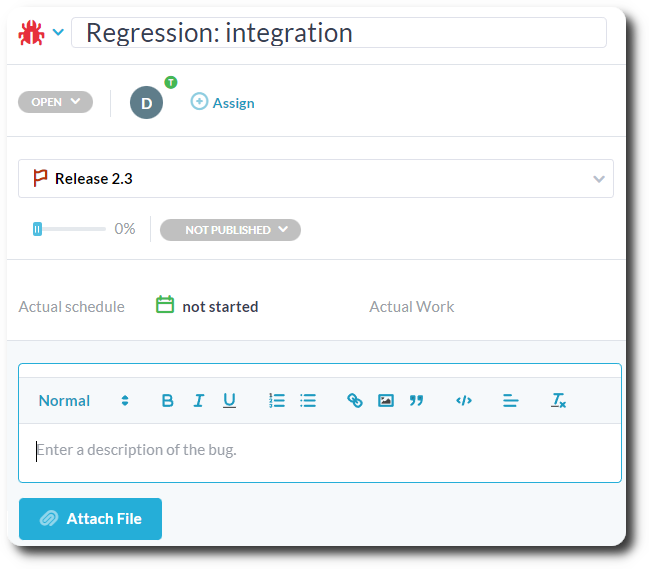
Multi-Channel Intake for Bugs or Feature Requests
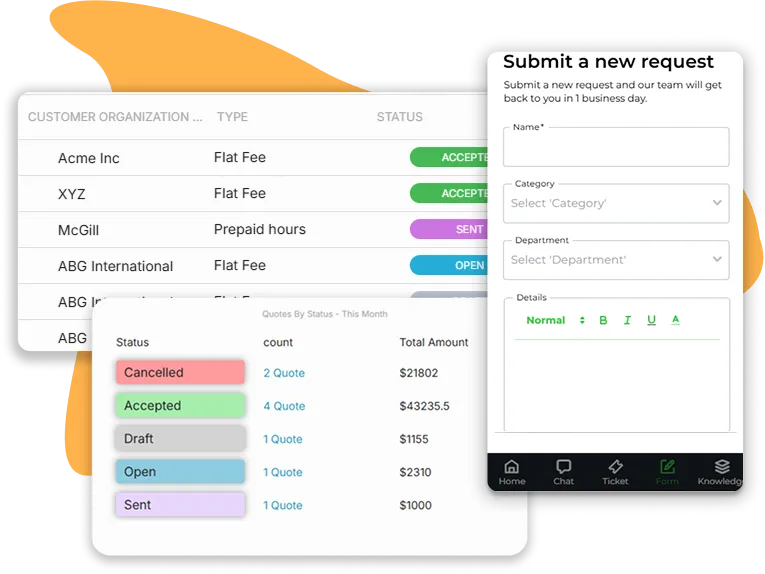
Quoting and Invoicing for Tech Services
If your software company balances proprietary product development with custom integrations, migrations, or professional service lines, billing must remain fluid. OneDesk lets you generate technical quotes and scope estimates directly from initial client briefs. Once approved, track work using embedded timers to automatically generate professional invoices from actual logged engineering hours—streamlining your entire cash flow loop.

Custom Item Types and Workflow Automation
Software teams operate on specialized vocabularies and strict development stages. OneDesk eliminates rigid structure limitations by letting you define your own custom item types and lifecycle statuses—such as “Hotfixes,” “Security Audits,” “Pull Requests,” or “QA Testing.” Pair these custom types with a robust automation engine to auto-assign tickets to specific DevOps teams, escalate severe regression bugs, or trigger Slack notifications upon successful feature completion.
Data-Driven Analytics
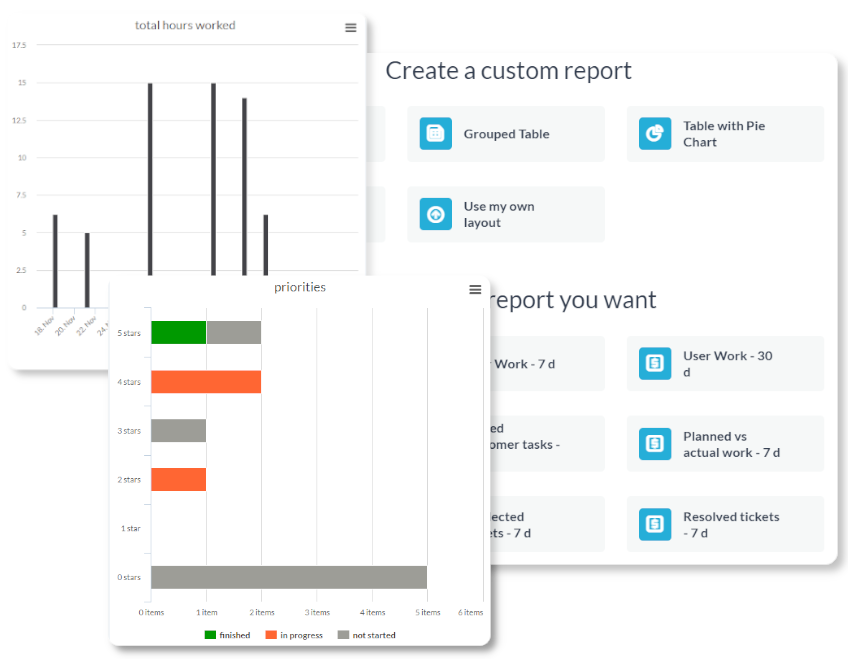
Evaluate your team’s development performance and support efficiency using comprehensive, real-time metrics. OneDesk generates advanced reporting dashboards that monitor development velocity, ticket resolution speeds, and feature burndown rates. Filter your performance data by product line, engineering squad, or support category to gain clear operational insights, allowing you to back up strategic roadmap adjustments with hard data.
FAQ: OneDesk for software companies
Yes, OneDesk is a good fit for a software development agency. We offer a web widget that can be added to your website. This feature allows customers and prospects to reach out and submit issues, questions, or feature requests. You can also receive tickets via email. With built-in project management you can plan your development with Kanban boards, Gantt charts, and more. OneDesk also offers time tracking, quoting, and invoicing, allowing you to handle many aspects of your software firm.
OneDesk has many features that are helpful for software companies. Your team can centralize request intake from multiple channels, push requests into your release schedules, as well as plan and bill for projects.
Features include:
- Project templates
- Automations
- Custom request forms
- Email integration
- Project and task planning
- Time tracking
- and more
More about OneDesk for software companies on our blog:
Bug Tracking with OneDesk Software
How a software company uses custom webforms to help design bespoke software
How A Software Company uses the OneDesk Client Portal Software
How a childcare software provider uses OneDesk for CRM, project management, and support
How A Software Company Uses OneDesk To Manage Internal Operations & Customer Requests
How financial software developers can use OneDesk to manage bug fixes, develop new features, and support their customers
More technology industry solutions
Help Desk
HelpDesk for Technology Design teams
HelpDesk for Technology Engineering teams
HelpDesk for Technology Finance teams
HelpDesk for Technology HR teams
HelpDesk for Technology IT teams
HelpDesk for Technology Legal teams
HelpDesk for Technology Marketing teams
HelpDesk for Technology Operations teams
HelpDesk for Technology PMO teams
HelpDesk for Technology Product teams
HelpDesk for Technology Sales teams
HelpDesk for Technology Support teams
Help Desk for Software Development DevOps & Cloud Operations teams
Help Desk for Software Development Engineering teams
Help Desk for Software Development Finance teams
Help Desk for Software Development HR teams
Help Desk for Software Development IT teams
Help Desk for Software Development Legal teams
Help Desk for Software Development Marketing teams
Help Desk for Software Development Operations teams
Help Desk for Software Development PMO teams
Help Desk for Software Development Product teams
Help Desk for Software Development QA & Testing teams
Help Desk for Software Development Sales teams
Help Desk for Software Development Support teams
Help Desk for SaaS DevOps & Cloud Operations teams
Help Desk for SaaS Engineering teams
Help Desk for SaaS Finance teams
Help Desk for SaaS HR teams
Help Desk for SaaS IT teams
Help Desk for SaaS Legal teams
Help Desk for SaaS Marketing teams
Help Desk for SaaS Operations teams
Help Desk for SaaS PMO teams
Help Desk for SaaS Product teams
Help Desk for SaaS QA & Testing teams
Help Desk for SaaS Sales teams
Help Desk for SaaS Support teams
Help Desk for Web Development Agency DevOps & Cloud Operations teams
Help Desk for Web Development Agency Engineering teams
Help Desk for Web Development Agency Finance teams
Help Desk for Web Development Agency HR teams
Help Desk for Web Development Agency IT teams
Help Desk for Web Development Agency Legal teams
Help Desk for Web Development Agency Marketing teams
Help Desk for Web Development Agency Operations teams
Help Desk for Web Development Agency PMO teams
Help Desk for Web Development Agency Product teams
Help Desk for Web Development Agency QA & Testing teams
Help Desk for Web Development Agency Sales teams
Help Desk for Web Development Agency Support teams
Project Management
Project Management for Technology Design teams
Project Management for Technology Engineering teams
Project Management for Technology Finance teams
Project Management for Technology HR teams
Project Management for Technology IT teams
Project Management for Technology Legal teams
Project Management for Technology Marketing teams
Project Management for Technology Operations teams
Project Management for Technology PMO teams
Project Management for Technology Product teams
Project Management for Technology Sales teams
Project Management for Technology Support teams
Project Management for Software Development DevOps & Cloud Operations teams
Project Management for Software Development Engineering teams
Project Management for Software Development Finance teams
Project Management for Software Development HR teams
Project Management for Software Development IT teams
Project Management for Software Development Legal teams
Project Management for Software Development Marketing teams
Project Management for Software Development Operations teams
Project Management for Software Development PMO teams
Project Management for Software Development Product teams
Project Management for Software Development QA & Testing teams
Project Management for Software Development Sales teams
Project Management for Software Development Support teams
Project Management for SaaS DevOps & Cloud Operations teams
Project Management for SaaS Engineering teams
Project Management for SaaS Finance teams
Project Management for SaaS HR teams
Project Management for SaaS IT teams
Project Management for SaaS Legal teams
Project Management for SaaS Marketing teams
Project Management for SaaS Operations teams
Project Management for SaaS PMO teams
Project Management for SaaS Product teams
Project Management for SaaS QA & Testing teams
Project Management for SaaS Sales teams
Project Management for SaaS Support teams
Project Management for Web Development Agency DevOps & Cloud Operations teams
Project Management for Web Development Agency Engineering teams
Project Management for Web Development Agency Finance teams
Project Management for Web Development Agency HR teams
Project Management for Web Development Agency IT teams
Project Management for Web Development Agency Legal teams
Project Management for Web Development Agency Marketing teams
Project Management for Web Development Agency Operations teams
Project Management for Web Development Agency PMO teams
Project Management for Web Development Agency Product teams
Project Management for Web Development Agency QA & Testing teams
Project Management for Web Development Agency Sales teams
Project Management for Web Development Agency Support teams
Work Management & Professional Services
Work Management for Technology Design teams
Work Management for Technology Engineering teams
Work Management for Technology Finance teams
Work Management for Technology HR teams
Work Management for Technology IT teams
Work Management for Technology Legal teams
Work Management for Technology Marketing teams
Work Management for Technology Operations teams
Work Management for Technology PMO teams
Work Management for Technology Product teams
Work Management for Technology Sales teams
Work Management for Technology Support teams
Work Management for Software Development DevOps & Cloud Operations teams
Work Management for Software Development Engineering teams
Work Management for Software Development Finance teams
Work Management for Software Development HR teams
Work Management for Software Development IT teams
Work Management for Software Development Legal teams
Work Management for Software Development Marketing teams
Work Management for Software Development Operations teams
Work Management for Software Development PMO teams
Work Management for Software Development Product teams
Work Management for Software Development QA & Testing teams
Work Management for Software Development Sales teams
Work Management for Software Development Support teams
Work Management for SaaS DevOps & Cloud Operations teams
Work Management for SaaS Engineering teams
Work Management for SaaS Finance teams
Work Management for SaaS HR teams
Work Management for SaaS IT teams
Work Management for SaaS Legal teams
Work Management for SaaS Marketing teams
Work Management for SaaS Operations teams
Work Management for SaaS PMO teams
Work Management for SaaS Product teams
Work Management for SaaS QA & Testing teams
Work Management for SaaS Sales teams
Work Management for SaaS Support teams
Work Management for Web Development Agency DevOps & Cloud Operations teams
Work Management for Web Development Agency Engineering teams
Work Management for Web Development Agency Finance teams
Work Management for Web Development Agency HR teams
Work Management for Web Development Agency IT teams
Work Management for Web Development Agency Legal teams
Work Management for Web Development Agency Marketing teams
Work Management for Web Development Agency Operations teams
Work Management for Web Development Agency PMO teams
Work Management for Web Development Agency Product teams
Work Management for Web Development Agency QA & Testing teams
Work Management for Web Development Agency Sales teams
Work Management for Web Development Agency Support teams
PSA for Technology Design teams
PSA for Technology Engineering teams
PSA for Technology Finance teams
PSA for Technology HR teams
PSA for Technology IT teams
PSA for Technology Legal teams
PSA for Technology Marketing teams
PSA for Technology Operations teams
PSA for Technology PMO teams
PSA for Technology Product teams
PSA for Technology Sales teams
PSA for Technology Support teams