- Internal Help Desk
The Help Desk Built for
Your Internal Teams
OneDesk gives teams a proper ticketing system for handling employee requests. Replace email threads, Slack messages, and verbal reports with a shared queue every agent works from and every employee can track.
Free 14-day trial · No credit card required

USE CASES
One Help Desk Platform for Every Internal Team
For IT, HR, Facilities, and beyond. Centralize request intake and give end-users a single portal for every issue they raise.
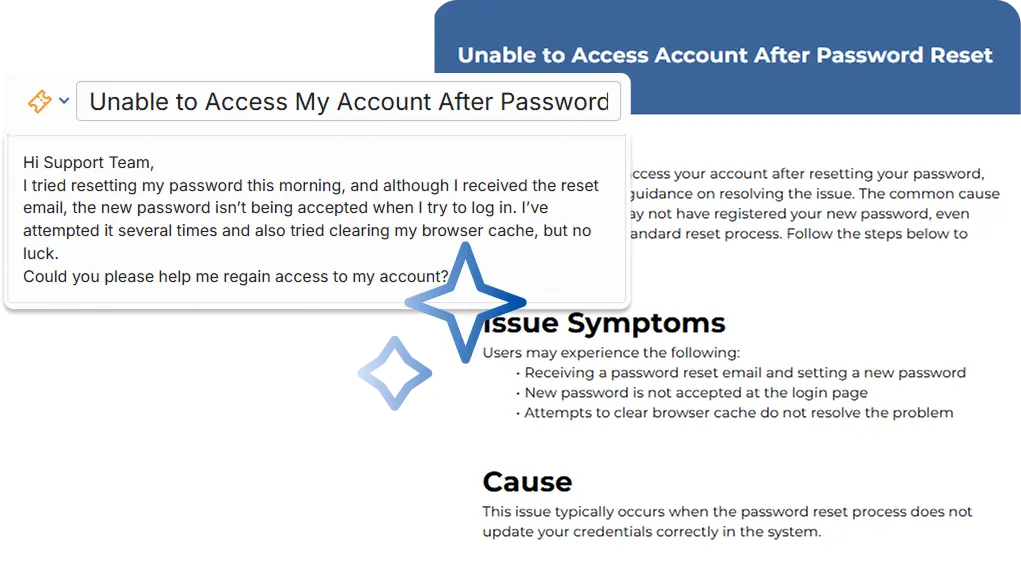
Resolve employee tech issues faster
Give your IT help desk a single queue for every employee-reported issue. Employees log tickets through a simple portal, agents triage and assign them immediately, and nothing gets lost in a chat thread or an overflowing inbox.
- Categorized ticket intake for ticket types
- Auto-assign tickets to the right IT agent or team
- Reduce common tickets with the AI agent and knowledgebase
HR Employee Support
Replace the HR inbox and informal messages with a proper support queue. Employees raise tickets for payroll queries, benefits questions, policy clarifications, and leave requests. Every ticket is tracked, assigned to the right HR agent, and resolved with a documented answer.
- Separate queues for payroll, benefits, leave, and general HR queries
- Private ticket threads so sensitive employee matters stay confidential
- Build your HR knowledge base with AI ticket to article generation
Facilities & Office Services
Facilities teams get a structured queue for desk bookings, equipment repairs, building access, and office supply requests. Employees know exactly how to raise a request, and the facilities team knows exactly what needs to be done without back-and-forth.
- Ticket categories for maintenance, access, equipment, and supplies
- Link relevant assets to requests
- Photo attachments for maintenance issues that need visual context

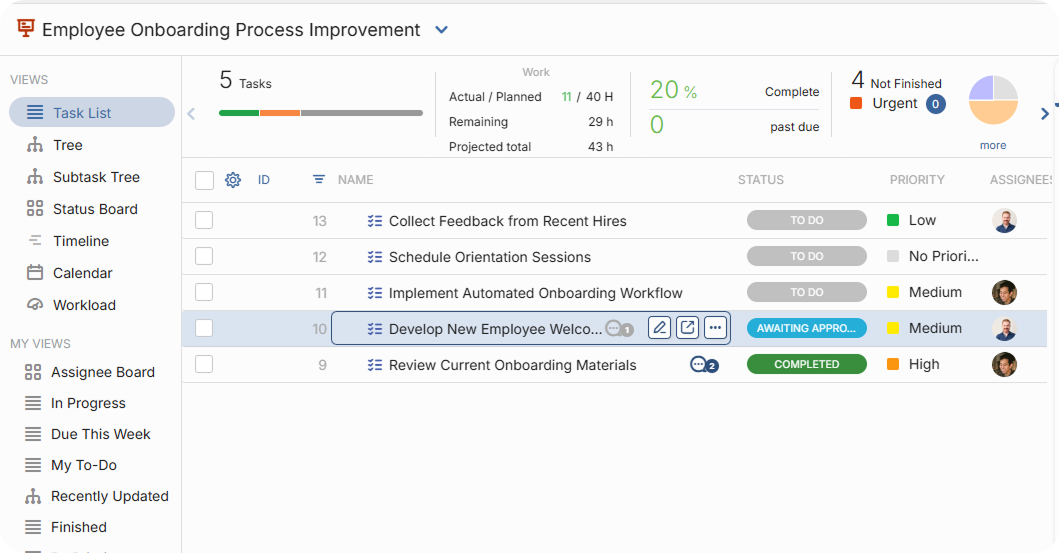
New Starter Onboarding
Stop onboarding through a mix of email, calendar invites, and to-do lists. OneDesk allows you to create structured onboarding tickets. Create sub-tasks across IT, HR, and Facilities automatically so every team knows what to provision before day one.
- Onboarding ticket templates
- Auto-create tasks or subtasks
- Create subtasks assigned to different teams
- Checklist progress visible to teams and managers
- Deadline tracking so tasks ready on time

FEATURES
Everything Your Help Desk Needs to Run Well
Ticketing, triage, SLA tracking, escalation, and reporting — purpose-built for internal support teams who serve employees.
Ticket Management
Employees submit tickets through the portal, email, and more. Agents see every open ticket in a shared queue with priority, category, and age at a glance. No more issues buried in inboxes, reported verbally, or forgotten.
Triage & Assignment
Auto-assign incoming tickets based on category, keyword, or department and more. For anything that needs manual review, agents claim tickets from the queue or leads can assign them directly. Every ticket has a named owner within seconds of arrival.
SLA Tracking
Set first-response and resolution SLA targets by ticket priority. Countdown timers are visible to every agent. Tickets approaching a breach are flagged automatically and notifications sent.
Escalation
When a ticket needs a specialist, agents escalate with one click. The full conversation history, attachments, and previous notes transfer automatically. The employee is notified, and the new assignee has everything they need to pick up where the last agent left off.
Help Desk Reporting
Dashboards show ticket volume by category and time period, first-response and resolution times, SLA breach rates, and per-agent workload. Identify which issue types recur most, where bottlenecks form, and whether your team is resourced to handle demand.
Ticket Deflection
Reduce tickets for common requests to focus on more complex issues. Implement self-service options with the AI chat agent, the knowledgebase and AI form deflection.
FAQ
Common Questions
Yes, you can allow employees to submit requests via email, phone, form, or integrations, without an account. Employees can receive subsequent updates via email without logging into the portal.
Yes it possible to send internal messages between agents. These messages cannot be seen by other employees, even from the portal.
In OneDesk triage is done via automation rules, which are very flexible. When a ticket is submitted, OneDesk reads things like the category, keywords, and submitting department to assign it to the right agent or team automatically. You configure the routing rules once and every subsequent ticket lands in the right place without manual intervention.
Give Your Employees a Better Way to Get Help
Set up your help desk queues, categories, and SLA policies in minutes then invite your agents and open the employee portal.