- Review & Approval Workflows
Verify the Design
Before You Commit the Dev.
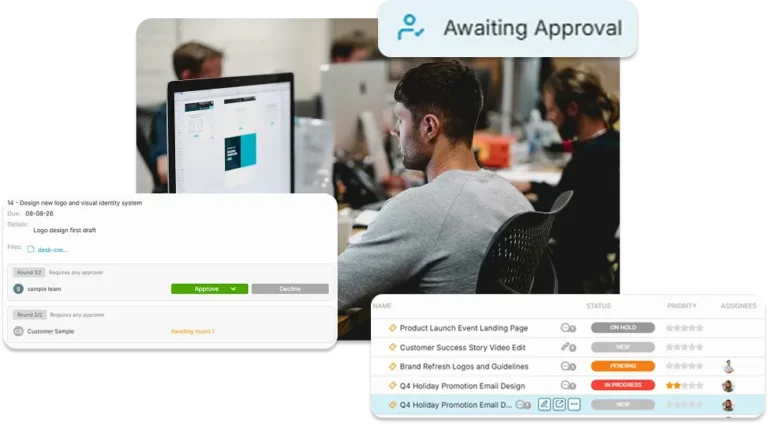
OneDesk unifies reviews, sign-offs, and strategic decisions into a single pipeline with a platform that combines intake, planning, and formal approvals in one workspace.
Free 14-day trial · No credit card required
USE CASES
Master Your Decision Workflows
OneDesk streamlines the journey from request to a project, ensuring your team only builds what has been vetted and approved.
Filter Your Feedback Before the Backlog
Capture requests and bug reports in OneDesk and take them through formal approval round first. Use this triage phase to vet business value and technical feasibility before the request ever touches your active roadmap or release project.
- Unify feedback from the portal, chat, and email into one triage queue.
- Force approval before a tasks can move forward
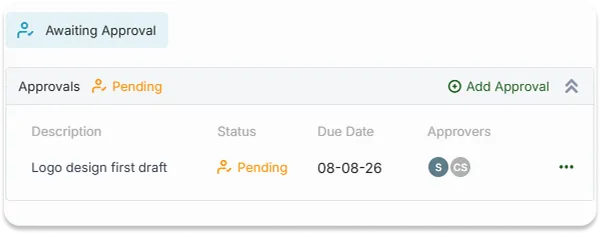
Approve Before You Scale the Solution
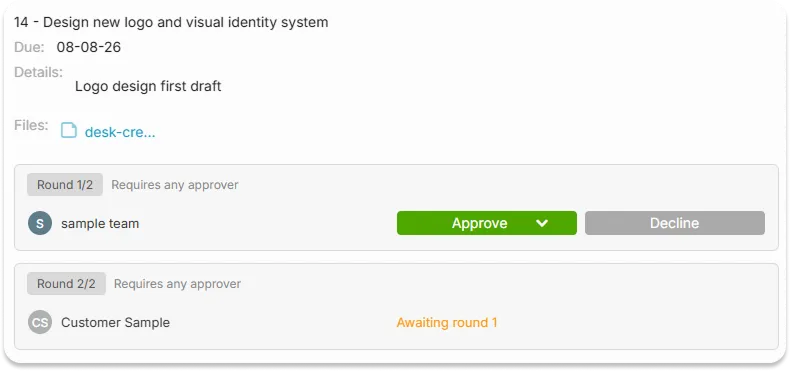
Create approvals directly on tasks or projects for mocks and prototypes. Stakeholders can leave threaded comments directly on the approval request, ensuring that every piece of feedback is linked to the specific task being reviewed.
- Discuss mocks and documents within the approval request for total context.
- Allow busy executives to click "Approve" or "Reject" directly from their inbox.
- Attach prototypes and files directly to the approval for a perfect audit trail.
Approve Before You Move Forward
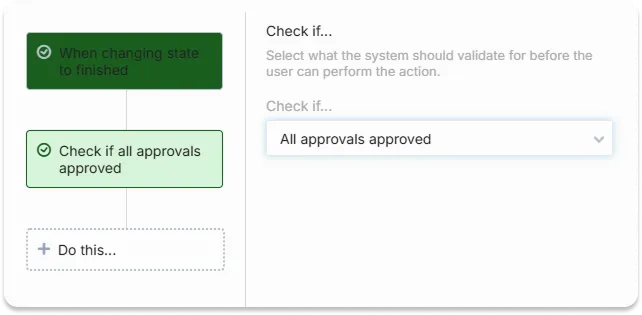
Eliminate human error with validation rules. Set your project up so that an engineering task cannot start until the design task is officially “Approved.” Use task dependencies and validation rules to ensure work only moves forward when the necessary gates have been cleared by Product or Design leads.
- Set tasks to automatically activate only once the "Parent" approval is received.
- Prevent task completion if the approval isn't met.
Trigger the Project On Time
Once a high-level request is approved, don’t waste time manually building the project plan. Use OneDesk to create projects from templates the moment a task or request meets your requirements. This ensures that a “Yes” from the Product Board instantly triggers a standardized engineering project.
- Automatically update statuses the moment an approval decision is reached.
- Send alerts when a feature is approved.

FEATURES
Verify the Vision Before You Start
Standardize your sign-offs, automate your handovers, and ensure your team builds with 100% stakeholder alignment.
FAQ
Questions About Approvals Workflows
Absolutely. You can use Internal Conversations to hash out technical details with your team on the task. Then use a separate 'Public' conversation to communicate only the final version and official feedback with your stakeholders.
Yes, if you'd like. By setting up Validation Rules, you can ensure that a task status cannot change to "In Progress" or "Dev Ready" if an associated approval has been "Rejected." This prevents work from continuing on unapproved features.
OneDesk allows you to link approved tickets directly to Release Projects.
See For Yourself
Schedule a demo with our team to see if OneDesk is right for you.