- HR Teams
OneDesk for
HR Teams
Simplify how your team handles internal requests, manages onboarding, and protects employee data. OneDesk gives your HR department a service desk and project tool in one platform.
Free 14-day trial · No credit card required

Why do HR teams choose OneDesk?
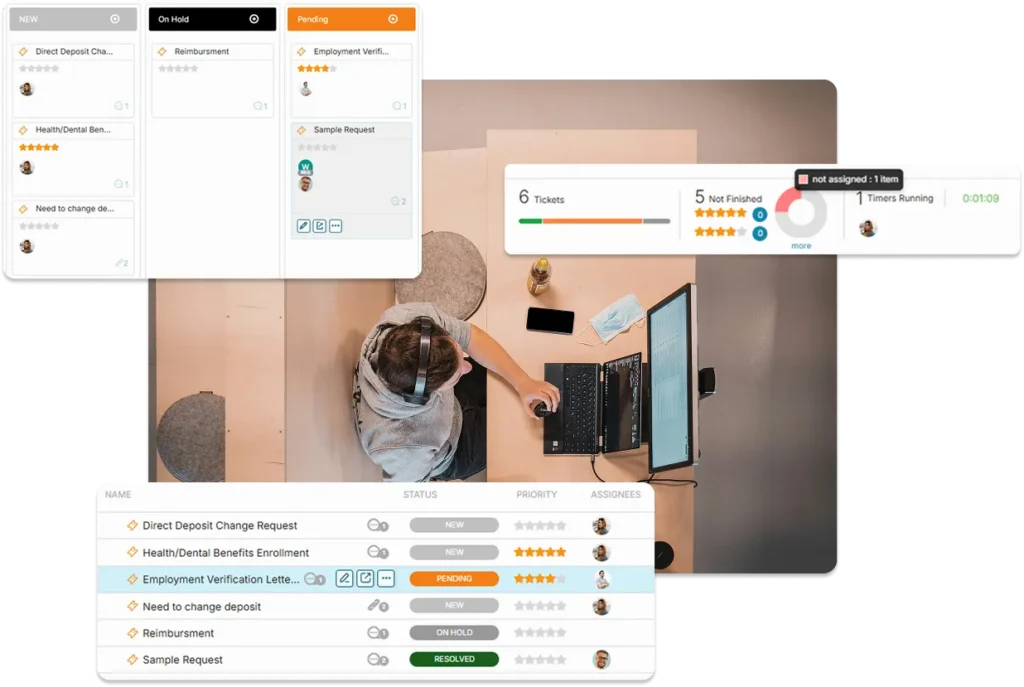
A front door for every request
OneDesk provides a secure portal where employees can submit requests—from payroll queries to reporting a workplace issue. You get a standardized intake process that ensures you have all the necessary details to act quickly and discreetly.
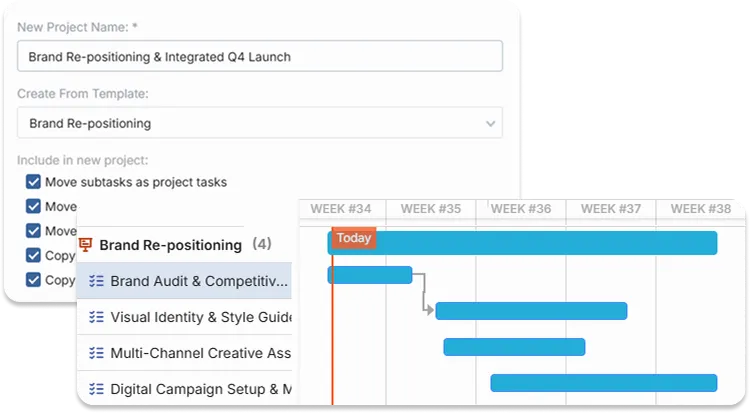
Deliver a consistent experience
OneDesk lets you create an “Onboarding Project Template” that includes every task from IT setup to orientation meetings. When a new person joins, launch the template with one click to assign tasks across HR, IT, and Facilities.
Scale your work with AI
AI allows HR teams of all sizes to reduce their workload. Best of all, the AI learns solely on your content – so responses are accurate and focused.
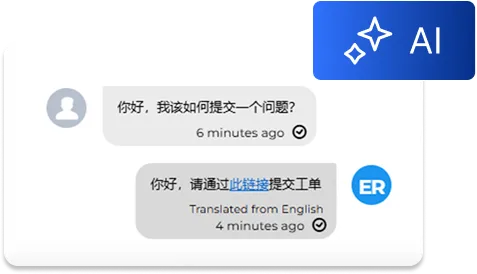
AI Agent
Reduce common questions with the AI chat agent. The AI answers employees instantly from the live chat based on your relevant HR articles and content.
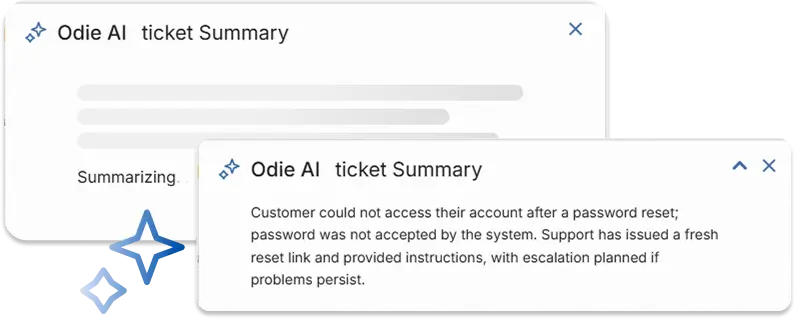
Summarize tickets
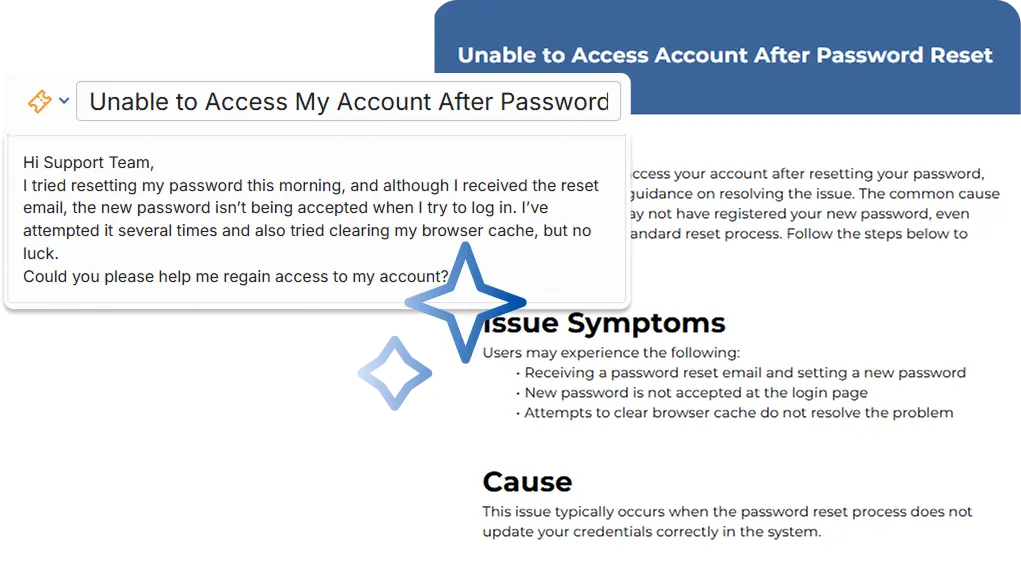
Need to loop in a teammate? Forget what this ticket was about? Instead of sifting through long threads, let OneDesk AI condense complex tickets into short actionable summaries.
Generate KB articles
Build out your knowledge base easily and keep track of your solutions. Easily convert tickets into structured knowledge base articles. OneDesk AI removes personal information and extracts key information to create detailed articles.
AI suggested replies
Why spend time looking for a saved reply or typing out a new one? Let AI easily draft intelligent replies based on the conversation context.

Protect sensitive employee data
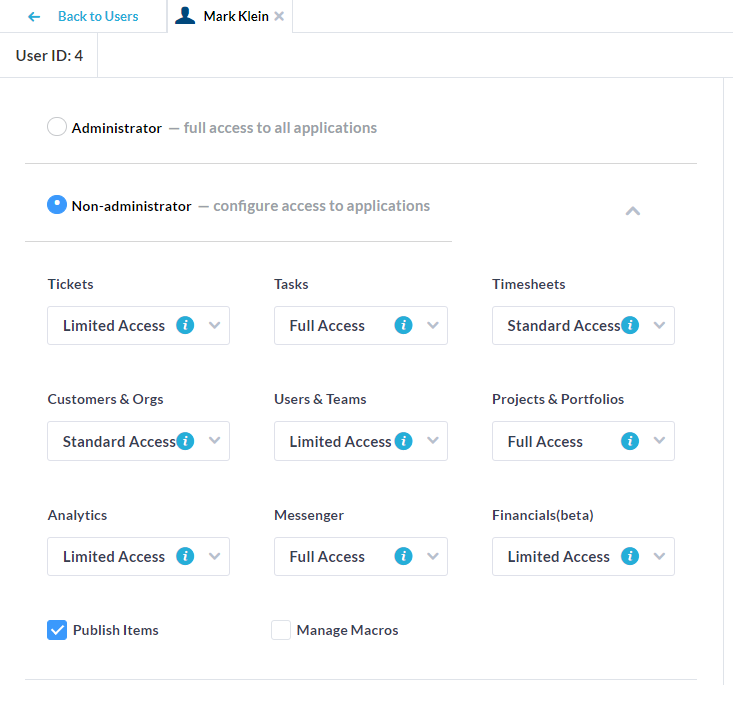
HR work involves highly sensitive information that must stay confidential. OneDesk’s robust permission settings allow you to lock down specific projects or tickets. You can ensure that while the rest of the company uses OneDesk for their work, your HR files, discussions, and employee documents remain visible only to your department.
Fast-track internal sign-offs
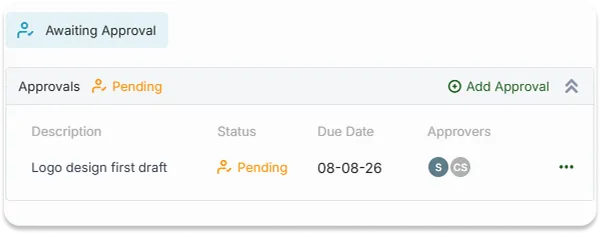
Stop chasing managers for vacation approvals or training budget sign-off. OneDesk automates the approval loop. Once approved, the status is updated, HR is notified, and a permanent record is stored for your payroll audit.
Answers for your team, 24/7
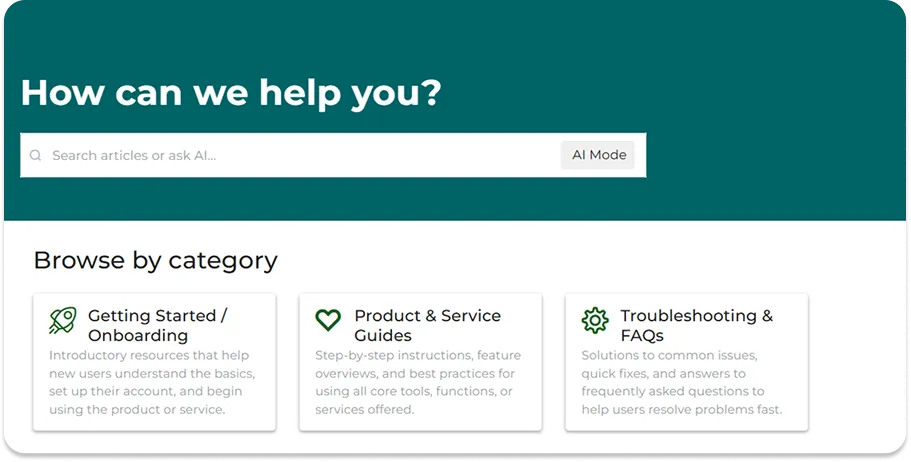
Reduce the volume of “Where is the holiday schedule?” or “How do I update my insurance?” questions. OneDesk allows you to build a branded internal Knowledge Base. Host your employee handbook, benefit guides, and FAQs in a searchable hub so employees can help themselves.
Track candidates from application to offer
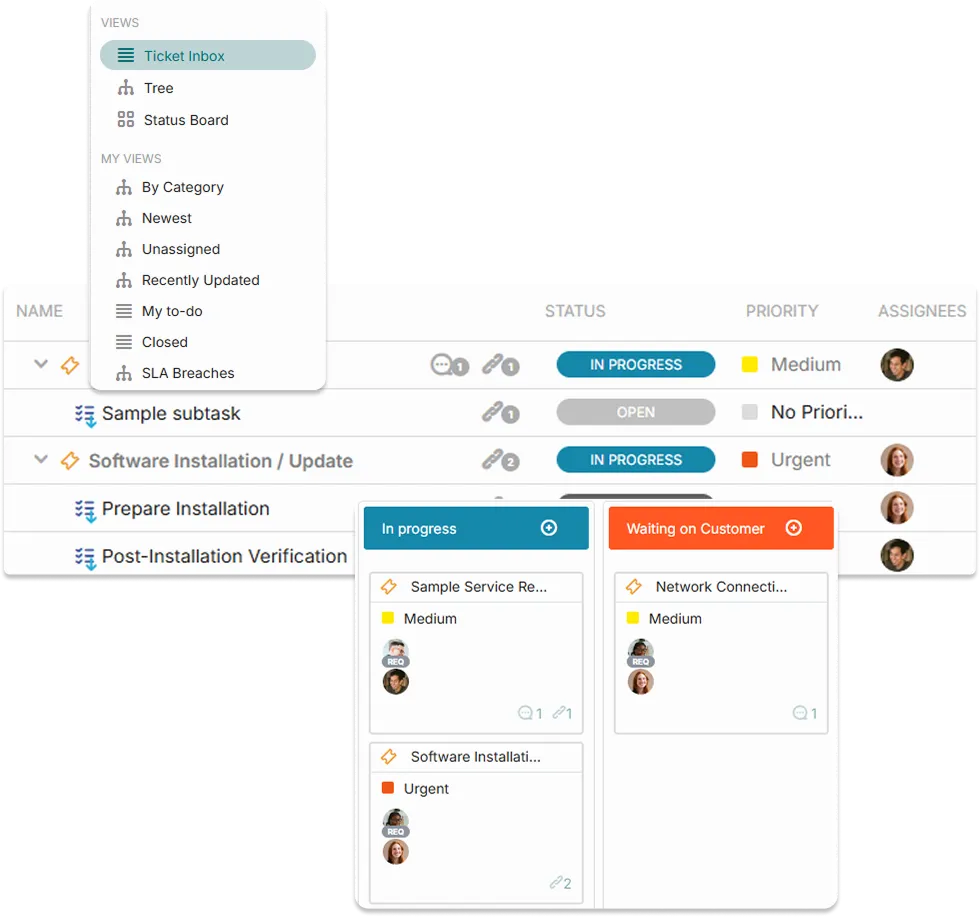
Use OneDesk’s Kanban boards to manage your hiring process visually. Create a “Recruitment Project” where each candidate is a task. Drag and drop them through stages like “Screening,” “Interviewing,” and “Offer Sent,” keeping the whole hiring team aligned on the next steps.
Prove the value of your work
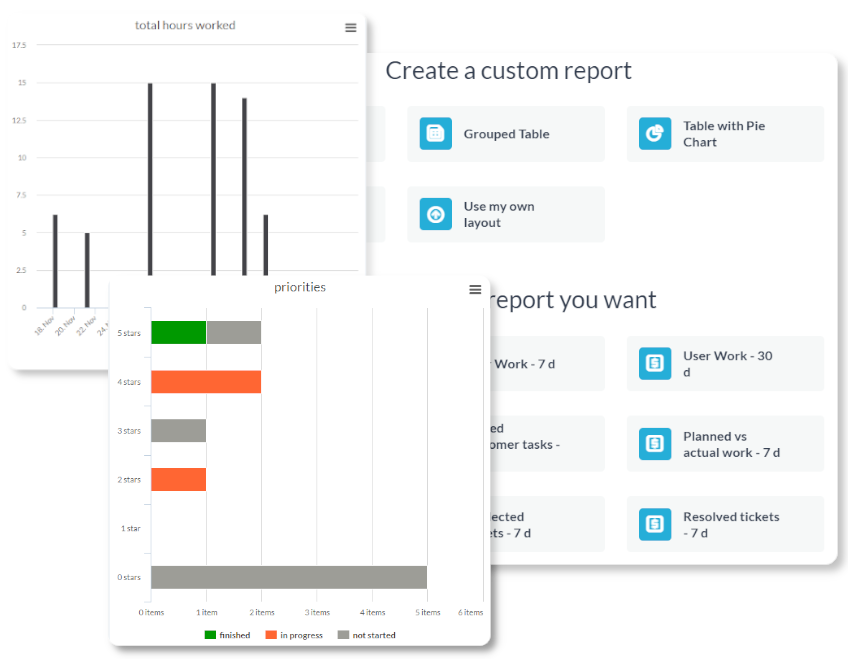
HR work can often be “invisible.” OneDesk’s reporting tools allow you to show leadership exactly how much your team is accomplishing. Track how many employee requests you’ve resolved, the time spent on recruiting, and your team’s total capacity to ensure you aren’t headed for burnout.
Frequently asked questions about OneDesk for HR teams
Employees can send an email to your designated HR address, which OneDesk turns into a ticket, or they can use the portal to fill out a form and track their request's status.
No. You only pay for your internal HR team (the "Users"). Your employees are considered "Customers" in the system, and they can use the portal to submit requests and view the Knowledge Base for free.
More HR team solutions
Help Desk
HelpDesk for Creative HR teams
HelpDesk for Education HR teams
HelpDesk for Finance HR teams
HelpDesk for Government HR teams
HelpDesk for Healthcare HR teams
HelpDesk for HR HR teams
HelpDesk for IT HR teams
HelpDesk for Legal HR teams
HelpDesk for Logistics HR teams
HelpDesk for Manufacturing HR teams
HelpDesk for Marketing HR teams
Help Desk for Universities & College HR teams
Help Desk for K–12 School District HR teams
Help Desk for Libraries & Museum HR teams
Help Desk for Research Institution HR teams
Help Desk for Municipal Service HR teams
Help Desk for Business Process Outsourcing HR teams
Help Desk for Software Development HR teams
Help Desk for SaaS HR teams
Help Desk for Web Development Agency HR teams
Help Desk for Consulting Firm HR teams
Help Desk for Engineering Firm HR teams
Project Management
Project Management for Universities & College HR teams
Project Management for K–12 School District HR teams
Project Management for Libraries & Museum HR teams
Project Management for Research Institution HR teams
Project Management for Municipal Service HR teams
Project Management for Business Process Outsourcing HR teams
Project Management for Software Development HR teams
Project Management for SaaS HR teams
Project Management for Web Development Agency HR teams
Project Management for Consulting Firm HR teams
Project Management for Engineering Firm HR teams
Work Management & Professional Services
Work Management for Creative HR teams
Work Management for Education HR teams
Work Management for Finance HR teams
Work Management for Government HR teams
Work Management for Healthcare HR teams
Work Management for HR HR teams
Work Management for IT HR teams
Work Management for Legal HR teams
Work Management for Logistics HR teams
Work Management for Manufacturing HR teams
Work Management for Marketing HR teams
Work Management for Universities & College HR teams
Work Management for K–12 School District HR teams
Work Management for Libraries & Museum HR teams
Work Management for Research Institution HR teams
Work Management for Municipal Service HR teams
Work Management for Business Process Outsourcing HR teams
Work Management for Software Development HR teams
Work Management for SaaS HR teams
Work Management for Web Development Agency HR teams
Work Management for Consulting Firm HR teams
Work Management for Engineering Firm HR teams
PSA for Creative HR teams
PSA for Education HR teams
PSA for Finance HR teams
PSA for Government HR teams
PSA for Healthcare HR teams
PSA for HR HR teams
PSA for IT HR teams
PSA for Legal HR teams
PSA for Logistics HR teams
PSA for Manufacturing HR teams
PSA for Marketing HR teams