- Manage IT Projects
From Support Ticket to
Strategic Infrastructure.
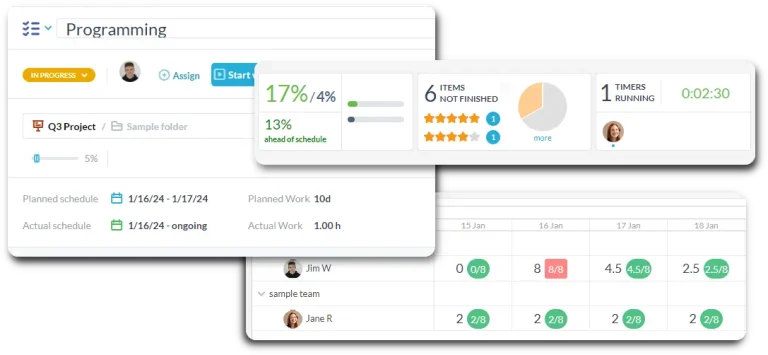
Stop toggling between your help desk and your project tools. By integrating intake with robust project planning, OneDesk ensures you can perform migrations, hardware refreshes, and software rollouts while maintaining total visibility into your team’s daily support load.
Free 14-day trial · No credit card required
USE CASES
Master the Complexity of Modern IT Delivery
OneDesk connects your departmental requests to your technical roadmap, ensuring every IT initiative is resourced, tracked, and delivered.
Move Beyond Firefighting to Proactive Planning
Transition your team from reactive “ticket-crunching” to high-impact infrastructure planning. OneDesk’s interactive Gantt engine allows you to map out complex IT roadmaps—like cloud migrations or security audits—ensuring milestones are clear and every technical dependency is accounted for across the entire organization.
- Visualize timelines, manage task links, and identify the critical path of your IT projects.
- Track key departmental handovers and "Go-Live" dates with total precision.
- Organize work by department (HR, Finance, Ops) to see a rolled-up view of all IT initiatives.

Turn Every Internal "Ask" into an Actionable Plan
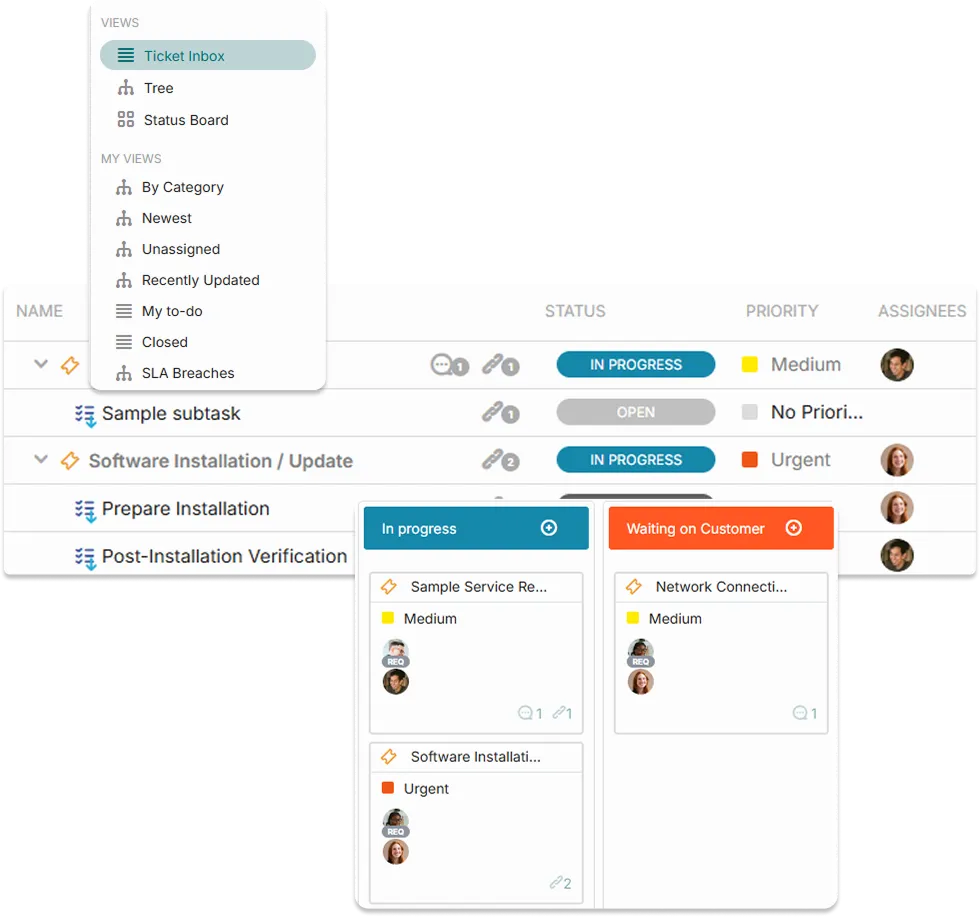
IT projects often start as simple support requests. OneDesk allows you to seamlessly convert a help desk ticket into a project task (or link it to an existing project) with a single click. Maintain the full conversation history from the initial employee request through to the final engineering deployment.
- Map incoming service requests directly into your active project backlogs.
- Use custom forms to capture hardware or software needs from other departments.
- Track the journey from the first "I need this" to the final project sign-off.

Deploy Hardware or Ship Software—Your Way
IT teams need flexibility. Use Kanban boards for rapid-response dev-ops tasks and Gantt charts for structured infrastructure rollouts. OneDesk supports hybrid workflows, allowing different IT squads to work in the view that fits their specific delivery style while maintaining a unified project budget and timeline.
- Switch between Gantt, Kanban, List, and Status views in a single click.
- Mirror your internal IT workflows (e.g., Backlog, Triage, Staging, Production).
- Link tasks across different projects to manage shared resources and technical dependencies.
Stop Burning Out Your Best Engineers
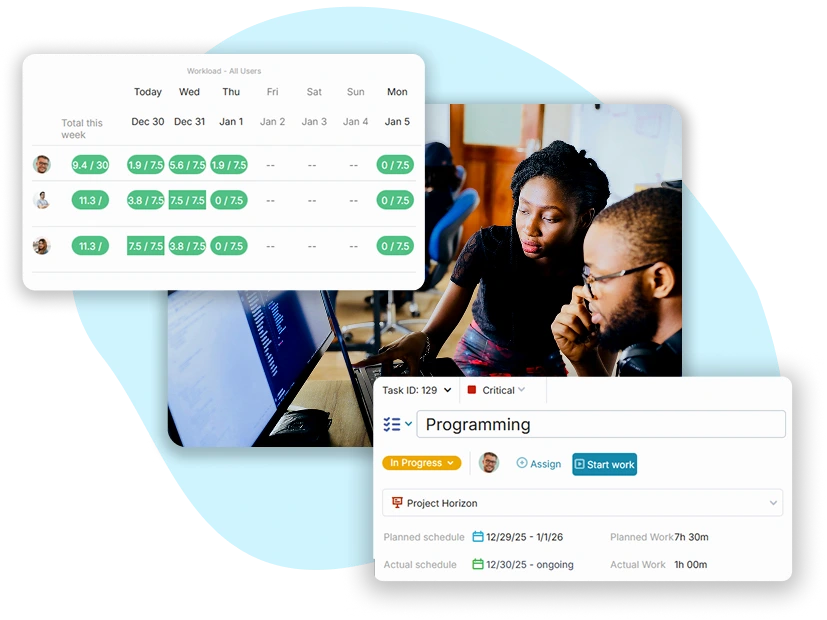
IT burnout happens when the same people are stuck between “urgent” tickets and “critical” projects. OneDesk’s workload view provides a real-time heatmap of your team’s capacity. Balance the daily support load with project milestones to ensure your senior engineers aren’t over-allocated.
- Identify over-allocated team members across all projects and tickets.
- See how new project requests will impact your team’s ability to meet support SLAs.
- Compare estimated project hours against real logged time to improve future scoping.
FEATURES
Built for High-Control IT Environments
Standardize your delivery, automate your reporting, and ensure your IT department is as efficient as the technology you manage.
FAQ
Common Questions
Absolutely. OneDesk is designed for hybrid workflows. Your dev team can use Agile Kanban boards for sprint-based work, while your infrastructure team uses Gantt charts for waterfall-style deployments, all within the same project.
This is OneDesk’s core strength. Because your help desk and projects are in one system, your Resource Heatmap shows the total load. If an engineer is drowning in tickets, the system flags them as over-allocated for project work, allowing you to redistribute the load and protect your project deadlines.