- Employee Request Portal
Single Destination for Your People.
Unified Inbox for Your HR Team.
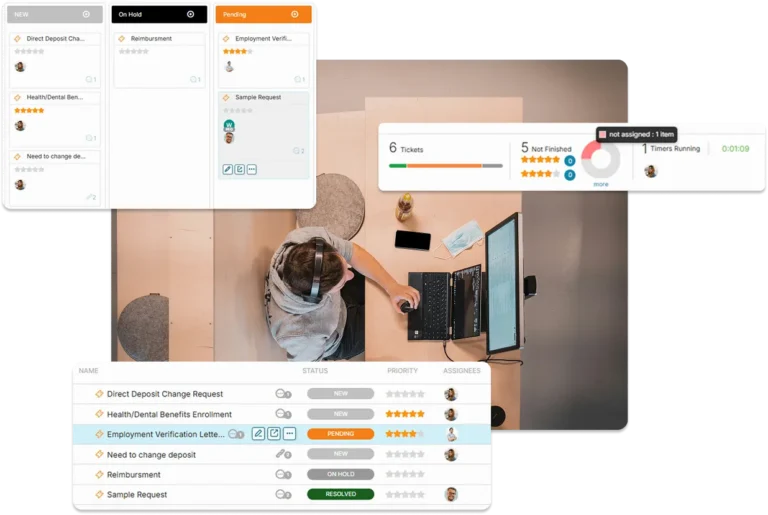
Move beyond the “HR Email Black Hole.” OneDesk provides your employees with a professional, 24/7 portal to log inquiries, while giving your HR team a unified command center to manage requests from Slack, MS Teams, email, and forms. Centralize your employee relations and ensure no request—from benefits questions to payroll inquiries—ever falls through the cracks.
Free 14-day trial · No credit card required
USE CASES
Modern HR Support for the Digital Workplace
OneDesk bridges the gap between employee needs and HR execution, providing a secure, transparent, and efficient service experience.
Be Where Your People Are, Without the Mess
Meeting your employees on their preferred channel shouldn’t overwhelm your team. OneDesk aggregates requests from MS Teams, Slack, live chat, and phone logs into a single, prioritized queue. By unifying your channels, HR can respond in one place while the employee receives the update exactly where they started the conversation.
- Instantly convert a Slack or MS Teams message into a formal HR request.
- Connect your HR@company.com address to track history and reply from OneDesk.
- Embed HR request forms and live chat directly into your company intranet.
Total Transparency for Every Department
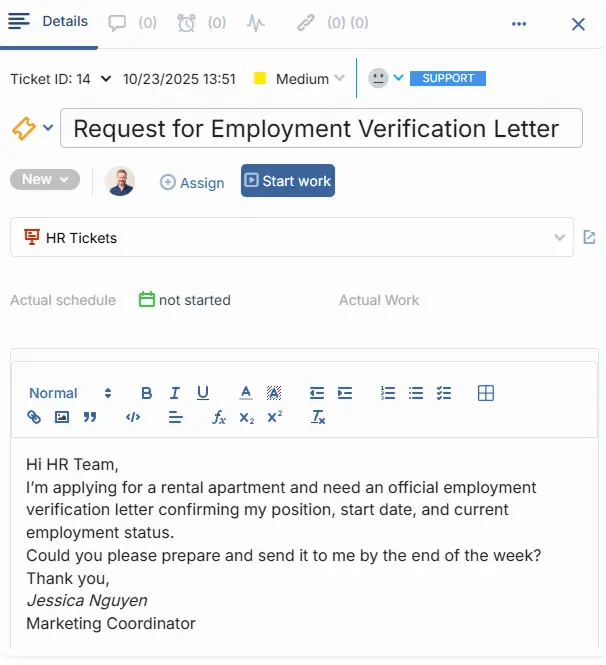
Stop the endless “just checking in” emails. Give your colleagues from other departments a dedicated portal where they can view the live status of their requests, send instant messages to HR, and manage attachments. It’s a 24/7 destination that empowers employees and gives your HR team back hours of administrative time.
- Employees can see milestones and status updates without needing to ask.
- Send messages and attach sensitive documents directly within the secure portal.
- Customize the portal with your company’s colors and logo for a native internal feel.

Capture the Data You Need the Very First Time
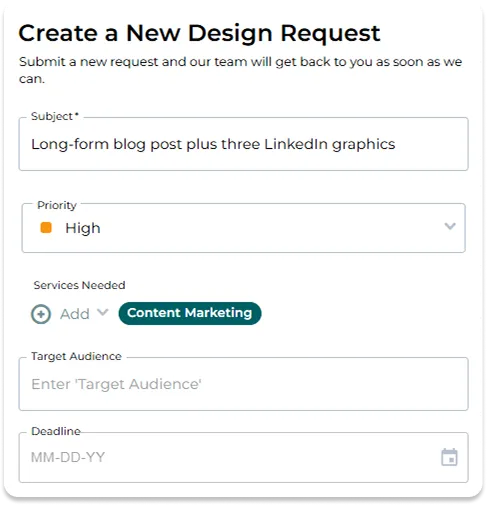
Vague requests lead to slow resolutions. Use OneDesk to build custom intake forms with required fields, categories, and tags. Whether it’s an “Employment Verification” or a “Benefits Change,” ensure your team has every detail they need upfront to act decisively and professionally.
- Create specific intake paths for Payroll, Onboarding, or Policy questions.
- Automatically tag and route requests based on the employee's department or issue type.
- Use custom fields to force-capture essential data like employee IDs or effective dates.
The End of the Fragmented Thread
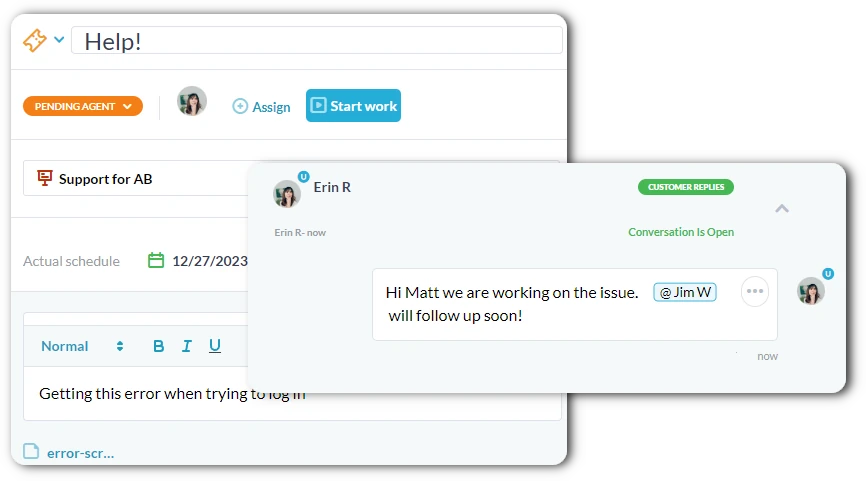
HR work is highly sensitive and requires a perfect audit trail. OneDesk keeps every conversation, attachment, and status change linked to the specific request. Collaborate internally with other HR members using private notes, while maintaining a professional external dialogue with the employee.
- Keep all communication attached to the relevant request for a perfect history.
- Discuss sensitive details privately before updating the employee.
- Maintain a chronological record of every interaction for compliance and reporting.
FEATURES
Enterprise HR Governance. Employee-First Design.
Standardize your intake, ensure data security, and provide a professional service experience for every department in the company.
FAQ
Frequently Asked Questions
Absolutely. You can create different "Categories" or "Folders" for different request types. You can even set permissions so that only the payroll team can see requests tagged under "Payroll," ensuring total confidentiality for sensitive data.
You can deploy the portal via a direct link, embed it into your existing company intranet (like SharePoint), or use a web widget. Many HR teams include the link in their email signatures or a pinned message in Slack/MS Teams for easy access.
Get Started Free
See OneDesk in action by booking a demo or signing up for a free trial.