- Cross Department Ticketing
Break Down Silos.
Power Your Operations.
OneDesk gives Operations teams a unified platform to manage the “business of the business.” Stop the fragmented Slack threads and hidden email chains. By centralizing requests from every department—from Facilities and Legal to Finance and Marketing—OneDesk ensures total visibility, accountability, and a standardized path to resolution for every internal stakeholder.
Free 14-day trial · No credit card required
USE CASES
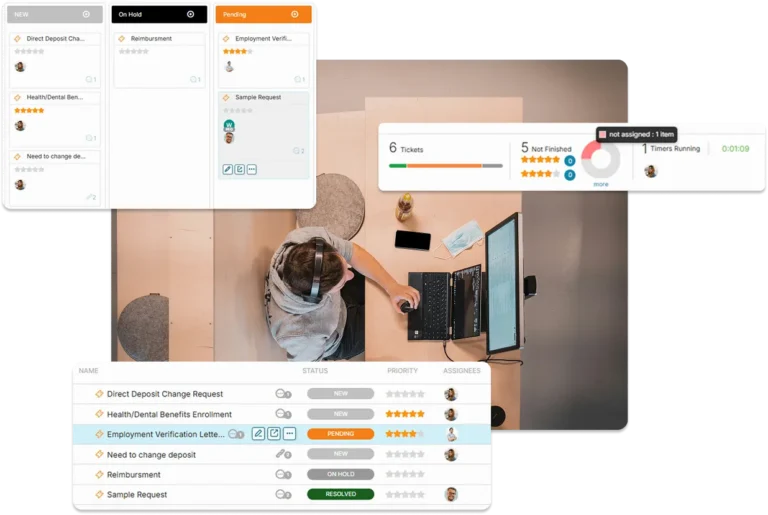
Harmonize Your Internal Service Delivery
OneDesk bridges the gap between departmental needs and operational execution, ensuring your company runs as a single, synchronized unit.
One Front Door for the Entire Company
Stop the “quick favors” that derail your day. OneDesk provides a professional, centralized intake engine for every department. Capture requests via branded forms, live chat, or email, ensuring that whether a request comes from Sales or HR, it arrives in a structured queue with all the necessary data to get started.
- Force-capture specific data points (budget codes, deadlines, file types) upfront.
- Unify requests from email, MS Teams/Slack, and chat into one operational backlog.
- Instantly route requests to the correct operational squad based on the department of origin.

Seamless Handoffs, Zero Friction
Complex operational tasks often span multiple teams. OneDesk allows you to coordinate workflows across Finance, Legal, and Ops without manual pings. When Legal finishes a contract review, Finance is automatically notified to process the payment—ensuring the “relay race” of internal business never drops the baton.
- Ensure Step B only begins once Step A is officially signed off by the previous department.
- Connect broad departmental initiatives to granular operational subtasks.
- Automatically alert stakeholders as work moves across departmental boundaries.
End the "Just Checking In" Culture
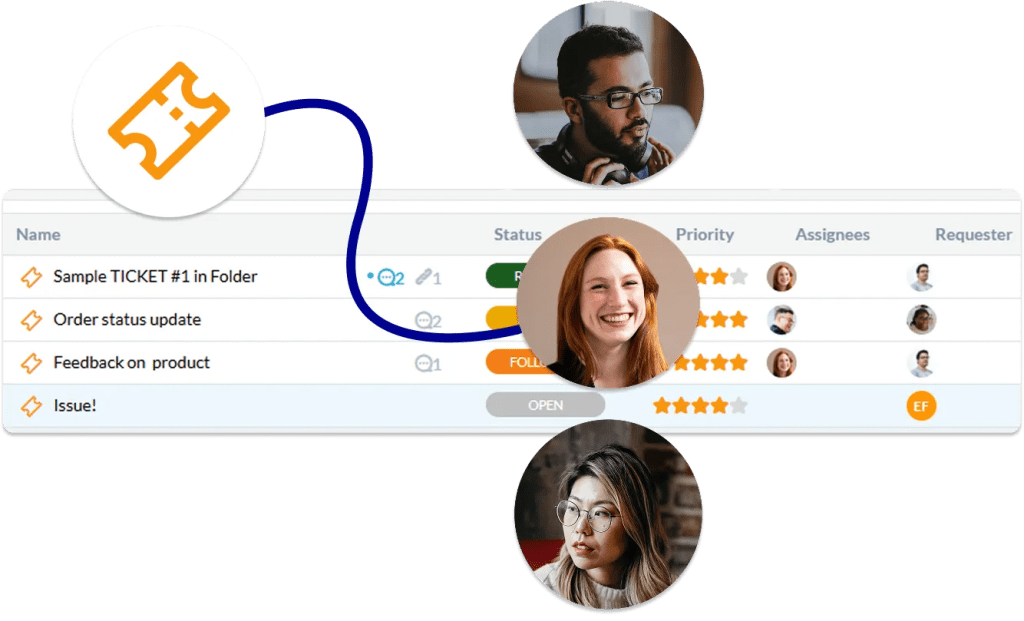
Give your colleagues total transparency without the administrative overhead. OneDesk provides an Internal Service Portal where employees can track the live status of their requests, send messages, and view attachments. They get the answers they need 24/7, and you get hours of your week back from status-update emails.
- A dedicated destination for other departments to manage their active requests.
- Let employees see exactly where their request sits in the operational pipeline.
- Keep all inter-departmental communication linked directly to the ticket for a perfect audit trail.

Data-Driven Ops for a Smarter Workplace
Move beyond “gut feelings” about your team’s workload. Use OneDesk’s reporting engine to identify which departments drive the most demand and where the bottlenecks live. Use these insights to justify headcount, optimize internal SLAs, and prove the strategic value of the Operations team to leadership.
- Quantify exactly how much operational effort is spent per department.
- Monitor response and resolution times for internal "customers."
- View your team’s bandwidth to ensure work is distributed evenly across the Ops team.

FEATURES
Built for High-Velocity Operations Teams
Standardize your internal service delivery, eliminate silos, and ensure your company is as efficient as the team that runs it.
FAQ
Common Questions
Yes. You can set up "Workflow Dependencies" and automation rules. For example, once the Facilities team marks a "Desk Setup" as complete, an automated notification can be sent to IT to begin "Hardware Provisioning."
Most teams deploy the Internal Service Portal via a direct link on the company intranet (like SharePoint) or a pinned message in Slack/MS Teams. Employees can log in to view only their specific requests and history.
Try OneDesk Free
See for yourself how OneDesk can managing your cross-department ticketing.