- Project & Task Management
One Place for Every Project
Your Department Runs
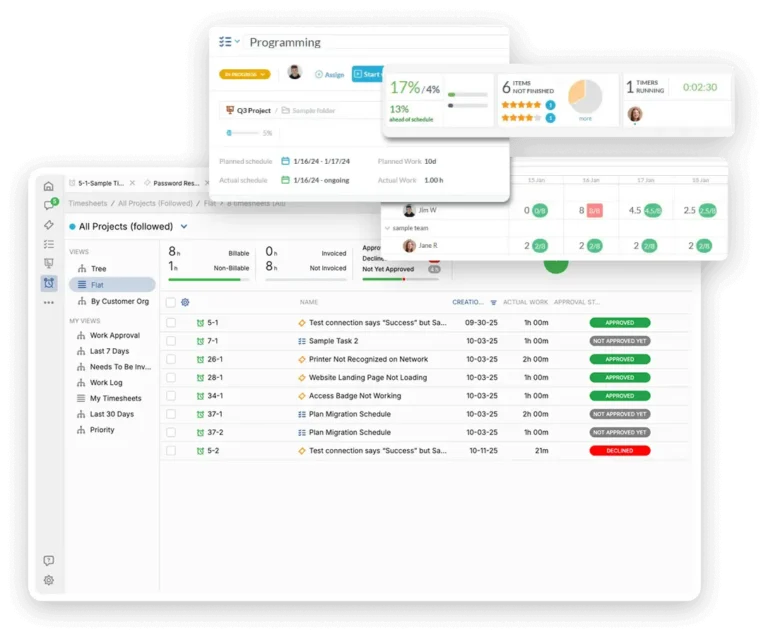
OneDesk gives internal departments a shared workspace to plan projects, assign tasks, track progress, and deliver on time.
Free 14-day trial · No credit card required
USE CASES
How Internal Departments Use OneDesk
From quarterly planning cycles to recurring team processes. OneDesk adapts to different departments, without forcing everyone into the same rigid structure.
Plan and deliver department initiatives
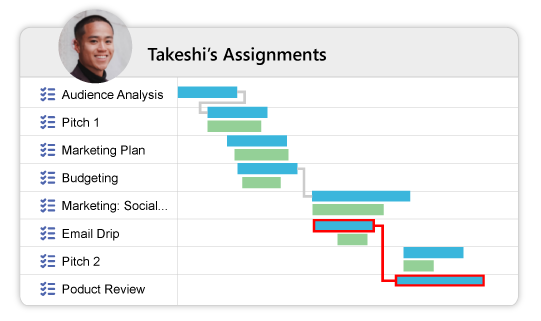
Give your team a structured space to plan, assign, and deliver their projects. Create projects for office relocation, a system rollout, a compliance program, or a quarterly initiative. Break work into phases, assign owners, and track delivery against milestones.
- Project templates for common department initiatives
- Phase-based planning with milestones and dependencies
- Real-time progress visible to the whole team
Keep daily work organized and visible
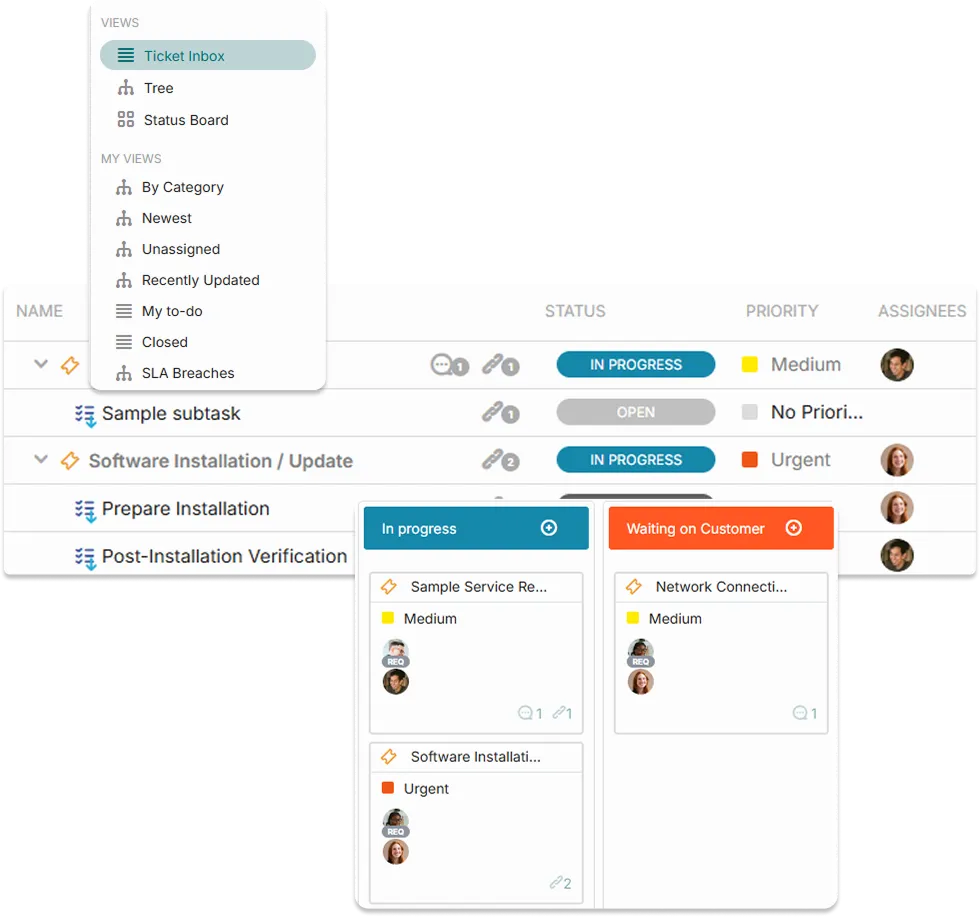
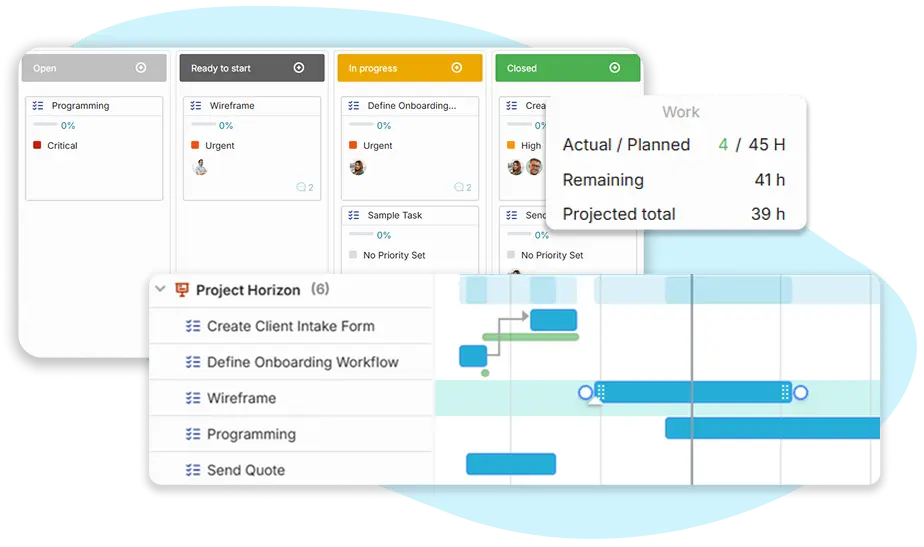
Replace scattered to-do lists and email threads with a shared task board your team actually uses. Assign tasks with due dates, priorities, and clear owners. Everyone knows what they are responsible for and what is blocking progress.
- View tasks with the Board, Gantt, List, Tree, or Calendar
- Customize and save your favorite views
- Share custom views with your teammates
Make the most of resources
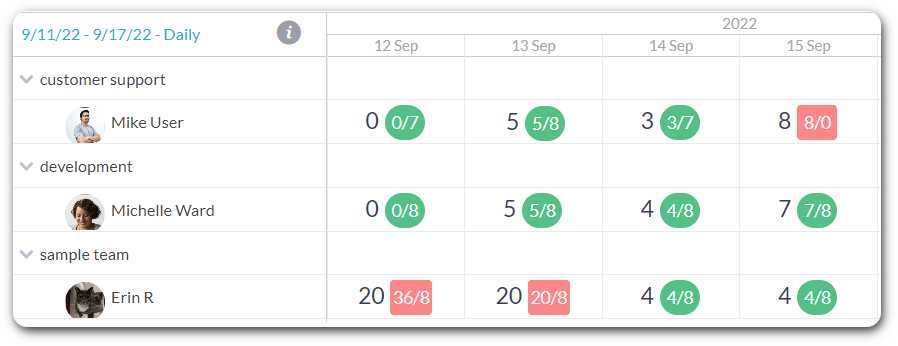
See the amount of hours assigned to different teams or individuals at the day, week or month level. Plan your projects optimally by assigning tasks to the right people at the right time.
- Assign tasks to users or teams
- View your team's workload before assigning tasks
- Plan projects optimally with smart scheduling
Kick off new projects quickly
If you do projects with a similar structure, OneDesk makes starting these easier. Create new projects with tasks, assignments, and planned amounts, directly from your custom templates.
- Create recurring tasks
- Automatically create tasks or projects
- Build projects from your custom templates
FEATURES
Everything Departments Needs to Deliver Projects
Planning, task tracking, approvals, workload management, and reporting in one workspace.
Project Management
Create projects with phases, milestones, and dependencies. Assign tasks to the right people, set deadlines, and track delivery. Keep everything in one shared workspace so nothing important gets missed.
Task Tracking
Break projects into individual tasks with clear assignees, priorities, and deadlines. Team members see exactly what they own. Managers see the full picture. No more chasing updates or wondering who is doing what.
Progress Reporting
Built-in dashboards show project health, task completion rates, overdue items, and team output at a glance. Share progress with management without manual work.
Deadlines & Milestones
Set project milestones, flag critical path tasks, and receive automatic alerts when deadlines are at risk. Teams see what is due this week. Managers see what is about to slip — before it does.
Approvals & Sign-off
Route deliverables, budget items, and key decisions through configurable approval steps before work continues. Approvers are notified automatically, and every decision is recorded.
Automation
Auto-assign tasks when a project stage opens, notify team members when dependencies complete, and move work through your workflow without manual nudging. This way your team spends time delivering rather than coordinating.
FAQ
Common Questions
OneDesk is a flexible tool that can handle agile, waterfall, or your own unique style of project management.
Yes, OneDesk makes it easy to move over from another tool with an import feature to bring over legacy tasks or projects.
Ready to streamline your project management?
Get started easily with a free, full-featured 14 day trial.