- Employee Self-Service Center
Empower Your Workforce.
Automate Your Support.
OneDesk gives your IT team the power to deploy a service centers that meet your employees where they work. Provide your organization with a single destination to find answers, log tickets, and stay informed—all while reducing your team’s manual workload.
Free 14-day trial · No credit card required
USE CASES
Modular Support for the Entire Organization
OneDesk allows you to build a bespoke employee experience by toggling specific apps and AI tools to match your department’s unique service goals.
Build the Exact IT Hub Your Company Needs
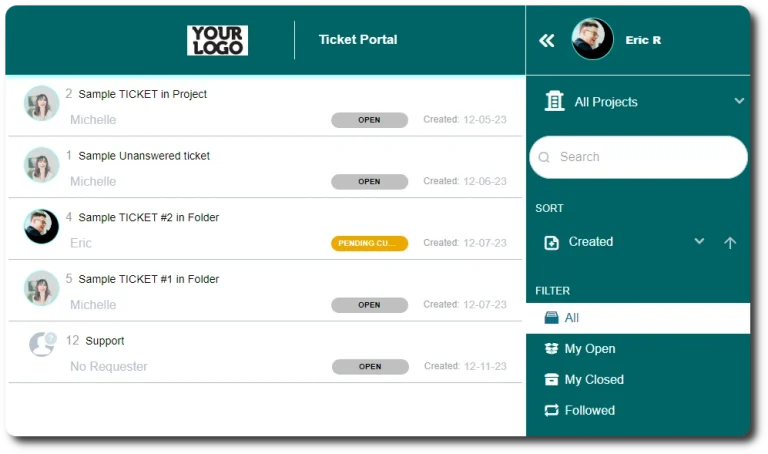
Not every department requires the same tools. OneDesk lets you create multiple “Employee Apps” that can be configured independently. Toggle the Ticket Portal for one group, a dedicated Knowledge Base for another, or a landing page for everyone. It’s a modular system that scales from a simple contact form to a full-scale ITSM suite.
- Turn on or off the KB, Ticket Portal, Live Chat, or Webforms as needed.
- Use the "Homepage" app to direct employees with links, notification banners, and company-wide IT updates.
- Set granular access so employees only see the apps and resources relevant to their role.

Solve Issues Before They Ever Reach an Agent
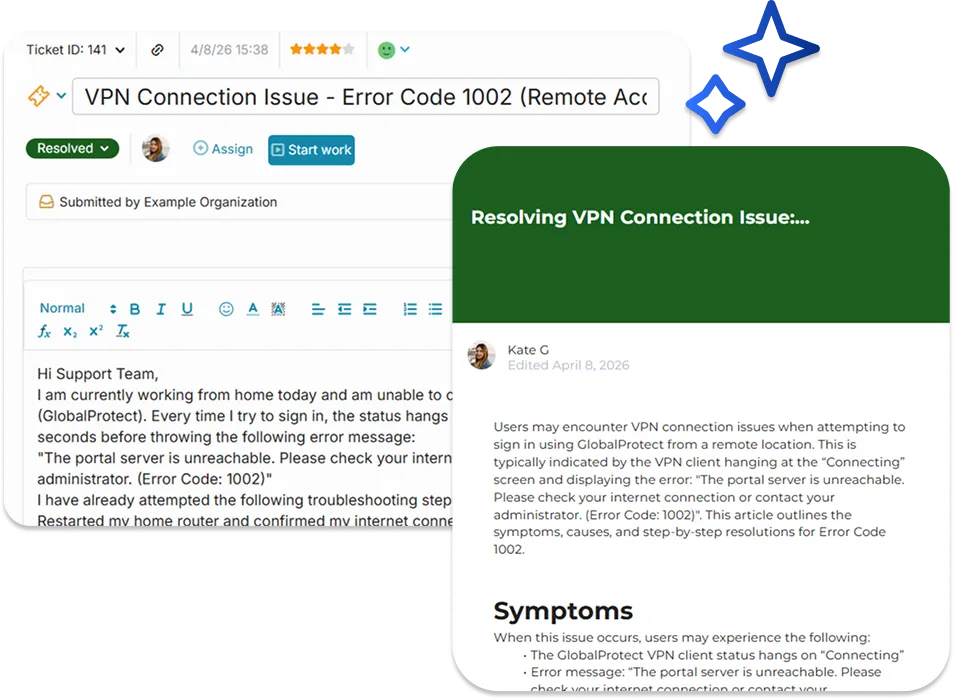
OneDesk uses AI to intercept requests before they become tickets. By training the AI on your specific articles, saved replies, and internal webpages, the system provides instant answers, allowing your IT team to focus on high-impact work.
- Intercept tickets by giving answers before request submission
- Smarter search results that understand intent to provide relevant information.
- Your AI agent constantly learns from your existing articles, webpages, or canned responses to stay up-to-date.
A Knowledgeable IT Assistant That Never Sleeps
Provide your employees with instant, conversational support around the clock. ‘Odie’ the AI Chat Agent is trained directly on your internal content, allowing it to resolve common queries without human intervention. If the issue is too complex, you can alert your human agents.
- Employees can ask questions in plain English and receive human-like, accurate answers.
- Deploy your AI agent via web widget, internal site, or standalone portal.
- Automatically escalate high-priority issues to a live agent when the AI reaches its limit.

Meet Your Employees Exactly Where They Work
Your IT hub shouldn’t be another tab your employees have to find. OneDesk allows you to deploy your self-service center via direct link, embed it into your existing SharePoint or internal sites, or use a sleek web widget snippet. It’s a white-label experience that feels like a native part of your company’s digital workplace.
- Embed your full IT service center directly into your company’s intranet.
- Fully customize colors, logos, and text to match your corporate identity.
- Add a support bubble to any internal web application for instant help.

FEATURES
Enterprise-Grade Self-Service
Standardize your internal support, reduce your ticket volume, and provide a professional, transparent interface for every department.
FAQ
Common Questions
Absolutely. You can create multiple "Employee Apps" and configure different permissions and branding for each. This allows you to host an IT Knowledge Base and an HR Ticket Portal within the same system, but presented as two distinct destinations.
You "train" the AI by simply selecting your desired knowledge sources such as Knowledge Base articles, saved replies, and even external webpages. It uses that data to answer questions conversationally and suggest relevant articles during the ticket intake process.
Get Started Free
Try OneDesk for yourself with a completely free trial.