- Marketing Teams
OneDesk for Marketing Teams
OneDesk combines a professional marketing intake desk with powerful campaign management tools, helping your team focus on creativity, not admin.
Free 14-day trial · No credit card required

Why do Marketing teams choose OneDesk?
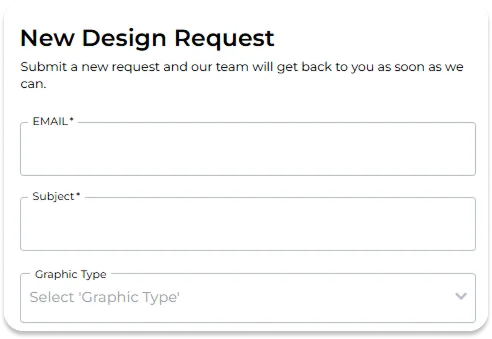
Turn vague requests into actionable briefs
No more starting a project with half the information. OneDesk allows you to create custom intake forms for every type of marketing request. Whether it’s a social media post or a full-scale campaign, you can require stakeholders to provide goals, target audiences, and brand assets upfront.
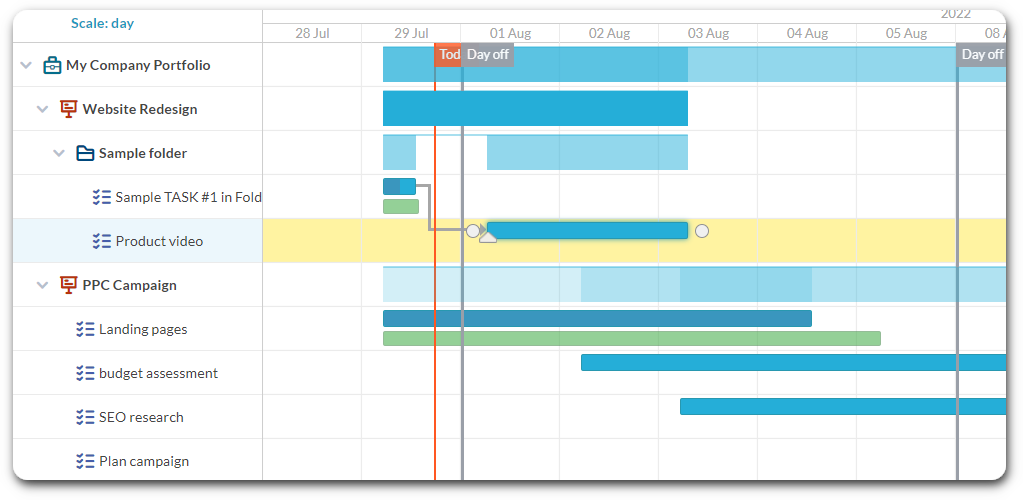
See your entire marketing roadmap
Marketing projects have moving parts that depend on each other—you can’t launch the landing page until the copy is done. OneDesk’s Gantt charts and Kanban boards give you a clear view of these dependencies. You can manage long-term brand refreshes alongside daily social updates, ensuring nothing misses its launch date.
Scale your work with AI
AI allows marketing teams of all sizes to reduce their workload and increase efficiency.
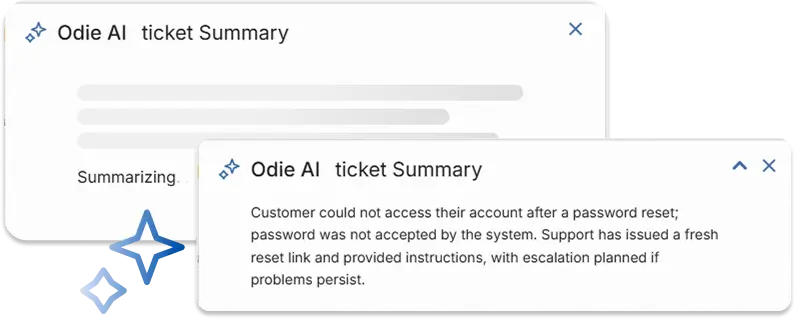
Summarize tickets
Need to loop in a teammate? Forget what this ticket was about? Instead of sifting through long threads, let OneDesk AI condense complex tickets into short actionable summaries.
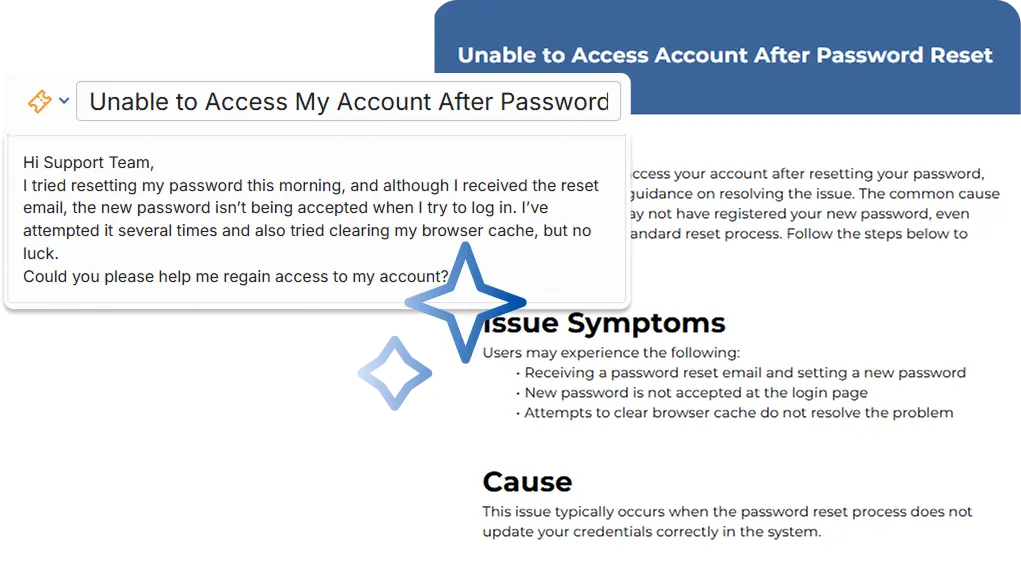
Generate KB articles
Build out your knowledge base easily and keep track of your solutions. Easily convert tickets into structured knowledge base articles. OneDesk AI removes personal information and extracts key information to create detailed articles.
AI suggested replies
Why spend time looking for a saved reply or typing out a new one? Let AI easily draft intelligent replies based on the conversation context.

Get the green light without the email chain
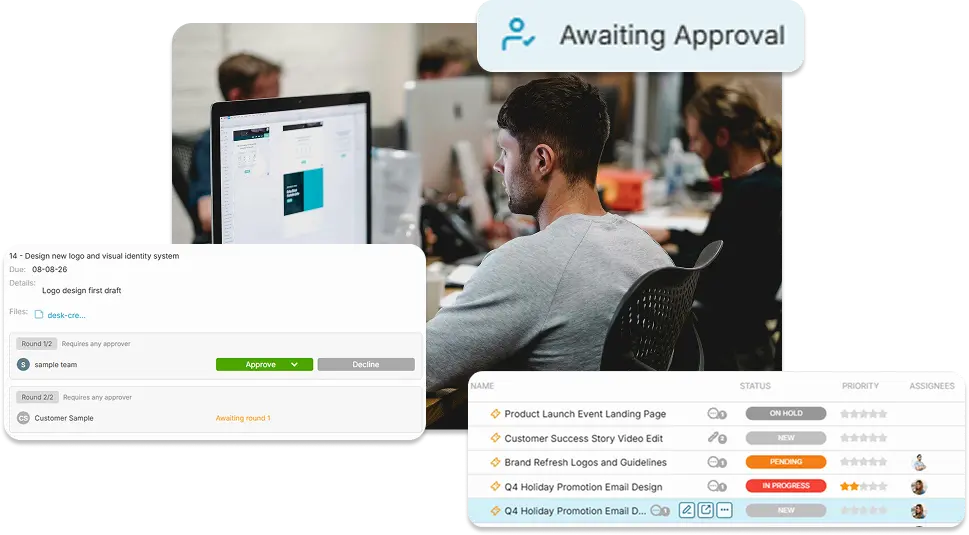
Getting another department to approve a campaign shouldn’t be the hardest part of your job. OneDesk automates the review loop. When a draft is ready, create an approval request directly from the task. Stakeholders can approve or request changes with one click, and you get a clear audit trail of their feedback.

Create a self-service hub
Your team shouldn’t have to answer the same question twice. Use the Knowledge Base to host articles, video tutorials, and FAQs. It’s available 24/7, meaning employees can solve their own problems at midnight without waiting for your team to come into the office.
Keep conversations linked to work
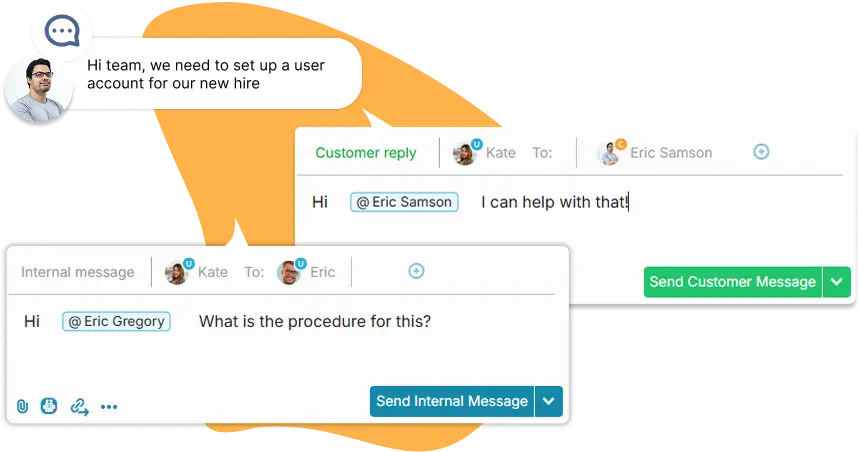
OneDesk keeps every conversation—internal brainstorming and stakeholder feedback—tied directly to the project it belongs to. This ensures everyone has the full context and no revision is ever forgotten.
Protect your team from burnout
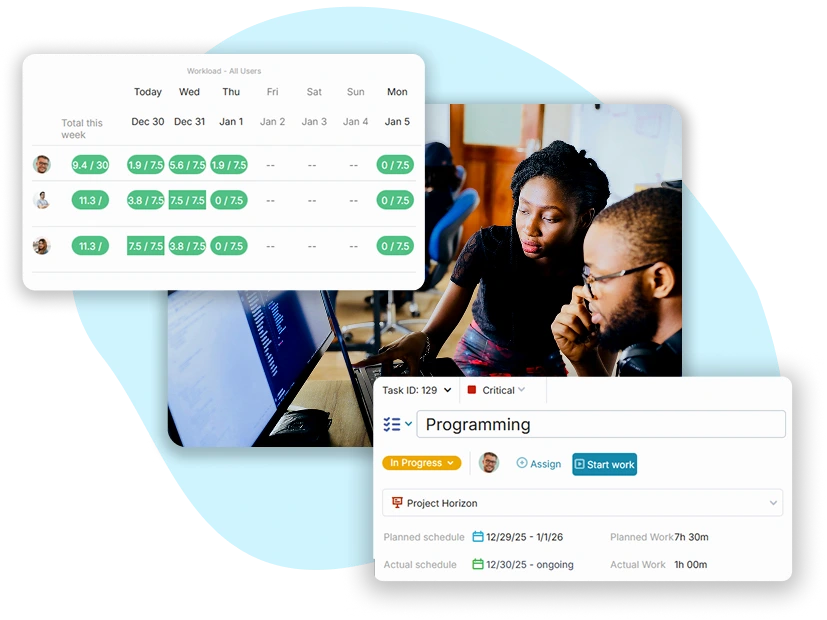
OneDesk helps you answer it with real data. Use built-in timers to track how long certain tasks actually take. This allows you to see who is over-capacity and provides the data you need to justify new hires or agency support.
Frequently asked questions about OneDesk for marketing teams
You can include a "Priority" or "Rush" field in your intake forms. You can also set up an automation that notifies a manager the moment a "Critical" request is submitted.
Absolutely. You can use the Calendar view or a Kanban board to visualize your posting schedule, ensuring your content team is always ahead of their deadlines.
No. Other departments not using OneDesk directly, are considered "Customers". They can submit requests, chat with you, and approve work via the portal for free. You only pay for your core marketing team.
More marketing team solutions
Help Desk
HelpDesk for Creative Marketing teams
HelpDesk for Education Marketing teams
HelpDesk for Finance Marketing teams
HelpDesk for Government Marketing teams
HelpDesk for HR Marketing teams
HelpDesk for IT Marketing teams
HelpDesk for Legal Marketing teams
HelpDesk for Logistics Marketing teams
HelpDesk for Manufacturing Marketing teams
HelpDesk for Marketing Marketing teams
HelpDesk for Media Marketing teams
Help Desk for Universities & College Marketing teams
Help Desk for K–12 School District Marketing teams
Help Desk for Libraries & Museum Marketing teams
Help Desk for Research Institution Marketing teams
Help Desk for Municipal Service Marketing teams
Help Desk for Business Process Outsourcing Marketing teams
Help Desk for Software Development Marketing teams
Help Desk for SaaS Marketing teams
Help Desk for Web Development Agency Marketing teams
Help Desk for Consulting Firm Marketing teams
Help Desk for Engineering Firm Marketing teams
Project Management
Project Management for Universities & College Marketing teams
Project Management for K–12 School District Marketing teams
Project Management for Libraries & Museum Marketing teams
Project Management for Research Institution Marketing teams
Project Management for Municipal Service Marketing teams
Project Management for Business Process Outsourcing Marketing teams
Project Management for Software Development Marketing teams
Project Management for SaaS Marketing teams
Project Management for Web Development Agency Marketing teams
Project Management for Consulting Firm Marketing teams
Project Management for Engineering Firm Marketing teams
Work Management & Professional Services
Work Management for Creative Marketing teams
Work Management for Education Marketing teams
Work Management for Finance Marketing teams
Work Management for Government Marketing teams
Work Management for HR Marketing teams
Work Management for IT Marketing teams
Work Management for Legal Marketing teams
Work Management for Logistics Marketing teams
Work Management for Manufacturing Marketing teams
Work Management for Marketing Marketing teams
Work Management for Media Marketing teams
Work Management for Universities & College Marketing teams
Work Management for K–12 School District Marketing teams
Work Management for Libraries & Museum Marketing teams
Work Management for Research Institution Marketing teams
Work Management for Municipal Service Marketing teams
Work Management for Business Process Outsourcing Marketing teams
Work Management for Software Development Marketing teams
Work Management for SaaS Marketing teams
Work Management for Web Development Agency Marketing teams
Work Management for Consulting Firm Marketing teams
Work Management for Engineering Firm Marketing teams
PSA for Creative Marketing teams
PSA for Education Marketing teams
PSA for Finance Marketing teams
PSA for Government Marketing teams
PSA for HR Marketing teams
PSA for IT Marketing teams
PSA for Legal Marketing teams
PSA for Logistics Marketing teams
PSA for Manufacturing Marketing teams
PSA for Marketing Marketing teams
PSA for Media Marketing teams