- Approval & Intake Workflows
The Intake and Approval Layer
Every Internal Team Needs
OneDesk gives internal departments a structured way to receive, route, approve, and fulfil requests from employees.
Free 14-day trial · No credit card required
USE CASES
How Teams Use OneDesk
OneDesk gives each department a structured intake and approval process tailored to how their team actually works.
Streamline employee technology requests
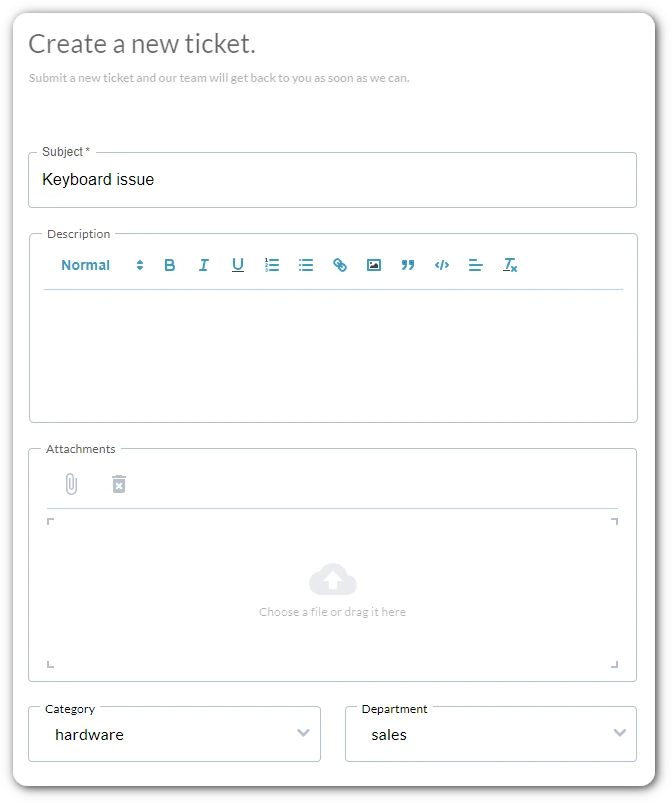
Give your IT team a structured intake queue for software access, hardware provisioning, and system permissions. Employees submit requests through a guided form, and IT agents triage, approve, and fulfil each request with full visibility.
- Customisable intake forms per request type (access, hardware, VPN, licences)
- Auto-route requests to the right IT owner based on category
- SLA timers and escalation alerts to keep fulfilment on track
Control spend with structured approval chains
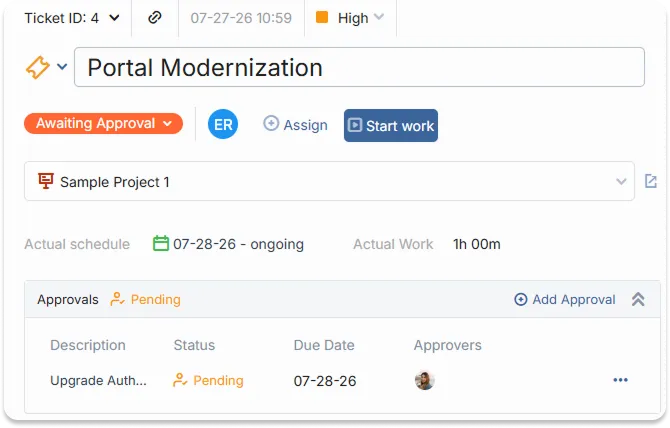
Replace ad hoc purchase requests and approval emails with a traceable workflow. Employees submit spend requests with details such as receipts and vendor details. Finance teams review, approve, or reject each step with every decision logged.
- Multi-round approval chains
- Attach supporting documents, quotes, and cost codes to each request
- Full audit trail of who approved what and when
Handle employee requests consistently
Give HR a single intake point for employee requests including role changes, leave approvals, onboarding tasks, benefits queries, and policy sign-offs. Each request follows a defined workflow so nothing slips through and every employee gets a consistent experience.
- Separate intake queues for different HR request categories
- Manager approval steps built into the workflow before HR reviews
- Employee-facing status updates so requesters know where their submission stands

Route documents through the right reviewers
Stop contracts and policy documents from sitting in someone’s inbox for weeks. Legal and compliance teams receive structured review requests with full context attached. Reviewers are notified, deadlines are tracked, and approvals are recorded automatically.
- Intake forms that capture contract type, counterparty, and urgency
- Review routing across multiple stakeholders
- Approval and rejection notes stored against submissions
FEATURES
Everything an Internal Service Team Needs
Intake forms, approval workflows, SLA tracking, request queues, and reporting.
Intake Forms
Build custom intake forms for each service your team offers, such as software access, expense approvals, contract reviews, onboarding tasks. Requesters fill in exactly what you need, so your team never has to chase missing information before they can act.
Approval Workflows
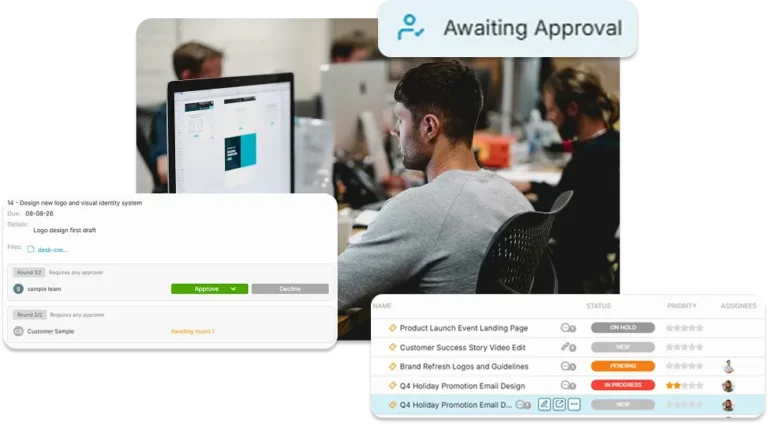
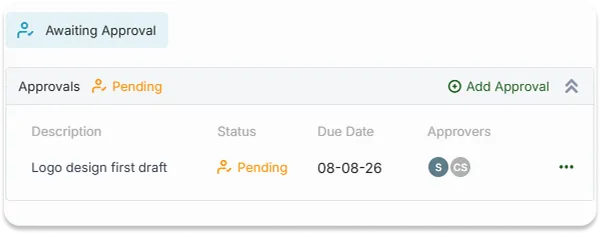
Create approvals for any request. The right approvers are notified automatically at each stage. They approve or reject with a single click, and every decision is logged with a timestamp and comment.
SLA Management
Set SLA targets per request category and track them in real time. Overdue requests surface automatically. Escalation rules route stalled items to a manager before an SLA breach occurs.
Request Queue
Replace individual inboxes with a single shared request queue. Assign requests to the right agent, track status in real time, and see at a glance what is waiting, in progress, pending approval, or fulfilled without chasing anyone for an update.
Reporting & Insights
Built-in dashboards show intake volume by category, SLA compliance, and team workloads. Identify bottlenecks, justify headcount, and report to leadership with accurate data.
Automation
Auto-route incoming requests to the right team based on type, department, or spend threshold. Trigger reminders when approvals go unanswered. Notify requesters when their status changes, without anyone on your team lifting a finger.
FAQ
Frequently Asked Questions
Yes. You can create multiple different forms per request type or department. Each form can have its own fields and requirements.
Yes, you can create an approval with multiple rounds. When one round is approved the other begins so approval steps can be performed sequentially.
Yes, the easiest way for a requester to see the status of their submissions is from the portal.
Give Your Team a Structured Way to Handle Every Request
Set up your intake forms and approval workflows in minutes, invite your team, and start processing requests with full visibility.