- Internal Project Delivery
One Place to Plan and Deliver
Every Internal Project
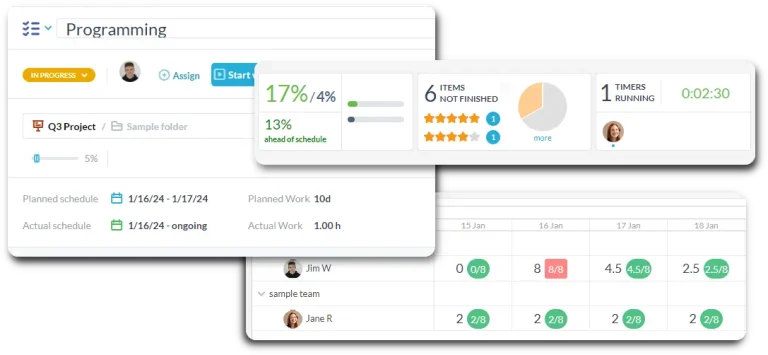
OneDesk gives teams a shared workspace to plan projects, assign tasks, track milestones, and deliver on time.
Free 14-day trial · No credit card required
USE CASES
Built for Every Department That Delivers Projects
Get a project workspace that fits how you work, without forcing everyone into the same rigid structure.
Deliver technology initiatives on time
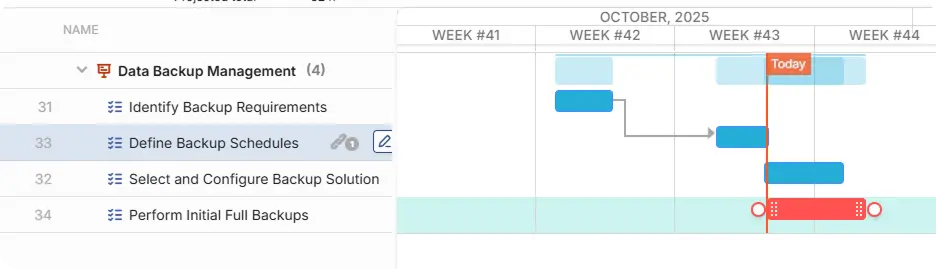
Give IT teams a structured workspace to plan infrastructure upgrades, software rollouts, and security programs. Break delivery into phases with milestones, assign subtasks to engineers, and track progress on a Gantt chart. Stakeholders always know where the project stands without needing a status call.
- Gantt timelines with phase milestones and task dependencies
- Subtasks for granular technical work within each deliverable
- Exportable Gantt chart and reports for stakeholders
Run people projects with structure and clarity
HR teams manage more than day-to-day queries. They also run onboarding programs, policy rollouts, engagement surveys, and organizational changes. OneDesk gives every initiative a proper project structure with owners, deadlines, and a clear delivery plan that the whole team works from.
- Project templates for recurring HR cycles like onboarding and annual reviews
- Kanban boards to manage in-progress work across the team
- Milestone tracking so key dates are never missed
Manage operational change end to end
Operations teams run the projects that keep the business working, from office moves to compliance programs. OneDesk gives every initiative a shared plan, clear ownership, and real-time visibility so nothing drifts and no one is working from a different version of the plan.
- Cross-functional task assignment so every team owns their piece
- Automated status updates when task stages complete
- Define task dependencies and notify when the next stage is ready

Deliver structured financial initiatives
Finance teams handle projects with strict deadlines and audit requirements such as budget planning cycles and system implementations. OneDesk gives a structured delivery workspace with milestone tracking, task dependencies, and a complete record of decisions made along the way.
- Dependency mapping so tasks complete in the right order
- Milestones to keep governance on track
- Project history and decision log
FEATURES
Everything Internal Teams Need to Deliver Projects
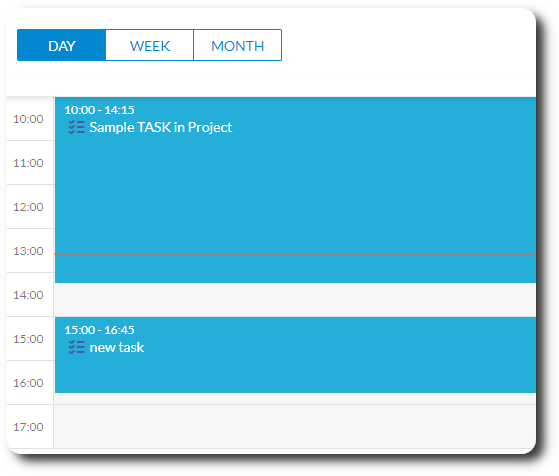
Gantt charts, Kanban boards, milestones, subtasks, workload management, and automation. All in one workspace built for internal departments.
Gantt Charts
Plan every project on an interactive Gantt chart. Set start and end dates for each task, link dependencies so the schedule adjusts automatically when something shifts, and mark milestones to anchor key delivery dates. Export the Gantt, so stakeholders can get a clear picture of what is happening and when.
Kanban Boards
Switch any project to a Kanban board to manage day-to-day work in motion. Drag tasks between status columns, spot bottlenecks at a glance, and keep the team focused on what is actively being worked on right now without losing sight of the broader project plan.
Subtasks
Breakdown large deliverables into subtasks, each with its own assignee, due date, and status. Roll-up progress from subtasks to parent tasks automatically so managers always know how much of a deliverable is actually done.
Milestones
Mark key delivery dates as milestones. Milestone progress is visible across the project timeline, and teams receive automatic reminders when a milestone is approaching or at risk of slipping.
Project Reporting
Built-in dashboards show task completion rates, overdue items, and workload by team member. Share a live project health summary with leadership in seconds. No spreadsheets to compile or status emails to write.
Automation
Auto-assign tasks when a project phase opens, notify assignees when a dependency completes, escalate overdue items to the project lead, and trigger reminders before milestone dates. Your team spends time delivering, instead of chasing updates.
FAQ
Common Questions
You link tasks with finish-to-start or start-to-start dependencies. When a predecessor task shifts, OneDesk automatically adjusts the scheduled dates of all dependent tasks. The whole plan stays coherent without you having to manually recalculate.
Yes. Every project can be viewed as a Gantt timeline, a Kanban board, or a flat task list. You can also apply filters or groupings and save these views to switch between as desired.
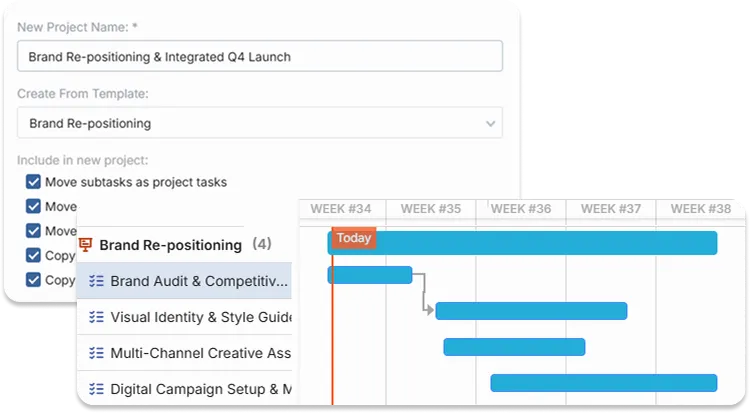
Yes, projects can be saved as a template. This keeps the full task structure, subtasks, assignee roles, and dependencies. You can create projects automatically from templates, to launch on a recurring schedule.
Give Every Department a Better Way to Deliver
Set up your first project in minutes. Build the plan, assign the tasks, set the milestones, and invite the team.