- Onboarding Workflows
First Impressions Matter.
Make Every Onboarding Flawless.
OneDesk automates the cross-department complexity of bringing on new talent. Centralize your onboarding checklists with automated task assignments. OneDesk ensures your new hires are productive and welcomed from minute one.
Free 14-day trial · No credit card required

USE CASES
A Unified Roadmap for Every New Hire
OneDesk bridges the gap between the “Welcome” email and long-term employee success, ensuring a consistent and professional experience for every role.
Stop Reinventing the Wheel for Every Hire
Create reusable onboarding templates for every role or department. When a new hire is added to the system, OneDesk automatically triggers the correct template, ensuring that whether you are hiring a Developer or a Sales Lead, the process is standardized and ready.
- Deploy specific checklists based on department, seniority, or office location.
- Instantly generate an "Onboarding Project" the moment a candidate accepts.
- Keep all new hire contact info and requirements in one unified record.

Align Every Department with One Click
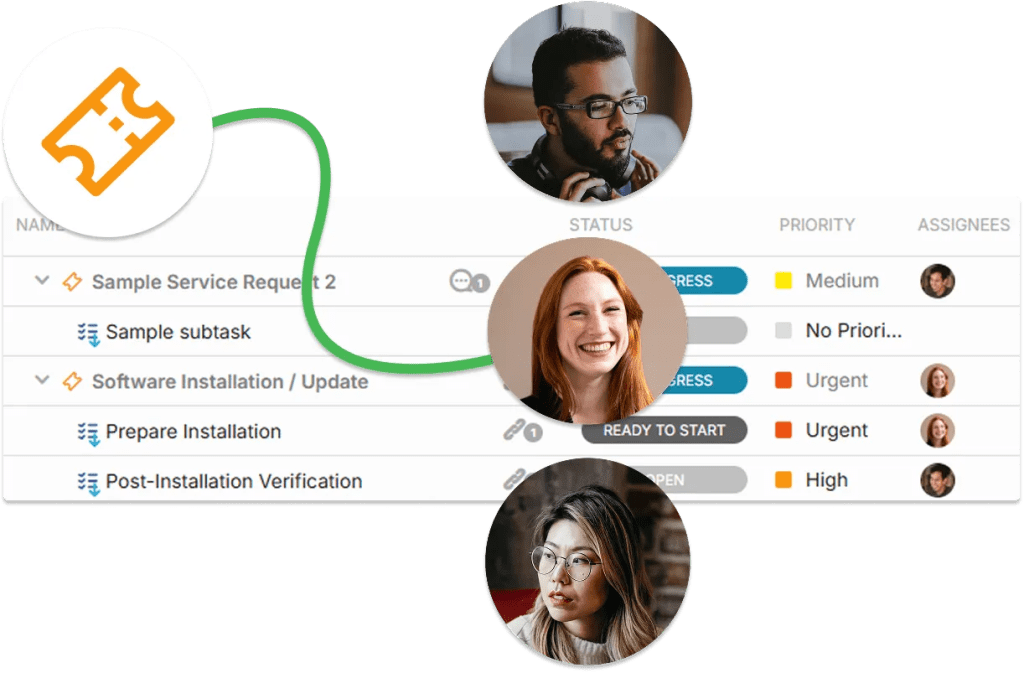
Onboarding isn’t just an HR task—it requires IT for hardware, Facilities for desk setup, and Finance for payroll. OneDesk allows you to assign subtasks to other departments automatically. Everyone sees only what they need to do, while HR maintains a “birds-eye view” of the entire completion status.
- Link IT and Finance tasks to the main HR onboarding project.
- Use dependencies to notify IT to ship a laptop only after Finance has approved the hire’s budget line.
Keep the Candidate and the Team Informed
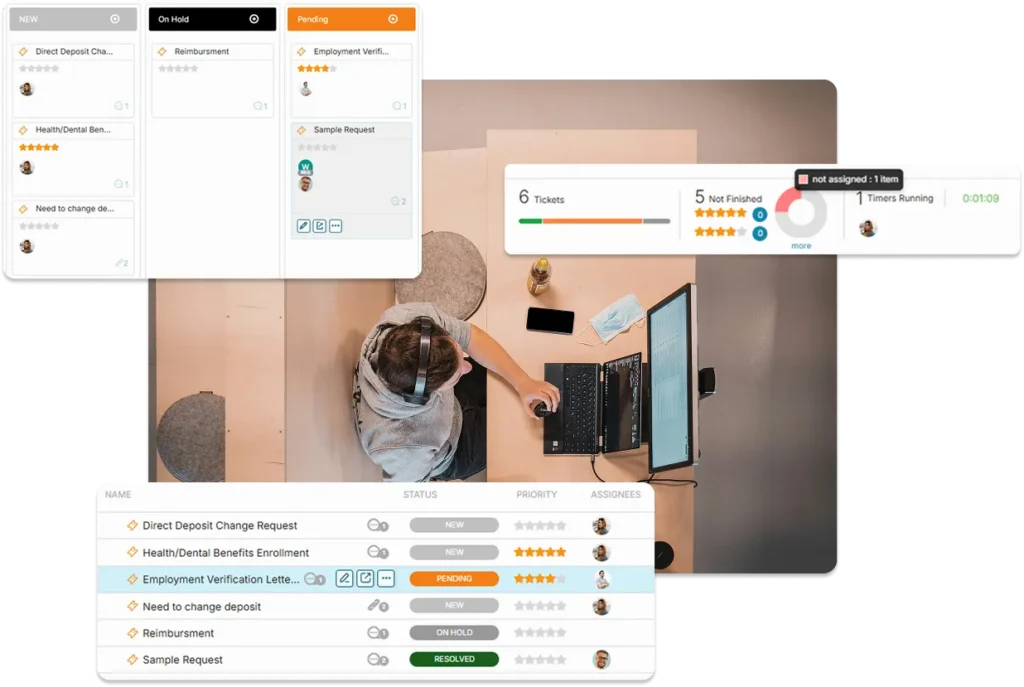
The period between “Signed” and “Started” is critical. Use OneDesk to automate welcome emails, request form submissions, and status updates. Keep the hiring manager informed of progress so they can prepare for their new team member without needing to ask for updates.
- Automatically send "Welcome Kits" and first-day details at scheduled intervals.
- Alert managers the second their new hire’s equipment has been delivered and tested.
- Automatically notify stakeholders if an onboarding task (like background checks) is delayed.
Identify Bottlenecks Before the Start Date
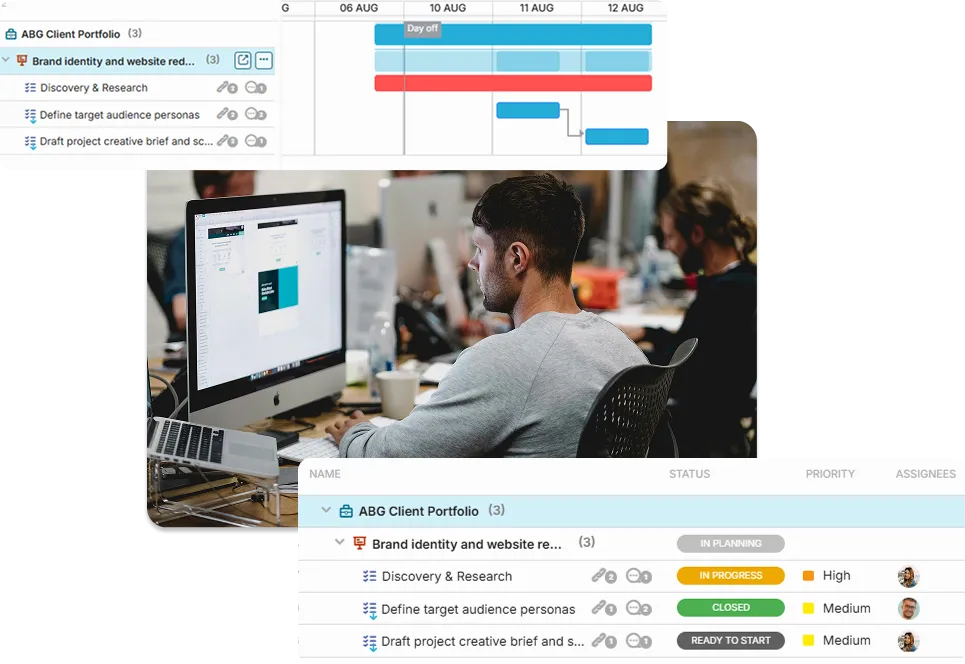
View the health of your entire talent pipeline through visual dashboards. Identify exactly which department is lagging in the onboarding process, allowing HR to intervene before a new hire arrives to an empty desk or a locked account. Track completion rates to constantly improve the “New Hire Experience.”
- Track the 30-60-90 day journey on an interactive Gantt chart or Board.
- Run reports on how long it takes to fully onboard a new team member.
- Pinpoint which phases of the process are causing the most friction or delays.
FEATURES
Enterprise Orchestration. Human-Centric Design.
Standardize your internal processes, automate your cross-team handoffs, and ensure your organization is ready to scale with every new hire.
FAQ
Frequently Asked Questions
Yes. OneDesk allows you to create as many templates as you need. You can have a specific workflow for remote hires that includes tasks like "Ship Equipment" and "Digital Welcome Session," and a separate one for in-office hires that includes "Desk Prep" and "Office Tour."
You can set up "Workflow Dependencies." For example, the IT task to "Configure Equipment" won't even appear in the IT queue until the HR task "Signed Offer Confirmed" is marked as complete. This ensures everyone works in the right order at the right time.