One front door for every internal request
OneDesk’s Employee Portal gives your staff a single place to get help, find answers, and track their requests. Employees solve common issues on their own with a searchable knowledgebase and AI assistance, and everything else flows straight into your team’s workspace.
Free 14-day trial · No credit card required

A single portal for every team and department
Internal support shouldn’t depend on knowing who to email or which channel to ping. The OneDesk Employee Portal brings every department’s services together in one place, so employees always know where to go. Behind the scenes, each request lands in the right queue, gets routed to the right team, and is tracked alongside the rest of your work.
Privacy and visibility, on your terms
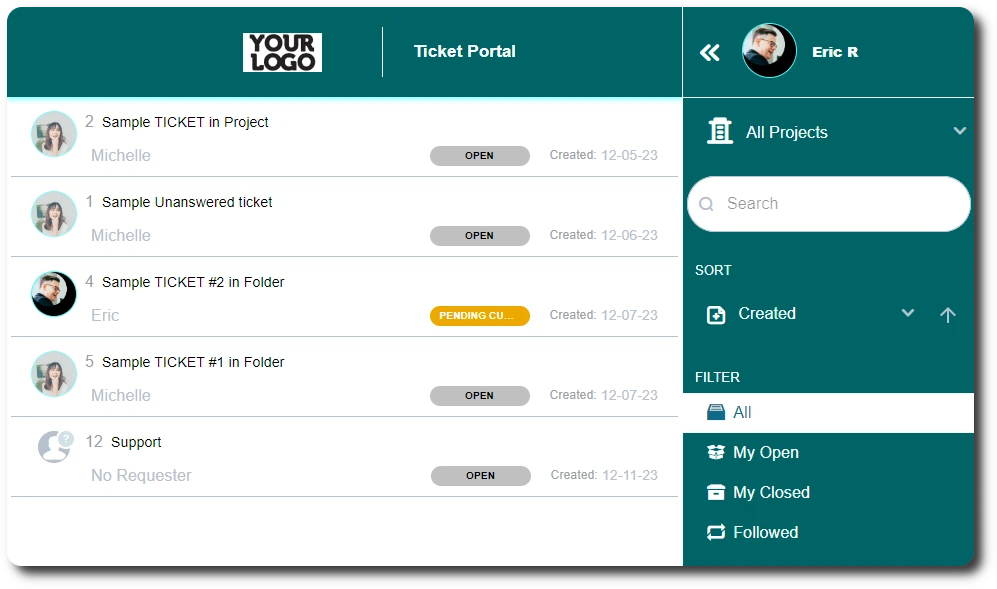
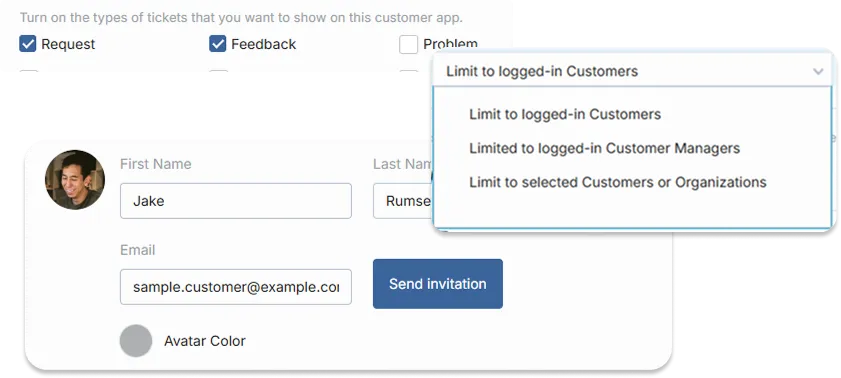
Not every request should be visible to everyone. OneDesk’s privacy and visibility settings let you decide exactly what tickets or even ticket properties your employees can see. You can also control which projects, forms, and knowledgebase articles each group can access, keeping the portal relevant and secure for every end-user.
Self-service answers with a built-in knowledgebase
The fastest ticket is the one that never needs to be filed. Publish how-to guides, policies, onboarding checklists, and FAQs in your knowledgebase, right alongside the portal. AI-powered knowledgebase search understands what employees mean, not just the words they type, and surfaces the most relevant articles instantly. Your team spends less time answering the same questions, and employees get help whenever.

An AI agent that helps before your team has to
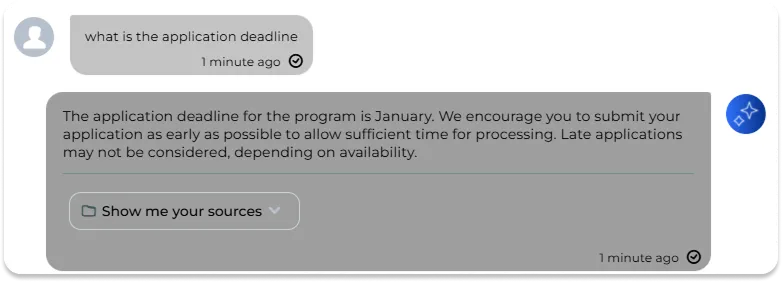
OneDesk’s AI agent greets employees in the portal and answers questions in plain language, drawing on your own knowledgebase content. It can resolve routine requests like password resets, leave policies, or equipment how-tos on the spot. When a question is too complex, the agent hands off and alerts the human. The result is faster answers for employees and a lighter, more focused queue for your agents.
Custom ticket forms that capture the right details
Stop chasing missing information. Build custom ticket forms for each type of request, with the exact fields your team needs. Required fields, dropdowns, and file uploads make sure requests arrive complete the first time. Each form can route to its own team or queue, so work is triaged automatically from the moment it’s submitted.
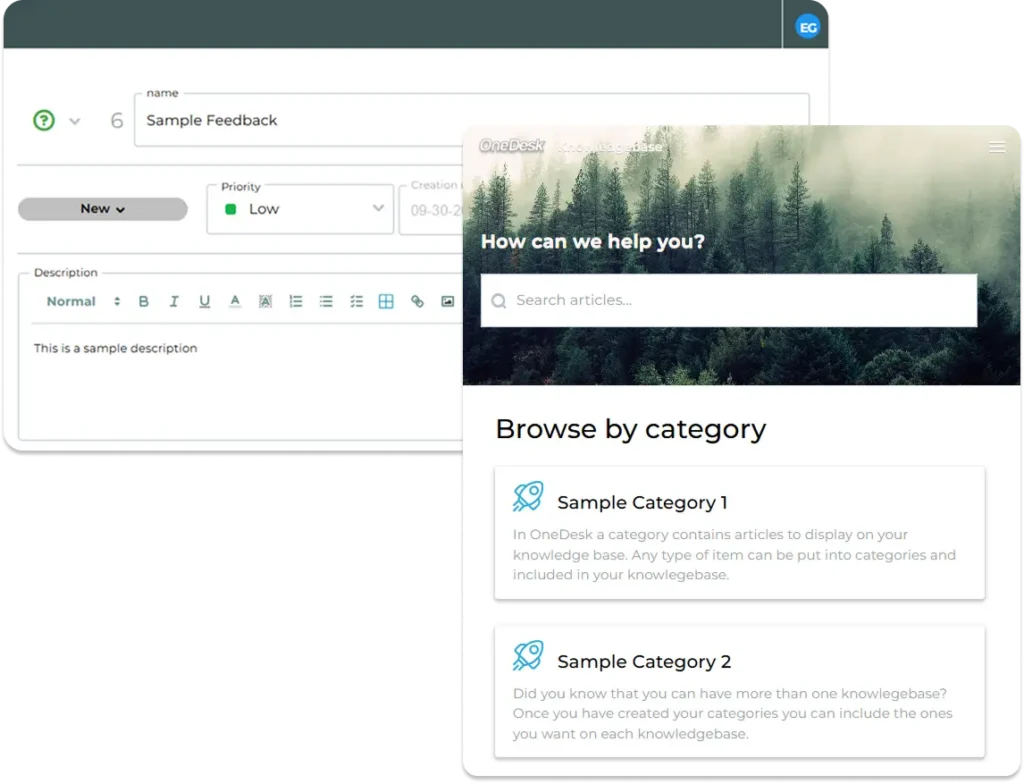
Full transparency on every request
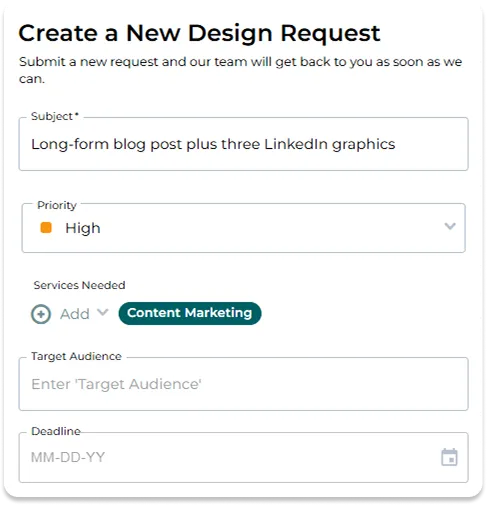
Employees can log in at any time to see the status, priority, and history of their tickets. They can reply to messages, add context, and attach screenshots or documents directly from the portal, keeping the entire conversation in one thread. Your agents see the same thread in OneDesk, so nothing gets lost in inboxes or chat apps. Clear visibility builds trust and cuts down on follow-up emails asking for updates.
Make it look like your company
Your employee portal should feel like part of your workplace, not a third-party tool. Add your logo, choose your colors, and customize the welcome text and labels to match your internal brand. You can decide which features appear — tickets, knowledgebase, AI agent, forms — and in what order. A familiar, on-brand experience encourages adoption and makes the portal the natural first stop for help.

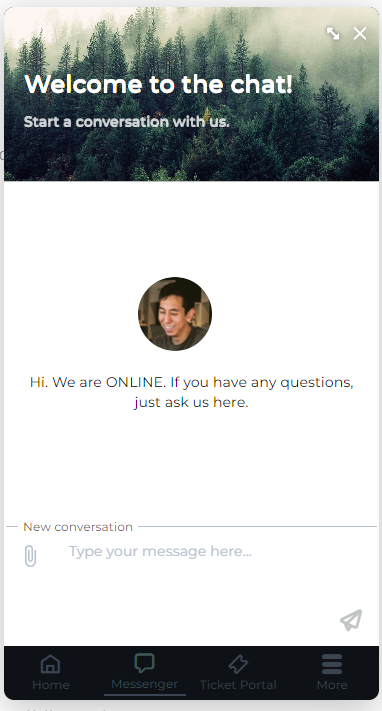
Deploy it wherever your employees already work
Meet employees where they are instead of asking them to learn a new destination. Share the portal through a direct link, add it to your intranet as a web widget, or embed it in any internal web page. Teams that run on Microsoft 365 can place the portal inside SharePoint so help is one click away from everyday documents and news. However you deploy it, every channel feeds into the same OneDesk workspace with no extra setup for your agents.
FAQs OneDesk Employee Portal
Only if you allow it. By default, employees see just the requests they submitted. You can widen visibility so a department or the whole organization can see shared tickets, which helps prevent duplicates for company-wide issues. Sensitive requests, such as HR or payroll matters, can stay private to the requester and the assigned team.
Employees log in to the portal as requesters, so they don't need an agent seat to submit tickets, track progress, or message your team. They can sign in with their work email, and you control who has access. Only the staff who work on and resolve tickets need agent licenses.
Yes. Each department can have its own ticket forms, queues, knowledgebase content, and visibility rules, all within one OneDesk account. Employees get one place to go for help, and requests are routed to the right team automatically. Managers still get shared reporting across every department.