HIPAA-Compliant Project Management
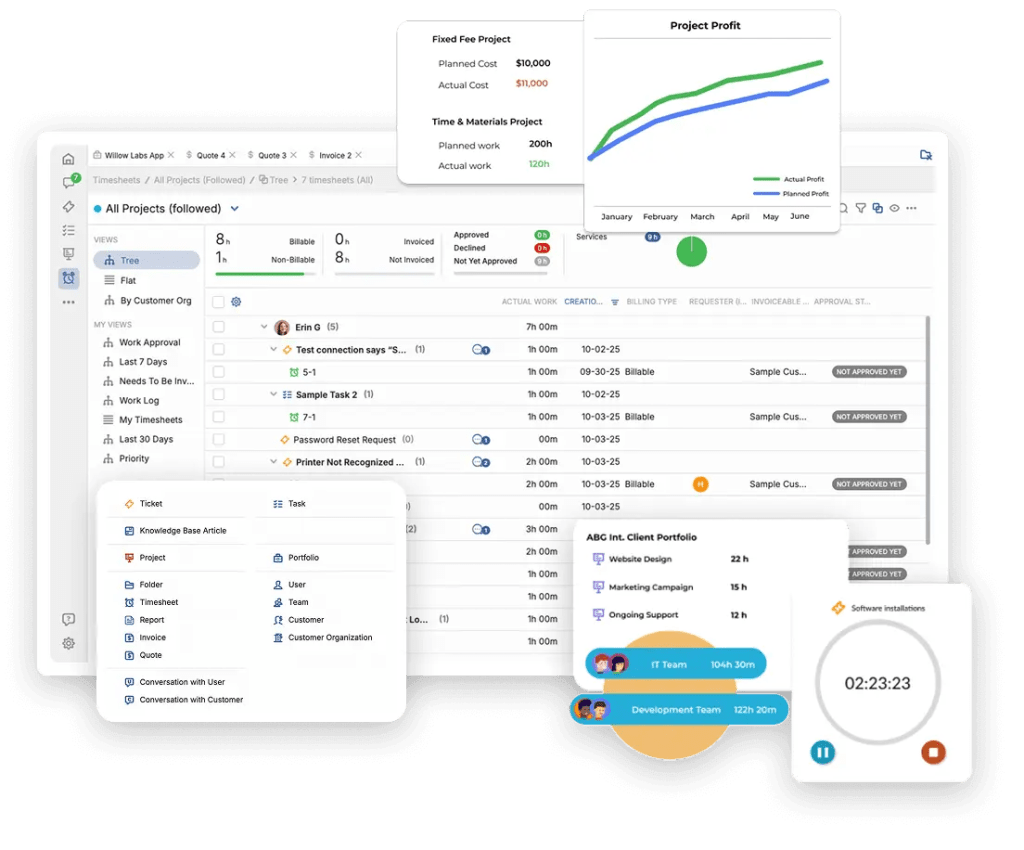
OneDesk can be used in a HIPAA compliant environment. OneDesk provides a full project management and client support solution in one robust app.
What is HIPAA?
The Health Insurance Portability and Accountability Act (HIPAA) is a law enacted by the United States congress that stipulates standards for healthcare providers and healthcare related organizations. These standards mandate the protection and handling of protected health information (PHI) and other processes. For more information please see HIPAA guidelines
A secure HIPAA-compliant project management solution
We know a high level of security and privacy is important. And those organizations dealing with Protected Health Information (PHI) need to adopt specific standards met by a HIPAA-compliant project management solution.
OneDesk offers a high level of security:
- Hosted on Amazon Web Services (AWS), a cloud-based platform that provides a high level of security and HIPAA compliance.
- On-premise or private cloud options are also available.
- Data encryption over SSL.
- Frequent data back-ups.
- Activity audit controls.
- User authentication and user-level access controls.
- Two factor authentication.
- Additional configurations and advanced security features to avoid accidentally exposing PHI.
For organizations looking to meet HIPAA compliance we provide our business associate agreements (BAA) upon request. We also provide you with the information to configure your account in compliance with HIPAA. These additional advanced security features should be configured to best avoid PHI violations. For more information on the process see: HIPAA compliance with OneDesk. HIPAA-enabled accounts include: the signed BAA and enterprise features. The project management HIPAA plan starts at $32 per user/month.
Project management features
Plan and manage administrative or operational tasks and projects with a HIPAA-compliant project management solution. OneDesk offers a suite of features to work efficiently and meet project goals.
Streamline your workflow with automations
Versatile automation tools allow you to cut down on repetitive tasks. Set up actions to run based on a variety of conditions. For example, automatically:
- Assign tasks to teams or individuals.
- Create new tasks or projects.
- Update the status of a task.
- Send email notifications.
- And more!

Deep task management
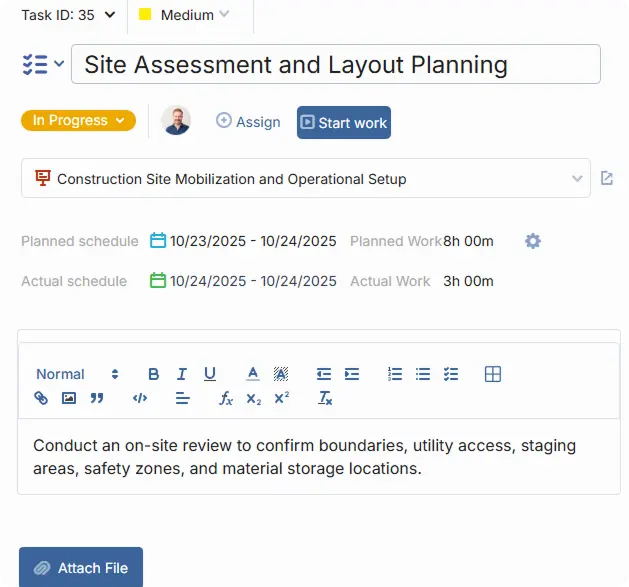
Breakdown projects into tasks and subtasks. Assign and prioritize tasks or subtasks in order to keep track of what needs to be done. The task detail panel contains everything required to work on a task or monitor its progress. For example, update the status or progress, log time, check the due date, or send a message to a colleague.
Plan work with multiple views
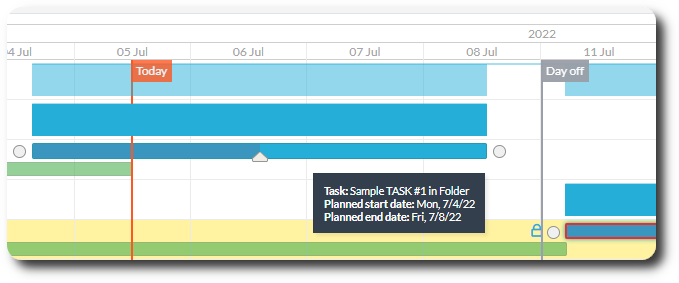
Plan and schedule tasks and projects in the way you need. Use the Gantt chart to visually plan tasks and create dependencies. Use the Kanban board to drag and drop tasks into a different status or to assign a task. Filter, group, and customize your work view and save it for later. You can switch between your views seamlessly.
Monitor efficiency and make data-driven decisions
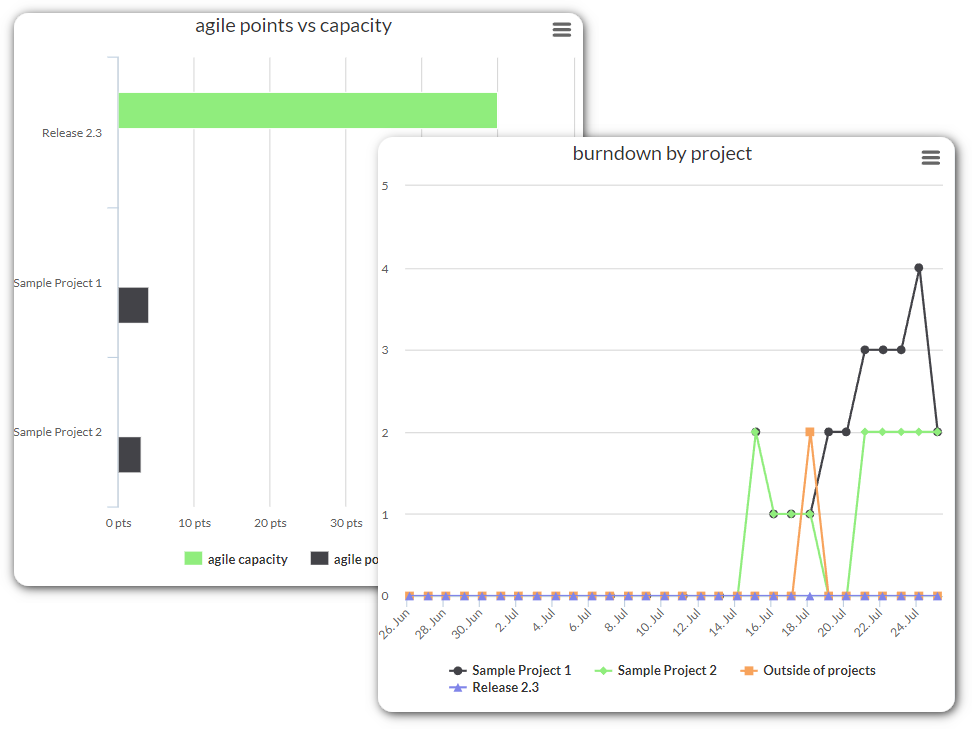
Spend less time with tedious data entry by exporting data on tasks and projects with configurable reports. Run or schedule PDF or CSV reports with the click of a button. You can also analyze your KPIs with a large variety of real-time charts and graphs.
FAQ
A project management software is a tool to plan and manage work. It helps keeps things organized and provides tools to streamline and automate the process. A PM software is HIPAA-compliant if it provides the necessary features to meet the HIPAA Security Rule and if the software provider is willing to sign a Business Associate Agreement (BAA).
OneDesk Project Management offers many features, including the ability to:
- Create, assign, and prioritize tasks
- Plan projects with calendars, Gantt, and Kanban
- Message and share files on tasks
- Allocate and track team workload
- Monitor progress with dashboards and reports
OneDesk also offers HIPAA Help Desk and Work Management, which include features for client support, invoicing, and quoting completely integrated together.
A HIPAA-enabled account requires the HIPAA level plan. A HIPAA account includes the BAA and is priced starting at $32.99 per user a month when billed annually. You can request a quote here.
More about OneDesk
Cingulum Health Uses OneDesk to Enhance their Patient Management Workflow
For the Cingulum Health team, the highest level of patient care and attention is a must. We recently spoke to the practice manager at Cingulum ...
Read More →
Top Considerations: Selecting a HIPAA Help Desk
For healthcare providers, a help desk is an important tool for elevating your client and customer support. With many solutions on the market, it is ...
Read More →
A Guide to Workload Management in OneDesk
Workload management involves getting a clear picture of who is available and when, in order to utilize your team’s full capacity and exceed goals. In ...
Read More →
How a Healthcare MSP uses OneDesk to streamline its workflow
As a managed service provider (MSP), providing a high quality of service is tantamount to the success of the business. The range of services provided ...
Read More →