Manage Engineering Needs for Your Nonprofit

Your engineering work supports a vital mission, but resources are tight. You need a way to manage maintenance, new system development, and facility issues. OneDesk brings all your technical and operational projects together.

Trusted by Nonprofit Organization teams around the world

Get Control Over Maintenance and Upgrades

Engineering teams handle facility maintenance, infrastructure, and unique systems. OneDesk lets you log, prioritize, and track all these diverse requests. Schedule preventative maintenance tasks and assign them to the right technician. Use custom fields to track asset tags or equipment models. Ensure critical systems get attention quickly to avoid mission disruption.

Centralized Ticketing for Facility Issues

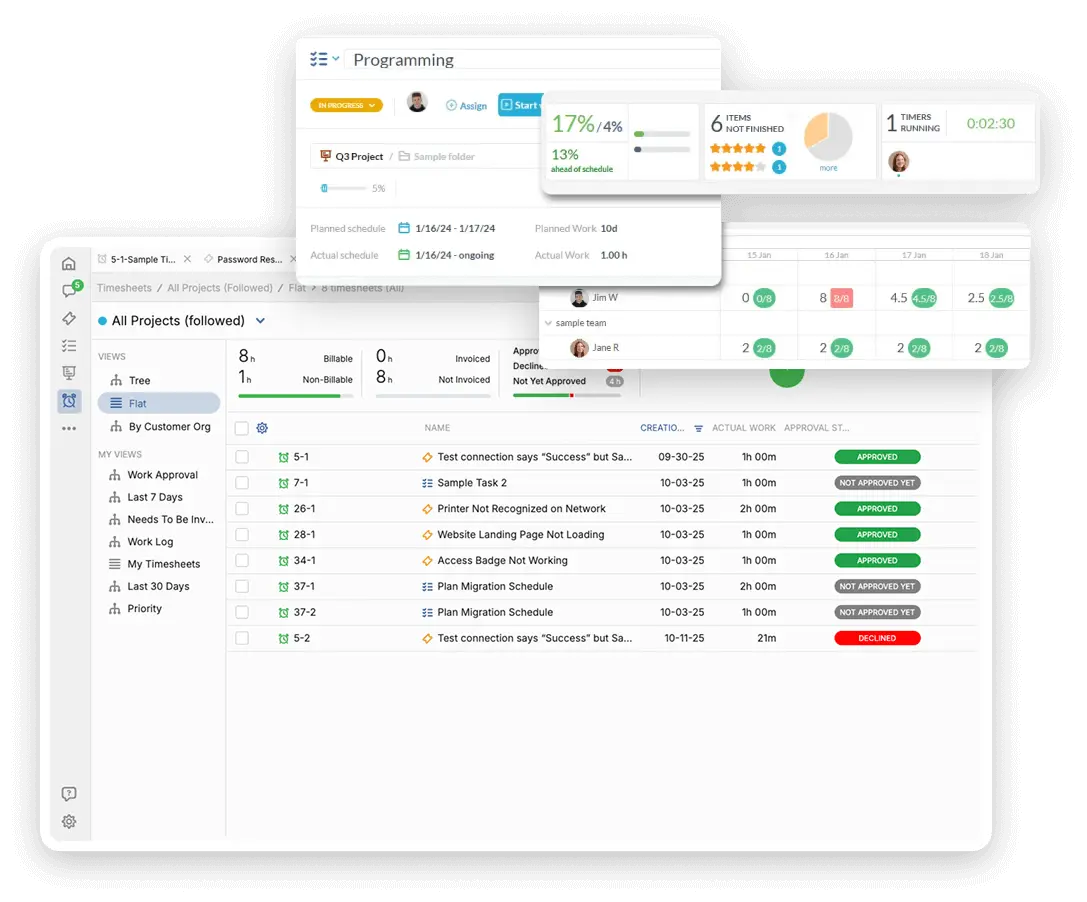
Allow staff to easily report facility issues or system failures through a simple portal. All requests become tickets, organized in one place. Connect specific project emails to route support needs instantly. Use SLAs to make sure emergency issues, like a system outage, are addressed fast. Custom dashboards show real-time workload for the engineering crew.

Plan Large Infrastructure Projects Clearly

Manage projects like server migrations or new building construction with clear timelines. Break down complex engineering work into smaller, assignable tasks. Use project views like Gantt or roadmap to see overall progress. Track time and resources spent on different initiatives. This keeps major upgrades on schedule and within budget.

Automate Emergency Maintenance Workflows

Automatically prioritize any ticket flagged as "Emergency" for a critical system. Assign facility maintenance tasks to the on-call engineer based on location. Send an automatic notification to the team lead when a ticket is left unassigned for too long. Automation ensures rapid response to issues that could impact the organization's mission.

Track Repair Costs and Supplier Invoices

Generate quotes for system upgrades or new equipment purchases. Track time spent on both internal maintenance and billable side projects. Log non-billable effort for internal infrastructure upkeep. Match supplier invoices for parts and services to specific projects. Use this data to justify budget requests and manage vendor costs.

AI Helps Sort Technical and Facility Issues

The AI assistant can quickly read and categorize incoming facility or system tickets. Use AI to draft brief status updates for staff waiting on a repair. The AI can also summarize technical logs pasted into a ticket description. This helps the engineering team triage issues faster. It saves time on communication and speeds up resolution.

Integrate with your tools

App integrations with OneDesk

Enterprise Grade Security

FAQ

OneDesk has affordable pricing based on your product, plan, and number of user licenses.
See our pricing page for full details. 

OneDesk is available both in the cloud and on-premise.  Pricing for OneDesk On-Premise is the same as for our Cloud Enterprise plan, but is only available for annual or longer-term subscriptions. To evaluate OneDesk, please sign up for a 14-day free trial of our cloud software. If after evaluation of the software, you would like to purchase on-premise licenses, please Submit a Request we will send you an invoice for the number of users you require.

Of course! You can visit our feature index page for a full list of features. To compare product or plan features see our feature comparison page

You can ask our AI agent questions via the live chat or knowledgebase in our widget. A human agent is also available to chat during business hours.

We also offer other support options including booking a live demo or submitting an email or ticket

OneDesk provides a high level of security. You can learn about the measures we take at our security center

See for yourself how OneDesk can help your team.

14 day free trial. No credit card required. 

Scroll to Top