Automate away the repetitive work
Why spend time routing, escalating, and replying to tickets? An automated help desk reduces manual repetition so you can focus on high-value work.
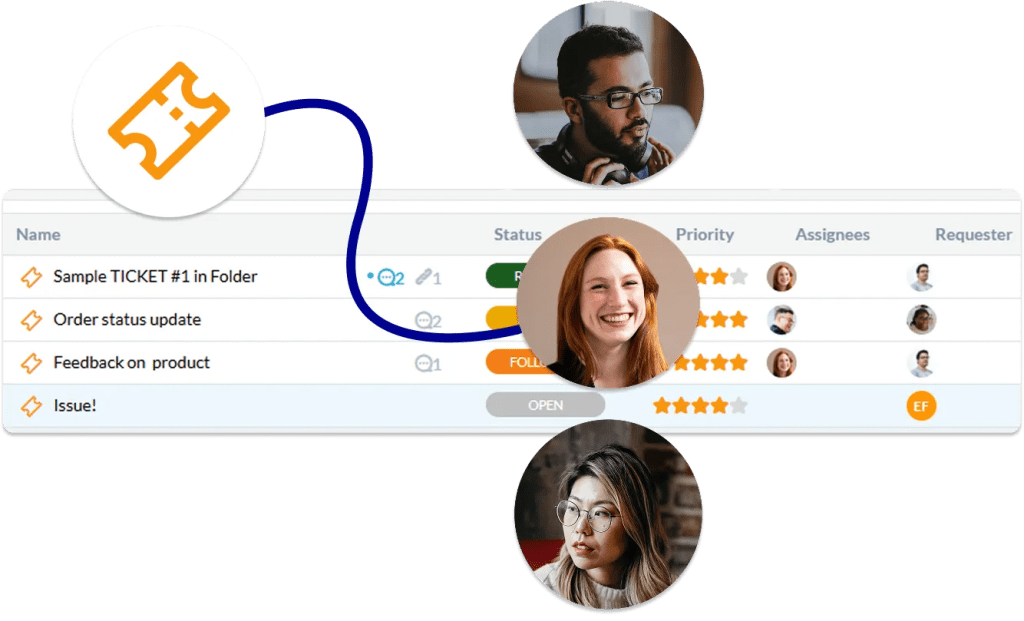
Select conditions, define actions
Create automation that works exactly the way you do by setting conditions and defining actions. Set based on ticket status, priority, keywords, customer segments, and much more.
With flexible rules, your help desk becomes proactive instead of reactive. Work now happens automatically, reducing manual effort and ensuring consistent handling across every request.
Smart ticket routing
Eliminate guesswork by automatically routing tickets based on predefined rules. Whether it’s by department, expertise, or workload, each ticket is instantly directed to the right queue.
Get ticket in the right hands
Ensure that every ticket reaches the team member best equipped to solve it. By assigning requests based on team, availability, or priority, you reduce delays and improve resolution quality.
Prioritize what matters
Automatically assign priority levels based on urgency, customer type, or keywords. Critical issues rise to the top, ensuring they’re addressed immediately.
Categorize automatically
Save time and reduce human error by automatically categorizing incoming tickets based on keywords, inbox, issue type, customer data, and much more.
Stay connected at every step
Maintain seamless communication between your team and your customers with automated updates and notifications. Everyone stays informed without needing constant manual follow-ups.

Automated responses
Set up automatic replies to acknowledge requests, provide helpful information, or guide users to next steps. Customers get immediate feedback the moment they reach out.
SLA management
Define service level agreements and let automation track deadlines for you. Tickets are monitored continuously to ensure response and resolution targets are met.
Keep everyone updated
Automatically notify stakeholders, team members, or customers when there are updates to a ticket. No more manual check-ins or missed communications.
Canned responses
Save time by using pre-written responses for common questions. Your team can quickly insert accurate, consistent answers without typing every time.

Powerful macros
Macros allow your team to perform a series of actions instantly. Update statuses, assign tickets, send replies, and more. What used to take minutes now takes seconds.
Define templates
Create templates for tickets, responses, and processes to ensure consistency across your support operations. Teams can follow proven structures without extra effort.
Automate creation
Turn emails, forms, or other inputs into tickets automatically. No request slips through the cracks, and everything is tracked from the start.
No-code automation
Design and implement automation yet write 0 lines of code. Your team can easily create, adjust, and scale workflows without tech know-how.

Benefits of an automated help desk
Unlock all the benefits of OneDesk’s automated system
Save time
Reduce time spent manually routing and updating tickets.
Reduce response times
With automated and AI replies customers get answers right away.
Reduce costs
Automate away much of your support, leaving agents to handle more high value tasks.
Increase efficiency
Speed up your workflow by automating away the busywork.
Improve CSAT
Provide answers immediately and at any time of the day with AI integration.
Focus on high-value
Reduce common questions and repetitive work.
FAQ
An automated help desk is s support tool with features such as automated rules and AI which perform actions on behalf of your support team or admin. This allows you to cut back on a lot of manual work typically needed to manage your workflow.
Look for a help desk with built-in automation features such as rule-based workflows and automations as well as AI. When setting up automations think about your daily workflow. Are certain kinds of tickets assigned to specific people or require prioritization? Do you want to make sure your end-users get a message acknowledging their ticket? Do you want to make sure tickets are tagged when they come in? Well these are some good things to automate.
Automation is a broad term that can refer to AI or rule-based workflows. Some examples of automation include:
- Routing tickets to agents
- Sending an auto response when a ticket is created
- Applying SLA policies
- Answering chats with AI
OneDesk has flexible and powerful automations in the form of both AI integration and rule-based automation.
Some example of what OneDesk can automate include:
- Adding tags or categories
- Assigning and routing
- Replying or sending notifications
- Updating statuses
- Apply SLAs
No! OneDesk automations do not require any technical knowledge or programming skills.
Learn more about automated workflows
Solving Inbox Chaos: How to Auto-Assign IT Emails to a Ticketing System
If you’re managing IT requests through a standard Gmail or Outlook inbox, you already know that many incoming emails are tickets that need to be ...
Read More →
Use AI to Improve Customer Support
Generative AI tools such as ChatGPT, have been a popular topic lately. Many businesses and clients are experimenting and exploring the use cases of AI ...
Read More →
Top Help Desk Automation Ideas
What is help desk automation? Automations are rules you can set-up in your help desk system which perform actions on behalf of your team. Help ...
Read More →
How a cloud services company uses workflow automations to track parts in the supply chain
As companies and teams become more and more distributed, communication only becomes more important. For organizations that deal with finance matters, this is only more ...
Read More →
Should I Automate My Helpdesk?
The helpdesk world is now faced with so many great new functions like chatbots and live video conference. In a modern and technologically advancing world ...
Read More →