Table of Contents
Best Practices: Block of Hours Billing for MSPs & IT
For Managed Service Providers (MSPs), billing is often the most stressful part of the job. There are often two extremes:
- You only make money when things go wrong, which means your income is unpredictable.
- You get a steady monthly check, but you take on all the risk. If a major project goes sideways, you might end up working for pennies an hour.
This is where Block Hour billing comes in. It is middle ground between these extremes that provides the predictable cash flow of a contract with the flexibility of hourly work.
If you want to scale your MSP without the overhead of massive service agreements, you should master the Block Hour model.
What Exactly is Block Hour Billing?
At its core, Block Hour billing is a prepaid service agreement.
Instead of billing a client for work after it’s done, the client purchases a chunk of time (a “block”) upfront. This block (typically 10, 20, 50, or 100 hours) acts like a retainer. As your team performs tasks, you deduct the time spent from that balance.
Think of it like a gift card or a prepaid SIM card. The client puts $2,000 on the “IT card.” Every time they call for help, you swipe the card. When the balance hits zero, they need to reload it.
How the Lifecycle Works
To run things successfully, you need a repeatable process.
Here is how a professional block hour engagement flows:
1. Proposal – You offer a “discounted” hourly rate in exchange for bulk purchasing. (e.g., $150/hr for 10 hours vs. your standard $175/hr).
2. Onboarding – You set up the client in your PSA (Professional Services Automation) software and set the agreed prepaid block amount.
3. Invoice – You send an invoice for the full block. Crucial Rule: No work starts until this invoice is paid.
4. Service Delivery – A ticket is opened. A tech works for 30 minutes. They log that time against the specific “Block Contract” in your software.
5. Reporting – Every month the client gets a statement showing: Starting Balance – Time Used = Remaining Balance.
6. Renewal – Once the balance hits a low (e.g., 2 hours left), send an invoice for a new block.
Why It’s Used: The Strategic Context
Why do IT companies love this model? It’s about money and client relationships.
A. Cash Flow & Risk Reduction
In a standard hourly model, you do the work, send an invoice, and wait 30 days to get paid. If the client disputes the bill, you’ve already spent the labor. With block hours, you have the cash in hand before the work starts.
B. The “Introductory” Service
Many small businesses are contract-shy. They don’t want to sign a 3-year Managed Services agreement for $2,000 a month. A block of 10 hours for $1,500 feels like a much lower risk. It’s the perfect way to get started for a client before moving them to a full MSP contract later.
C. Administrative Efficiency
Billing 20 small tasks on one invoice is significantly cheaper for your back office than generating 20 individual invoices for $50 each. It keeps your books clean and your overhead low.
The Challenges: What Could Go Wrong?
If you don’t set boundaries, block billing can become a headache. Here’s what to watch out for:
Liability on the Books: If a client buys 100 hours and only uses 5 a year, you have a massive service debt hanging over your head.
Time Leakage: If your techs spend 10 minutes on a “quick fix” but forget to log it because “it wasn’t a big deal,” you are burning money.
Scope Creep: Clients might think a block of hours includes “free” software licenses, antivirus, or cloud backups. You must be clear: Block hours are for labor only.
Communication Gaps: If a client suddenly gets a top-up invoice and didn’t realize they were low on hours, they might feel blindsided.
Best Practices: How to Manage the Block of Hours
To make block billing profitable and professional, you need to implement these tips:
1. Use a PSA (Professional Services Automation) – You cannot manage block hours in an Excel sheet or a Word doc. You need a PSA tool that integrates your tickets with your billing. When a tech closes a ticket, the software should automatically do the math and update the client’s balance.
2. Set Minimum Increments – Professional MSPs don’t bill by the minute. Most use 15-minute increments.
- 5-minute phone call? That’s 15 minutes off the block.
- 17-minute email? That’s 30 minutes off the block.
This accounts for the “context switching” time techs need to move between clients.
3. Implement an Expiration Policy – Most MSPs set an expiration of 12 months from the date of purchase. This ensures you can plan your staffing levels without worrying about a client from three years ago suddenly demanding 50 hours of work.
Top PSA Software for Block Hour Billing
Choosing the right software is the difference between a profitable business and a messy one.
Here are the top four picks for MSPs today.
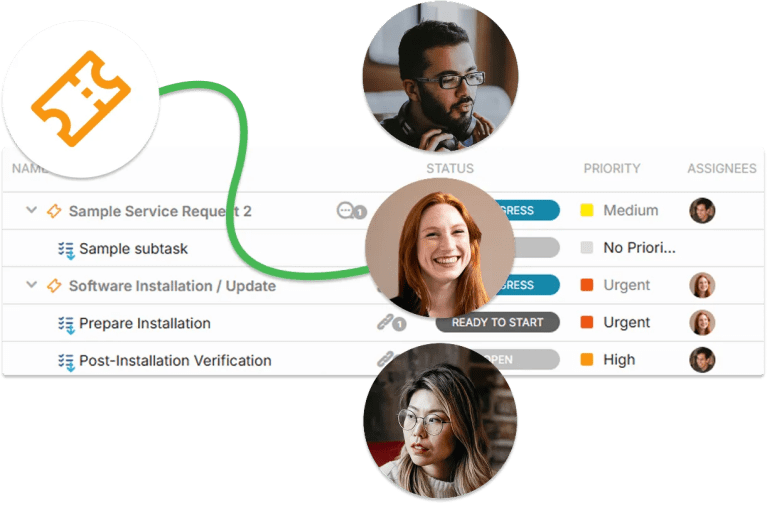
1. OneDesk
OneDesk is a top choice for MSPs who want a platform that focuses on high-end project delivery and client experience.
Block Hours Features:
- Block of Hours Invoicing: Create and send invoices directly to top up the client’s agreed upon Block of Hours.
- Time Tracking Against Blocks: Log time on task or tickets to automatically reduce from client Blocks.
- Usage Reports: Send reports to clients with detailed breakdowns of Block changes.
- Notification Banner: Shows a remaining-hours countdown directly on the ticket requester details.
- Rate Multipliers: Automatically deduct 1.5x or 2x hours from the block.
Other Useful Features for MSPs:
- Integrated Help Desk: Handles incoming tickets from multiple channels. Turn a support ticket into a task with one click if it requires deep technical work.
- Resource Management: Get a view of your teams workload to optimize planning.
- Intake Forms: Create custom forms for issues, onboarding, and more. When submitted, it creates a ticket or task.
- Client Portal: Allow clients to see logged time and open/closed tickets.
- Automation: Route tickets or configure unique workflows with automations rules.
Pricing:
Highly cost effective compared to many systems at $26.99 – $31.99 per user/month for all work management features.
2. HaloPSA
HaloPSA is a good choice for MSPs who want modern and automated billing.
For Block Billing: Halo can be set to automatically generate a new invoice and email it to the client when their block hits a certain percentage.
3. Autotask
Autotask is the industry veteran known for having a strong “Contract Engine”.
For Blocks: It has a specific “Block Hour Contract” type built into the system. It allows for complex rules, such as different deduction rates.
4. ConnectWise
Connectwise is a heavyweight in the MSP world.
For Blocks: It offers “Amount-Based” agreements. If you want to deduct dollars instead of hours (which is useful if you provide both labor and hardware), ConnectWise handles this situation well.
Final Thoughts
Block Hour Billing is the perfect middle ground billing strategy for IT providers. By using a solid PSA tool like OneDesk and setting clear boundaries on expiration and increments, you can create a predictable, profitable, and professional billing machine.
FAQ
Block hour billing is a prepaid support model where a client buys a specific bucket (block) of hours to be used when IT issues arise. Instead of receiving an invoice for every individual repair, the MSP simply deducts the time spent on each task/ticket from the client's balance. This gives the client predictable costs and a fast response times while ensuring the MSP is paid upfront for their services.
Block hour billing is generally better than fixed-hourly billing because it secures upfront cash flow and reduces admin work. By collecting payment before work begins, MSPs eliminate the risk of non-payment and avoid the burden of generating dozens of small, individual invoices for minor tasks.
More MSP workflows
Managing Project Intake for Service Businesses
Projects are super important to a service-based business. But the actual intake process can be complicated, usually due to a lack of organization and formal ...
Read More →
Moving From Spreadsheets to OneDesk: Why It’s Time to Upgrade
When you first start a business, spreadsheets are a great way to stay organized. They are flexible, easy to use, and free. But as your ...
Read More →
How to Track Deliverables, Timelines, and Billing in One Place
If you’re running a service-based business or managing complex projects, you might be familiar with ‘tab fatigue’. This is when all your requirements are in ...
Read More →
6 Signs Your Agency Has Outgrown Email for Client Requests
There is a lifecycle every successful digital agency goes through. At first you are a team of three handling five clients and email is your ...
Read More →