Manage Public Services and Digital Citizen Tools

For a municipal service, "Product" manages the development of city services, digital platforms, and citizen tools. You need a system to gather citizen needs and align development with public value. OneDesk links your citizen feedback to your service roadmap.

Trusted by Municipal Service teams around the world

Disconnect Between Citizen Feedback and Service Design

Feedback on city services, online portals, and utility tools is scattered across calls and forms. OneDesk centralizes all citizen and staff input into a single backlog. This lets your team prioritize improvements that directly enhance the public experience. Focus development on public value.

Capture Ideas and Feedback from Citizens

Use a public portal for citizens to submit service suggestions or report issues with the city website. Connect your citizen services email to turn feedback into trackable tickets. Set up priority for critical safety or accessibility issues. Custom views allow the Digital Services team to see bug reports and the Service Design team to see new ideas.

Plan New Service Features and Digital Roadmaps

Manage the creation of a new citizen service or the rollout of a new online permitting system as a structured project. Break down the design into features, user stories, and technical specifications. Use a roadmap to align launches with public need cycles. Track time on specific service development for budget reporting.

Automate Feedback Categorization and Service Triage

Automatically categorize incoming feedback by service area or topic (e.g., 'Permitting Issue' or 'Park Maintenance Idea'). Set up rules to assign new service feature requests to the relevant department lead. Send a thank you note to the citizen who submitted a detailed idea. Automation ensures quick processing of input.

Track Effort for New Service and Tool Design

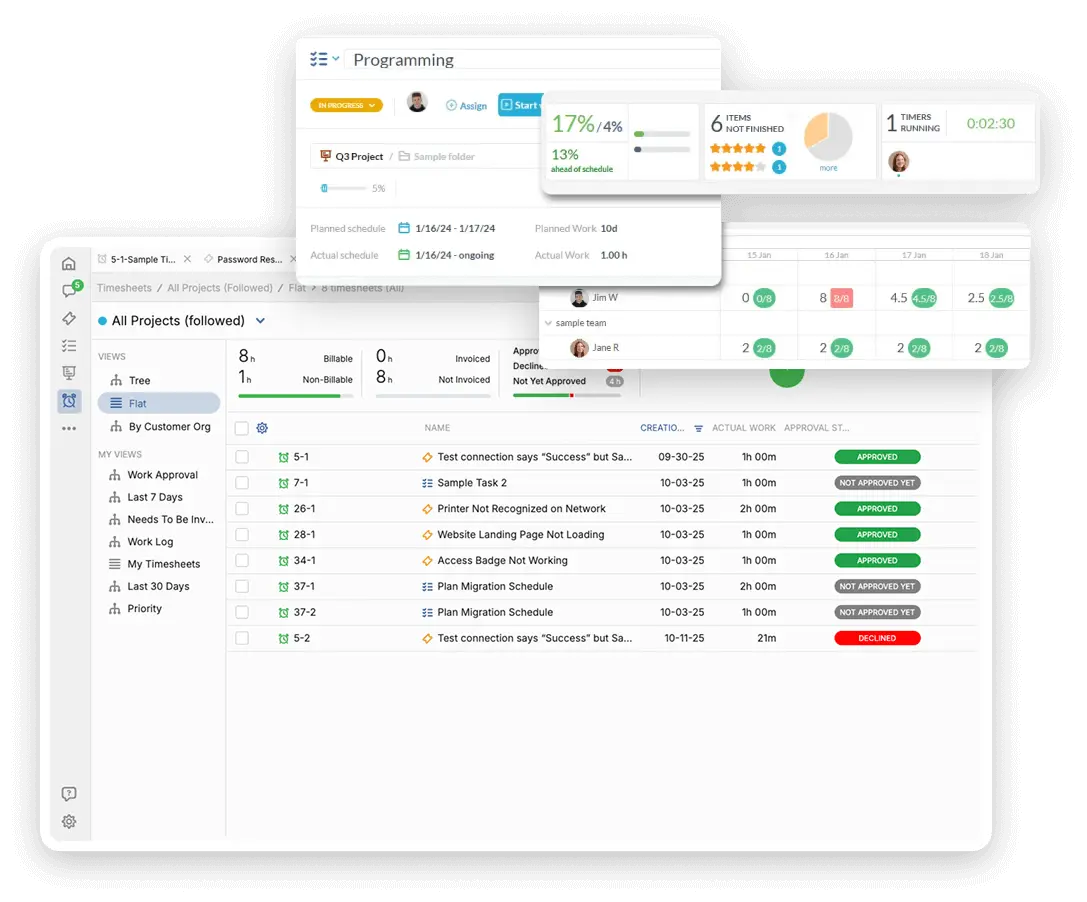
Tracking the time spent on service and tool design is key for budget and resource allocation. Log non-billable time spent on research, content creation, and implementation for specific public services. Create internal cost quotes for proposed digital tool upgrades. Justify resource use with clear data.

AI Feature Analysis

What do clients really want? OneDesk’s AI analyzes feedback for common themes. It can help you prioritize your development budget. The AI can also group similar bug reports. This makes your dev team more efficient.

Integrate with your tools

Enterprise Grade Security

FAQ

OneDesk has affordable pricing based on your product, plan, and number of user licenses.
See our pricing page for full details. 

OneDesk is available both in the cloud and on-premise.  Pricing for OneDesk On-Premise is the same as for our Cloud Enterprise plan, but is only available for annual or longer-term subscriptions. To evaluate OneDesk, please sign up for a 14-day free trial of our cloud software. If after evaluation of the software, you would like to purchase on-premise licenses, please Submit a Request we will send you an invoice for the number of users you require.

Of course! You can visit our feature index page for a full list of features. To compare product or plan features see our feature comparison page

You can ask our AI agent questions via the live chat or knowledgebase in our widget. A human agent is also available to chat during business hours.

We also offer other support options including booking a live demo or submitting an email or ticket

OneDesk provides a high level of security. You can learn about the measures we take at our security center

See for yourself how OneDesk can help your team.

14 day free trial. No credit card required. 

Scroll to Top
Exit mobile version