Give every client a front door to your team.
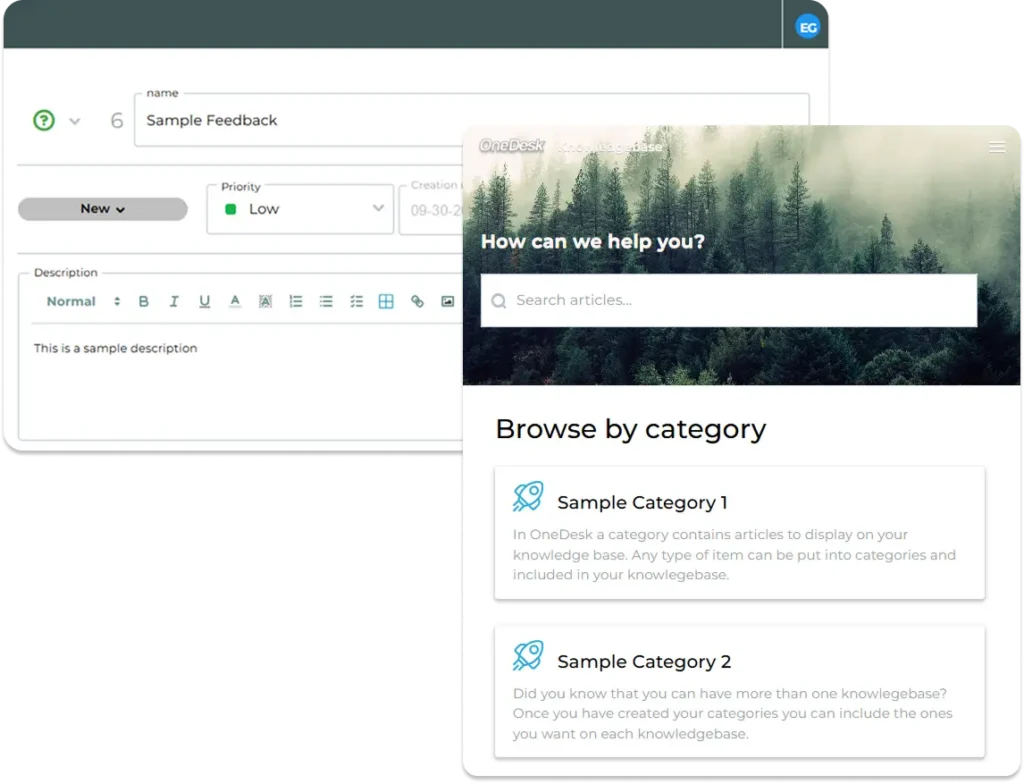
OneDesk Client Portal gives your clients a branded place to submit requests, follow progress, message your team, and share files. They see the work that matters to them, and only that. You spend less time on status emails and more time delivering, while clients get the transparency they expect from a trusted partner.
Free 14-day trial · No credit card required
A portal that looks like your brand
Your clients should feel like they’re working with you, not with a third-party tool. Configure your portal with your logo, colors, and welcome text so it matches your company’s look. A familiar, professional experience builds trust and makes the portal the natural place for clients to go.
Submit requests, follow along, and stay in the conversation
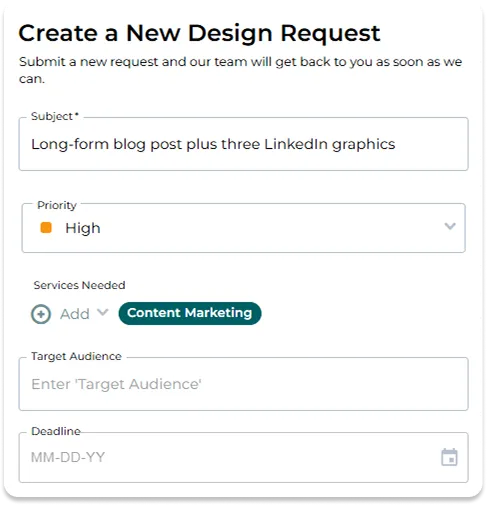
Clients can submit requests through custom ticket forms that ask for exactly the details your team needs. Once a ticket is in, they can view its details, send messages, and attach files, all from the portal. Everything stays in one thread that your team sees too, so there are fewer scattered emails and fewer “any update?” check-ins.
Show clients the work, not just the tickets
Support isn’t the only thing you deliver. With the task portal option, clients can follow the tasks you’re doing for them and see how the work is progressing. You can also choose to share timesheet hours and notes, giving clients a clear view of the time spent and what it was spent on.
Share what you choose, keep the rest private
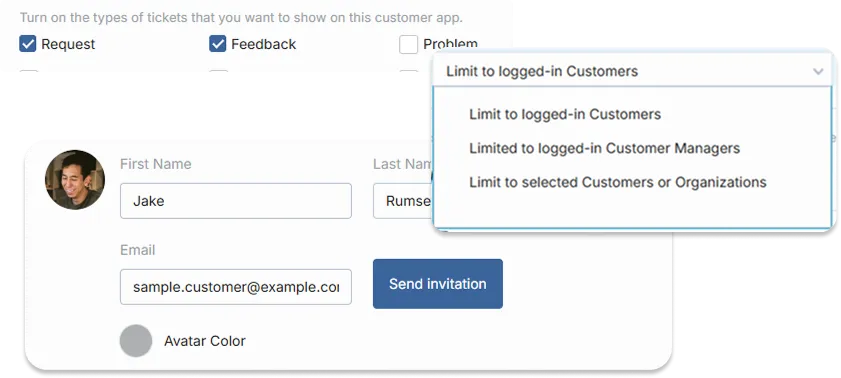
One client’s work should never show up in another client’s portal. Privacy and visibility settings let you control what each client can see, from their own tickets to the details you’re ready to share. You decide what’s visible, so clients get transparency without exposing internal discussions or other accounts.
Deploy it the way each client works
Share the portal with a simple link, add a web widget to your site or your client’s, or embed it in an existing page. If you serve many clients or run several brands, you can set up separate portals for each, so every audience gets its own experience. It’s an easy way to scale client service without rebuilding anything for each new account.
FAQs OneDesk Customer Portal
Can clients see each other's tickets?
No. By default client's only see their own tickets. You can also set it so that clients to see tickets from others in their own company. Privacy and visibility settings let you control what each client sees.
Can clients message us and attach files from the portal?
Yes. Clients can view ticket details, send messages, and attach files from the portal. Your team sees the same conversation in OneDesk, so nothing gets lost.
Can I run different portals for different clients or brands?
Yes. You can set up separate portals for different clients or brands, each with its own branding. Deploy them by link, web widget, or embed, depending on where your clients prefer to access them.