- Bug & Issue Intake
From Client Feedback to
Ship-Ready Code.
Capture bugs from any channel, convert them into actionable tasks, and manage the entire lifecycle from triage to release—all while keeping the client in the loop and your time accurately tracked.
Free 14-day trial · No credit card required
USE CASES
A Unified Pipeline for Engineering
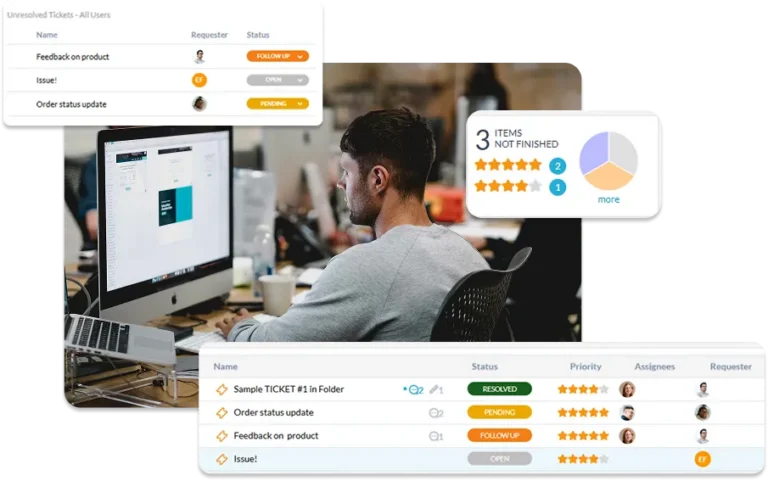
Stop letting bugs die in your inbox. OneDesk unifies help desk intake with robust project management to ensure every issue is resolved with precision.
Capture the Logs You Need on the Very First Try
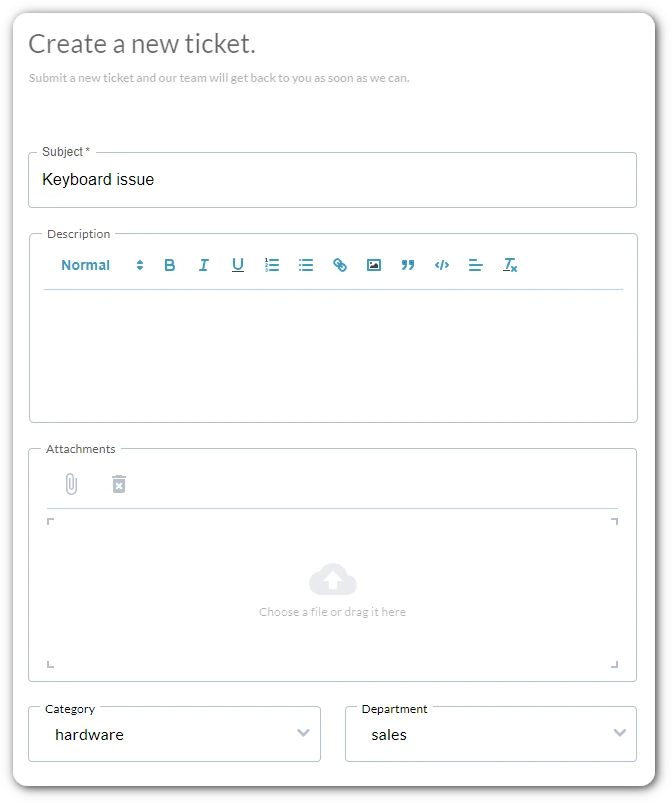
Capture issues exactly where your clients are. Whether it’s an email, a chat, or a structured form, OneDesk centralizes all incoming bugs into a single queue. Use required fields and mandatory attachments to ensure your engineers get the logs and screenshots they need without follow-up.
- Require fields on your custom intake forms.
- Instantly turn emails, chats, and form submissions into trackable tickets.
- Offer issue reporting directly within your own product for a seamless client experience.
Seamlessly Transition from Support to Sprint
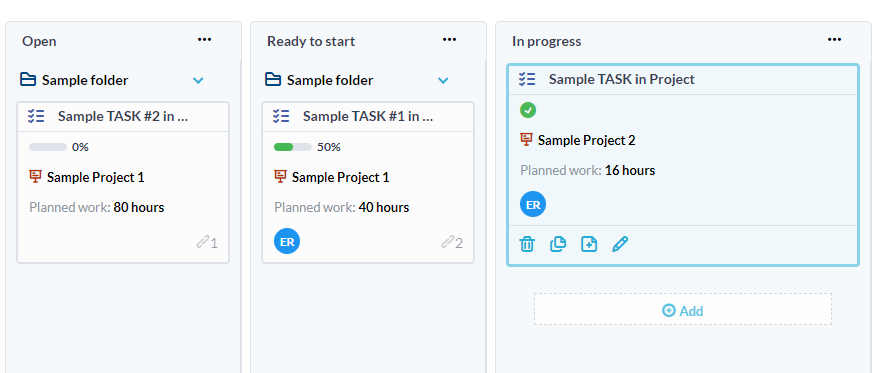
OneDesk allows you to incorporate tickets directly into active project releases. Convert client tickets into tasks or link engineering subtasks to a ticket with a single click. This ensures your development team works on high-priority client fixes without ever having to leave their project management workspace.
- Map client issues directly into your internal engineering backlogs.
- Link bug fixes to specific version releases for total roadmap clarity.
- Break down complex bugs into manageable engineering steps while keeping the main ticket linked.

Visualize Your Progress from Triage to Deployment
Manage your engineering pipeline your way. Use Kanban boards, Gantt charts, or custom list views to track bug statuses through your unique dev-to-prod lifecycle. Automated routing ensures the right squad gets the right ticket, while private internal conversations allow your team to talk shop without the client seeing the “sausage-making.”
- Track the flow of bug fixes using visual boards tailored to your dev process.
- Instantly route tickets to specific dev squads based on custom categories or tags.
- Use internal-only threads for dev discussions and external threads for client updates.
Close the Loop with Accurate Billing and Verified CSAT
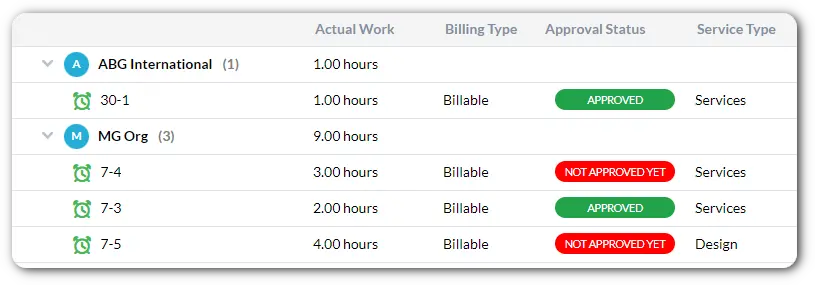
Engineering time is valuable. Track every billable second spent on bug fixes with integrated timers. Once a fix is deployed, close the loop by automatically sending CSAT surveys to verify client satisfaction. OneDesk unifies the entire lifecycle from the first report to the final invoice.
- Capture billable hours directly on tasks to ensure maintenance work is accounted for.
- Trigger satisfaction requests the moment a client fix is marked as resolved.
- Pull billable dev hours into client-ready invoices without manual data entry.
FEATURES
Built for High-Velocity Engineering Teams
Standardize your bug intake, automate your engineering handovers, and provide a professional, transparent experience for your clients.
FAQ
Questions About OneDesk
Yes. OneDesk features conversations that allow you to distinguish between internal notes (only visible to your team) and external messages (sent to the client). This ensures your devs can discuss technical solutions without confusing the end-user.
OneDesk allows you to incorporate tickets directly into projects. You can tag tasks to specific releases or versions, making it easy to run reports on everything included in your "v2.1" deployment or see the outstanding bug count for an upcoming launch.
Absolutely. You can build custom intake forms with required fields and attachments. This forces the client to provide the technical context your engineering team needs upfront, reducing the time spent on triage.
Start For Free
Get started with a full-featured trial and try OneDesk for yourself.