- Support Billing & Invoicing
Capture Every Minute.
Bill Every Ticket.
OneDesk bridges the gap between customer resolution and financial compensation. By unifying multi-channel ticket intake with time tracking and automated invoicing, OneDesk ensures that every technical fix and client consultation is accurately accounted for and billed.
Free 14-day trial · No credit card required
USE CASES
Seamless Support Delivery, Synchronized with Billing
From the first email received to the final invoice paid, OneDesk automates the financial lifecycle of your service desk.
More Channels, More Tickets, More Revenue
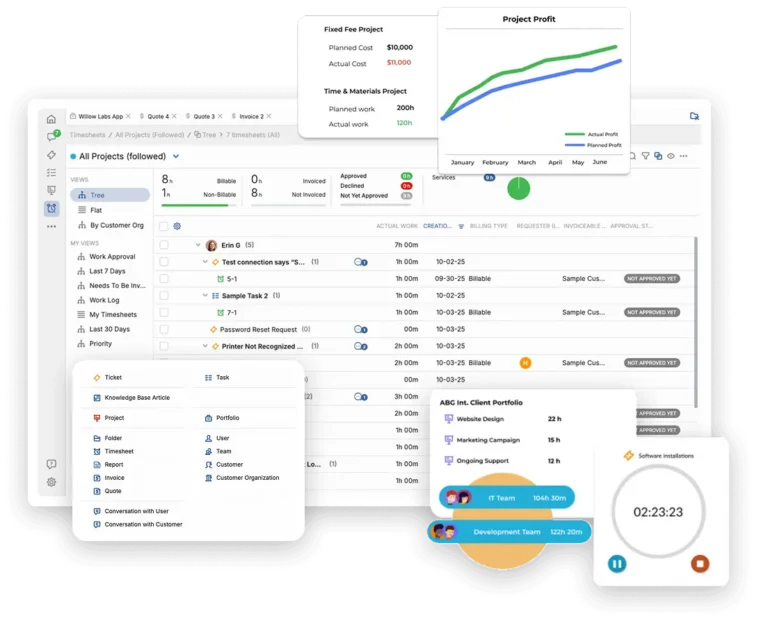
Every customer interaction is a potential billing opportunity. OneDesk captures requests through email, live chat, web forms, and phone logs, instantly converting them into tickets. By centralizing your intake, you ensure that no billable request is ever handled “off-the-books,” maximizing your top-line potential.
- Every incoming email or chat starts a billable thread immediately.
- See client contracts and billing status the moment a ticket is opened.
- Never miss a billable minute, regardless of how the customer reaches out.

Stop Giving Away Your Expertise for Free
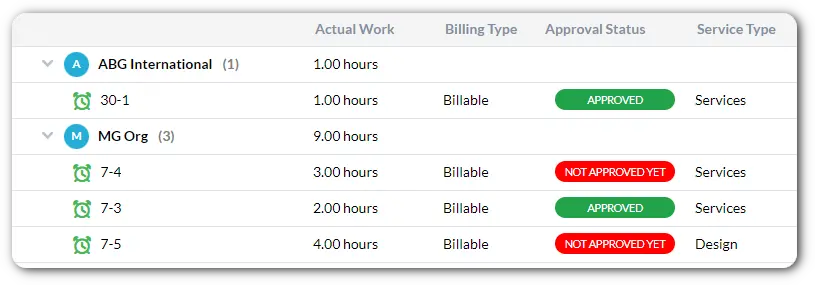
Precision is the key to profitability. OneDesk provides built-in timers and easy manual logs directly on every ticket. Differentiate between billable and non-billable time with a single click, ensuring your clients are invoiced accurately while you maintain visibility into your internal cost of support.
- Start and stop timers as you work to capture every second of effort.
- Easily flag which work is covered by a plan and what is an additional charge.
- Provide clients with transparent proof-of-work attached to every invoice.
Professional Invoices That Land on Time
Transition from “Done” to “Paid” faster. OneDesk aggregates all billable time and project expenses into professional, branded invoices. Whether you bill by the hour, flat-rate, or milestone, our invoicing engine handles the complexity so you can focus on the support.
- Include both time-spent and out-of-pocket costs on a single invoice.
- Generate and send invoices for multiple clients simultaneously at the end of the month.
- Tailor your invoices with your logo, specific tax rules, and local currency.

Manage Prepaid Hours Without the Spreadsheet Headache
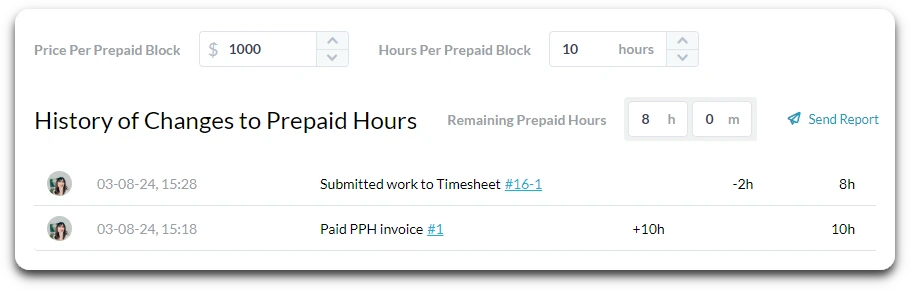
Managing retainers shouldn’t be a manual chore. OneDesk tracks prepaid hour blocks and automatically draws down from the balance as your team logs time on tickets. Give your clients a real-time view of their remaining balance to encourage top-ups and recurring revenue.
- Automatically deduct billable time from a client’s purchased block.
- Get notified when a client’s retainer is running low so you can upsell more hours.
- Run reports to see which clients are consuming their support budget fastest.
FEATURES
Built for Profitable Service Delivery
Standardize your billing, eliminate manual data entry, and ensure your support team is as profitable as they are helpful.
FAQ
Frequently Asked Questions
Yes. You can set up different billable rates based on the ticket type, the seniority of the agent, or specific client contracts. OneDesk will automatically calculate the total cost based on the time logged and the specific rate assigned to that work.
Absolutely. By using the Billable/Non-Billable toggle, you can track time spent on internal training or business development. This allows you to run reports on "Utilization" to see how much of your team's total time is generating revenue versus internal overhead.
Start Managing Your Support Time
Connect your channels and start handling tickets in minutes.