- Client Self-Service Portal
Empower Your Clients.
Lighten Your Workload.
OneDesk provides one place for your customers to find answers, track progress, and communicate with your team. Reduce ticket volume with AI-driven deflection and offer a personalized experience.
Free 14-day trial · No credit card required
USE CASES
A Modern, Modular Experience for Every Client
Customize how you interact with your customers by toggling specific apps and AI tools to match each client’s unique needs.
Build a Bespoke Experience for Every Account
Every client relationship is different. OneDesk lets you create multiple portal configurations where you can toggle specific apps on or off—including Ticket Portals, Task Portals, Knowledgebases, and Live Chat—ensuring your customers see exactly what they need.
- Choose to show or hide tickets, tasks, or apps per client group.
- Create unique entry points with specific forms for different clients
- Fully customize the look and feel with your specific colors, logos, and text.

Resolve Issues Before They Reach Your Inbox
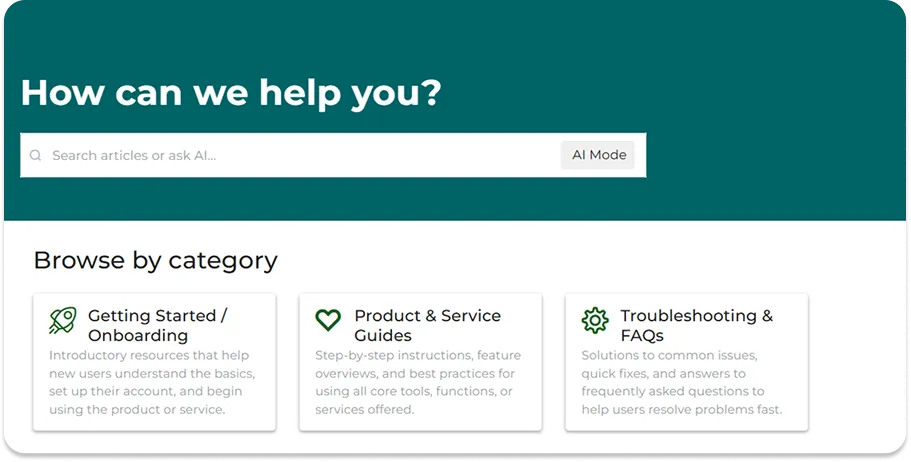
Leverage the power of AI to keep your support queue clean. The portal uses intelligent deflection forms and AI-powered search to suggest Knowledgebase articles in real-time, helping clients solve their own problems while they type their requests.
- Automatically suggest solutions before clients fill out intake forms.
- Smarter search results that understand intent to provide the most relevant articles.
- Provide instant, conversational answers based on your KB, even when your team is offline.

Transparency That Drives Customer Trust
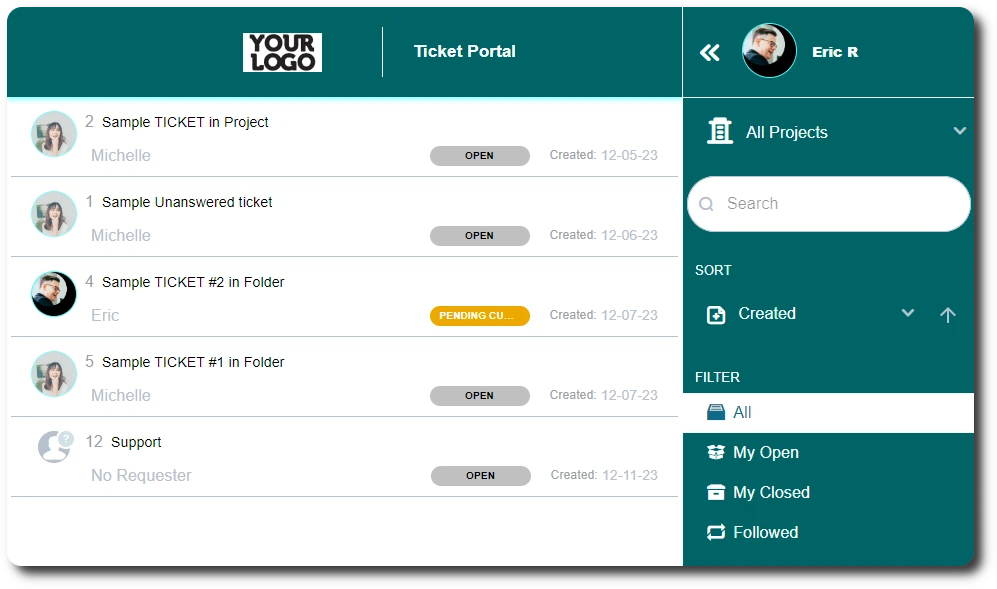
Move beyond messy email threads. The portal allows clients to view the live status of their tickets and project tasks, send instant messages, and attach files directly to their requests. Keep all communication organized and in context.
- Clients can monitor ticket progress in real-time.
- Send updates and receive client feedback directly within the portal interface.
- Allow clients to upload logs, screenshots, and documents directly to their tickets.
Turn Your Documentation Into a Community Hub
Your Knowledgebase shouldn’t be a one-way street. With community forum features, clients can leave comments on articles and share insights. Combined with granular permissions, you control exactly what content is visible to which client.
- Enable comments and discussions on help articles to build a community.
- Control visibility of different knowledge bases
- Use the portal to host custom intake forms for new requests, hardware, or feedback.

FEATURES
A Portal That Scales With Your Service
Standardize your client experience, reduce support overhead, and provide a professional, transparent interface for every interaction.
FAQ
Common Questions
Yes. OneDesk allows you to create multiple portal configurations. You can have a "Basic" portal for some clients and an "Enterprise" portal (with task tracking and live chat enabled) for others, all managed from one place.
Absolutely. By enabling the "Task Portal" app, you can give clients visibility into project milestones, deliverables, and timelines. You have full control over which tasks are "public" to the client and which remain internal to your team.
Start Collaborating With Clients
Start branding and deploying your portal in minutes.