- Creative Brief Intake
Capture the Vision.
Control the Workflow.
OneDesk gives agencies a centralized command center for every client request. With smart intake forms that capture exactly what you need, bridge the gap between idea and deliverable.
Free 14-day trial · No credit card required
USE CASES
A Professional Lifecycle for Every Creative Request
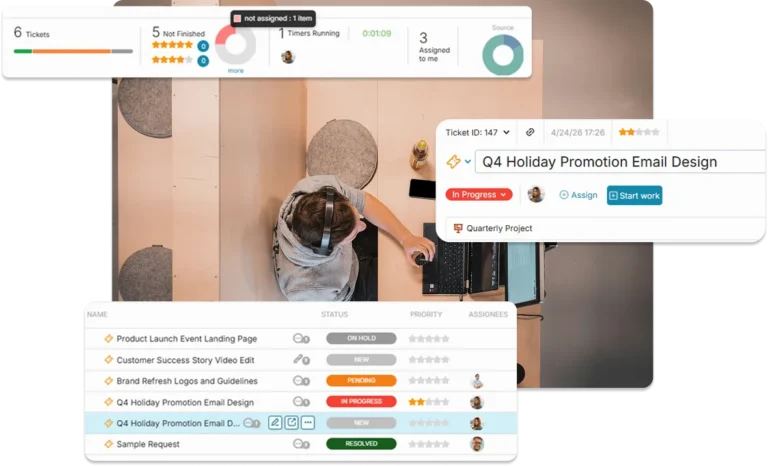
OneDesk streamlines the journey from the first “Project Request” to the final “Client Approval,” keeping your creative team focused on the work, not the admin.
Stop the Missing Info with Custom Forms
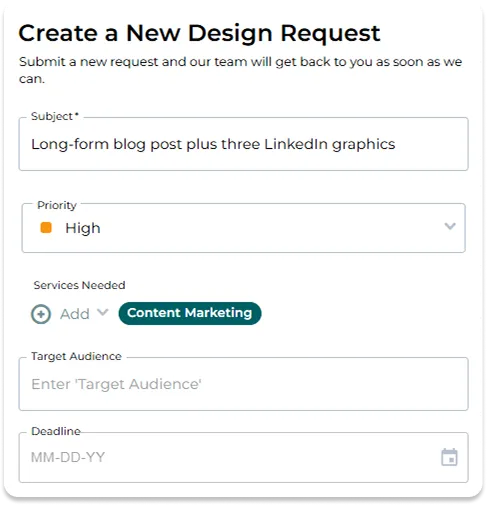
Every creative service, from social media graphics to brand identities, requires different data. OneDesk allows you to build custom intake forms with required fields and file attachments. Capture guidelines, target audience data, and deadlines upfront so your team can start work the moment the brief lands.
- Create unique intake paths for Design, SEO, Copywriting, or Video requests.
- Ensure clients attach logos and brand decks before they can submit the brief.
- Aggregate requests from your website, client portal, or direct email integration.
Map Out Your Campaign Roadmap with Total Clarity
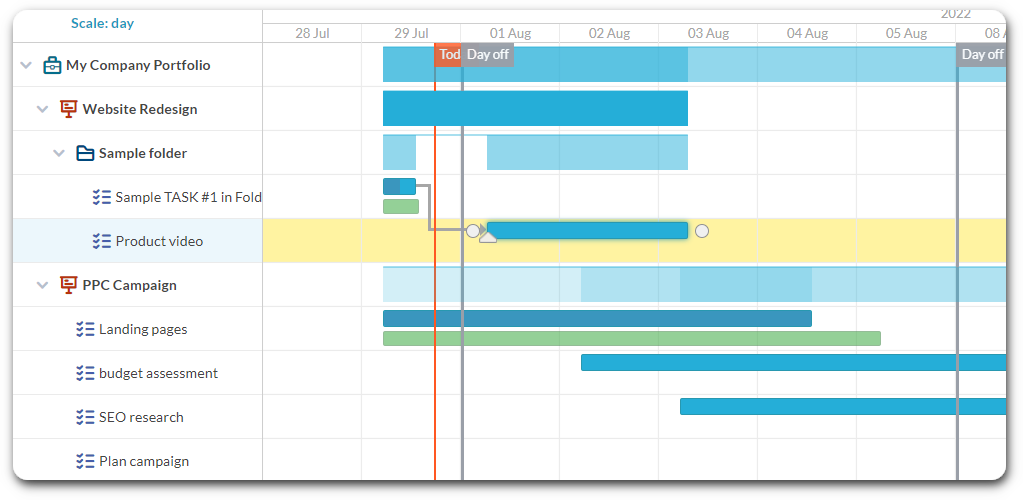
Creative work is rarely a single task. Use the interactive Gantt chart to visualize complex campaign rollouts, manage task dependencies, and set hard milestones. OneDesk allows you to see the “Critical Path” of your delivery, ensuring that a delay in copy doesn’t derail your entire launch schedule.
- Drag-and-drop to adjust timelines and manage task links in real-time.
- Track key stakeholder checkpoints and project sign-off dates visually.
- Allow your creatives to manage their daily output using flexible, visual boards.
Your Agency, Your Brand, Their Destination
Provide a professional extension of your agency with a fully branded client portal. Give your clients a secure, branding space to submit new briefs, review work-in-progress, and provide feedback. By keeping the conversation in-context on the task, you eliminate the confusion of fragmented email threads.
- Customize colors, logos, and landing pages to match your agency’s identity.
- Clients can leave comments and attach revised assets directly on project tasks.
- Choose exactly what is visible to your clients.

Turn Creative Hours into Paid Invoices
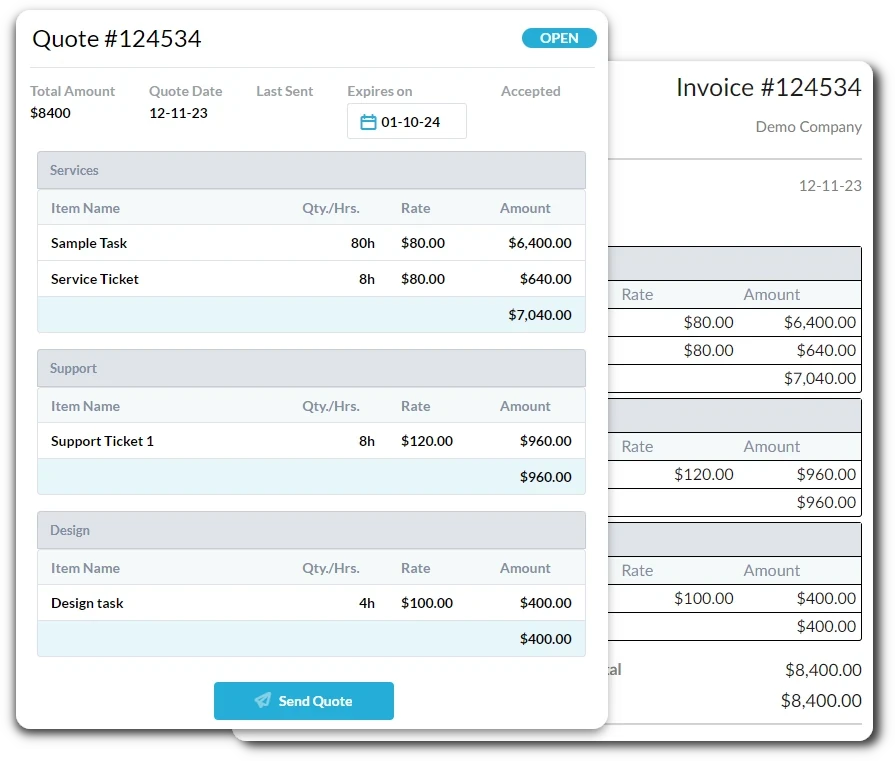
Don’t leave money on the table. OneDesk links your creative briefs directly to built-in time tracking and billable rates. Monitor “Actual vs. Planned” effort to identify over-serviced accounts and automatically pull billable time and expenses into professional client invoices with a single click.
- Capture every second of design and strategy time directly on the task.
- Monitor project burn rates against fixed-fee or retainer balances.
- Convert approved time logs and project expenses into branded PDF invoices.
FEATURES
Built for High-Growth Creative Agencies
Standardize your intake, automate your approvals, and ensure your creative team is as profitable as they are inspired.
FAQ
Questions About OneDesk
Yes. OneDesk allows you to create multiple portal configurations and forms. You can have a simplified brief for small projects and a comprehensive campaign brief for enterprise accounts, ensuring you get the right amount of detail for every scope.
You can send approval requests to a client, which are sent directly to their email. There they can approve or decline and leave comments about their decision. Clients can also log into the portal where they can see the tasks you’ve made visible. They can leave comments, attach feedback documents, and see the status of work.